
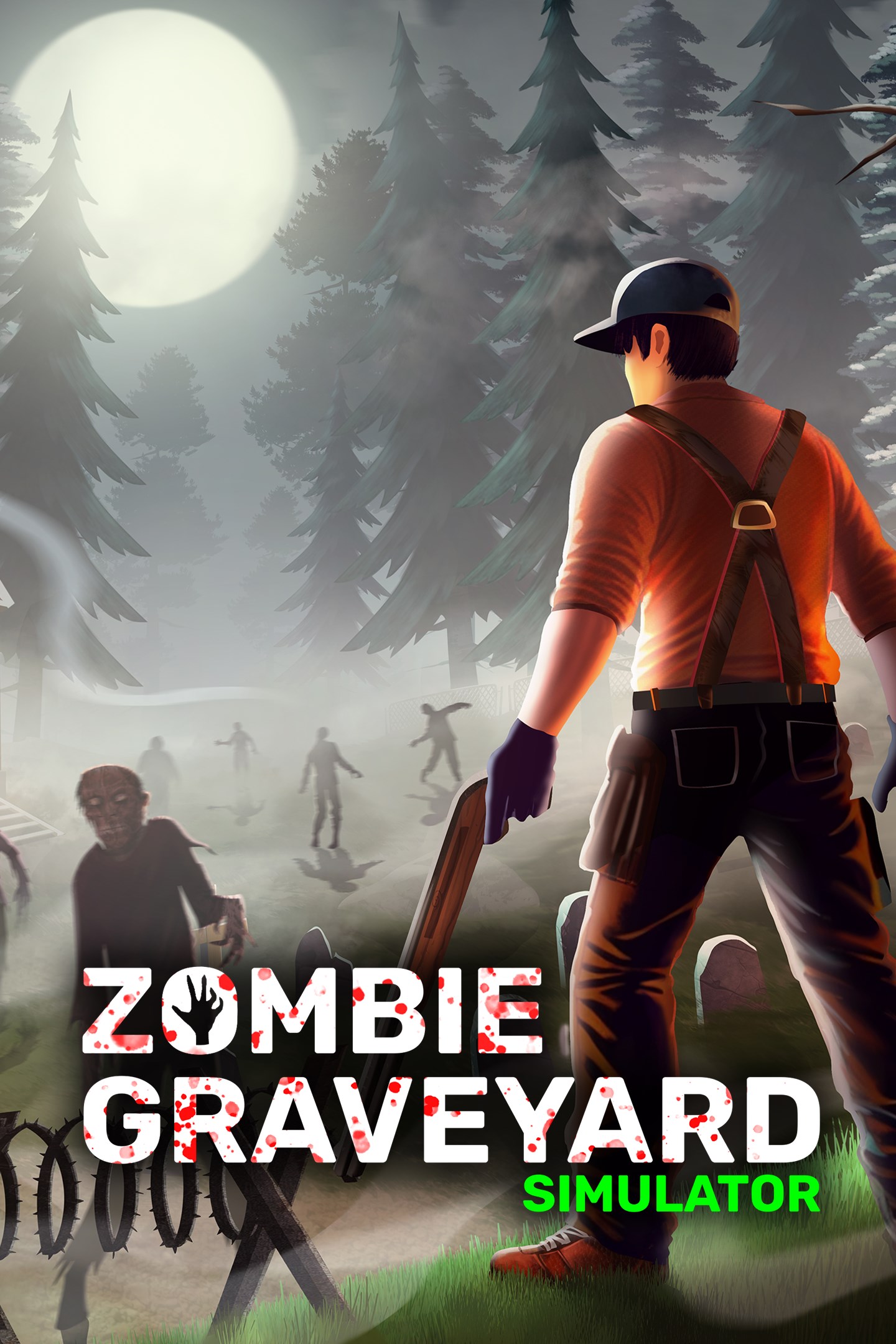
Zombie Graveyard Simulator
Details
- Publisher
- PlayWay S.A.
- Developer
- threeW / Console Labs S.A.
- Release date
- 30.07.2026
- Age rating
- ESRB:T
- Localization
- English
Purchase options
Primary: our account is set as the home Xbox of your console ("My home Xbox"), so the game is shared with your own profile and works offline — that is one slot on one console. Secondary: you sign in to our account and launch the game from it, and the console has to stay online. The activation code is an extra option: it is redeemed on your own account, and the game stays there forever.
You install the game from our account and set our account as the home one ("My home Xbox"): after that you play from your own profile, and the progress and achievements stay yours. It works offline.
You sign in to our account and play right from it. A permanent internet connection is required and only the issued profile can be used. It costs less than the primary access.
A bonus way to buy: you get a 25-character code and redeem it on your own account. The game stays with you forever, no other profiles and no sign-in to a shared account.
What happens after payment
About the game
In a world where the dead turn into zombies, your job is to manage your very own Graveyard! Perform burials and cremations, fulfill visitor requests, manage facilities, and keep your staff and defenses in top shape. But when night falls, everything changes. The dead may rest, but the zombies don’t. They are coming for your precious work!
Visitor Satisfaction is Key
After processing the bodies, visitors will return to check on their loved ones. Your duty is to keep graves intact while providing fresh flowers and maintaining a welcoming environment. Every visit rewards you with valuable bonuses to help your business thrive.
Visitors can also stop by the Chapel to rest, attend sermons, and browse the Souvenir Shop for small keepsakes like candles and incenses. A clean, decorated, and well managed graveyard encourages greater generosity while donating!
Build your Defenses
Each night, waves of zombies will come with their numbers growing and special zombie types emerging, hungry for freshly buried bodies and for you. Some nights may be even more dangerous with special events like the Blood Moon. From basic defenses like barbed wires and fences to advanced machines like flamethrower turrets, keep your defenses upgraded, repaired, and fully stocked with ammo to withstand the night. Your loyal pet companion can also assist you during nighttime defenses.
Trust your Arsenal
With a wide arsenal of 13+ weapons, including pistols, rifles, shotguns, and your trusty shovel, you are the ultimate force against the Zombies. As you level up, unlock and purchase new weapons to become even stronger. Just make sure to stock up on enough ammo!
Even a Graveyard Can Be Cozy Sometimes!
Use your Farming Area to grow different flowers for profit and vegetables to simply eat and restore your energy and health. With Upgrades, you can even unlock a Grinder to turn zombie parts into Fertilizer. Decorate your Graveyard with benches, lights, paths, custom urns, and other ornaments to make it truly your own.
Expand and Upgrade Your Facilities
Your graveyard isn’t just a resting place, it's a business, and every upgrade matters. Expand your burial areas, manage custom urns at the urn station, upgrade your crematorium, and operate new facilities like the Stone Quarry & Workshop to craft your own gravestones. Improve your water supply, manage resource production, and unlock advanced stations like the Zombie Research Lab to process captured zombies into valuable products.
Hire a team of employees to help with day-to-day tasks: the Florist keeps flowers running, the Gravekeeper maintains burials and cremations, the Gardener keeps your farm in check, the Technician ensures all machines run smoothly, and Chapel staff like the Priest, Pianist, and Custodian help run sermons and services.
Every improvement helps you stay one step ahead of both business demands and the undead threat. Venture beyond the graveyard by unlocking Expedition Mode through the Expedition Station, where radio signals lead you to dangerous missions outside your walls.
Screenshots
Click a frame to open it larger, use the arrows to browse
How to activate
Guide for Xbox Series X|S
Primary — the game is shared with your own profile
- 1Press the Xbox button, open "Profile & system" → "Add or switch" → "Add new" and sign in with the login and password from your order.
- 2Now open "Settings" → "General" → "Personalization" → "My home Xbox" and choose "Make this my home Xbox". This is what shares our games with every profile on your console.
- 3Switch back to your own profile, open "My games & apps" → "Library" and install the game. The internet is only needed for the download.
- 4Launch the game from your own profile: achievements, saves and progress stay yours, and after the installation the game works offline.
Only one console at a time can be the home Xbox for our account — that is the slot you bought. Please do not change the password, the email or the two-factor settings of the account, or the access will be blocked.
Secondary — you play from our account
- 1Press the Xbox button, open "Profile & system" → "Add or switch" → "Add new" and sign in with the login and password from your order.
- 2Open "My games & apps" → "Library", switch to our profile in the top-left corner and install the game.
- 3Launch the game while our profile stays signed in, and keep the console online: the licence is checked over the internet.
- 4Use your own profile for everything else — the game stays available as long as our account is signed in on this console.
Secondary costs less, but it needs a permanent internet connection and our account stays signed in on your console.
Activation code
- 1On the console open "Store" and go to the "Redeem code" section.
- 2Enter the 25-character code from your order and confirm the activation on your own account.
- 3After the activation the code is shown as "Used" — but you can reinstall the game from your library at any time.
Notes for Xbox Series
Important
How to play online
Warranty and support
The warranty covers the whole period of use of the account. If the access stops working, we replace the account or refund your money.
- If the game stops launching, we replace the account or refund your money.
- Average support response time — 15–30 minutes during working hours.
- The warranty covers the whole rental period of the access.
Support
Telegram: @weskars
E-mail: support@gears.games
Working hours: daily 11:00 – 23:00 (UTC+3)
Every order goes through clear stages: "New" → "Awaiting payment" → "Paid" → "Delivered". You can follow the status in your account page.
Similar games
More games in the "Simulation" genre



