
X-Bundle: Windows and Xbox games bundle
Details
- Publisher
- Xitilon
- Developer
- —
- Release date
- 01.01.2025
- Age rating
- ESRB:E10
- Localization
- English
Purchase options
Platform
Primary: our account is set as the home Xbox of your console ("My home Xbox"), so the game is shared with your own profile and works offline — that is one slot on one console. Secondary: you sign in to our account and launch the game from it, and the console has to stay online. The activation code is an extra option: it is redeemed on your own account, and the game stays there forever.
You install the game from our account and set our account as the home one ("My home Xbox"): after that you play from your own profile, and the progress and achievements stay yours. It works offline.
You sign in to our account and play right from it. A permanent internet connection is required and only the issued profile can be used. It costs less than the primary access.
A bonus way to buy: you get a 25-character code and redeem it on your own account. The game stays with you forever, no other profiles and no sign-in to a shared account.
What happens after payment
About the game
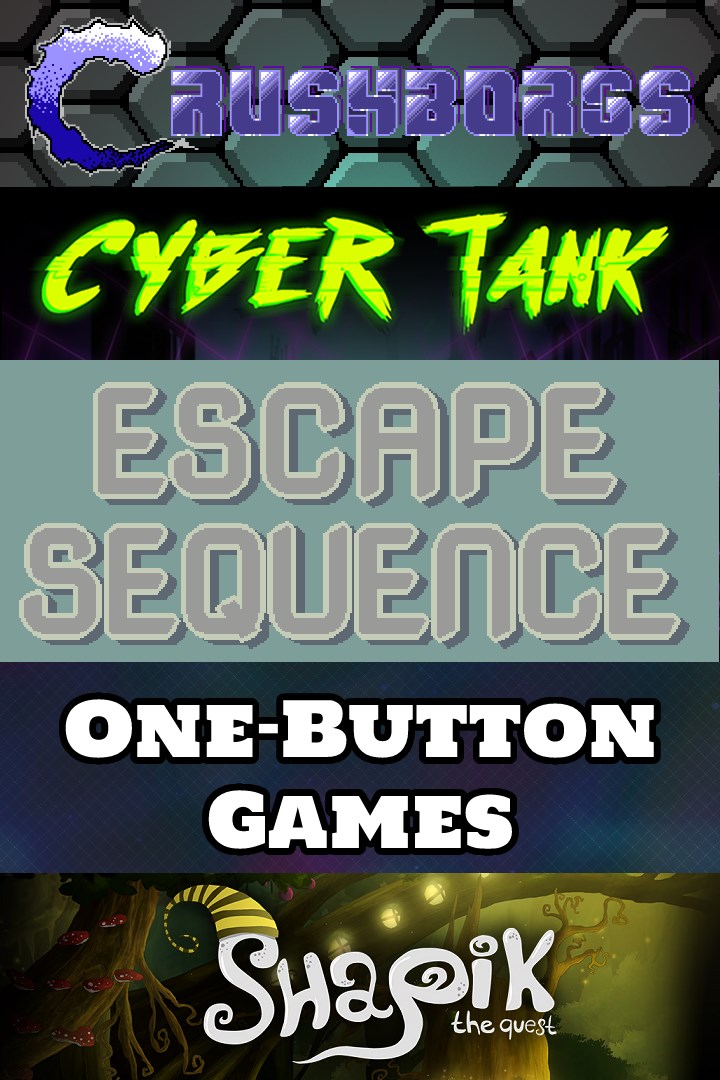
Current contents:
CrushBorgs
"Run and Gun" oldschool single-player platformer with NES aesthetics, including an authentic 8-bit chiptune.
- 2 characters wielding different weapons.
- Endless waves of enemies.
- 4 challenging bosses.
- 7 levels with various goals.
Cyber Tank
A challenging puzzle game which adds various mechanics on top of the Sokoban genre:
- Shot reflections;
- Destroyable ice;
- Crumbling floors;
- Enemies that can be moved;
- Water that can be traversed by putting blocks into it;
- Teleports;
- Conveyors;
- Collectible bonuses;
- And so on!
Collect all the 126 holographic cubes across 42 mind-twisting levels and reach the exit!
Escape Sequence
Use your puzzle skills to help the player escape the dungeon. Arrange the blocks in sokoban manner to move the pawns, and they will move blocks that aren't directly available to you. Plan their movements well, know when to start and stop, let them make new movement sequences for you, smart out your way to freedom.
One Button Games 5-in-1
Challenge yourself with these 5 one-button fast-paced games.
In "B CANNON" you are moving around the screen and can reverse your direction by pressing a button. Your goal is to shoot the circles that are bouncing around. You aim automatically and shoot at the current aim position. Hold a button to shoot. The circles break up into smaller ones and you have to shoot them until they can no longer be broken down. The game is over when you touch any circle.
In "CATE P" you score points by destroying the caterpillars crawling around you. When you press a button you will rotate clockwise and shoot in the direction you were looking at before. Try to hit the caterpillars and avoid being hit by them. You score points by shooting the segments of a caterpillar. The game is over when any caterpillar touches you.
In "S LANES" You are constantly moving between the four lanes on the left side of the screen. Your goal is to shoot enemies that are coming from the right to keep them from reaching the lanes. Hold a button to shoot and to move forward towards the enemies. Collect the coins that enemies drop after you destroy them to score points. The game is over when any enemy reaches any of the lanes.
In "THUNDER" you are running in the middle of a thunderstorm. Collect the stars that form when lightning strikes the ground to score points. But avoid getting hit by lightning. Reverse your direction by pressing a button or by hitting the sides of the screen. The game is over when you get struck.
In "UD CAVE" your screen is split in halves with a cave in each half. You control two characters simultaneously going through the caves on each side. The cave on the right is upside down. Press a button to make both characters go right. Collect coins on the way to score points. The game is over when either of the two characters hits the sides of the cave.
Shapik: The Quest
This is a story of Shapik, traveling through magic forest in search of his missing sister. Explore a beautiful world, full of mystery, magic and danger and find your missing sister, solving puzzles on your way.
- Graphics
Backgrounds and characters were drawn by hand. You will find very many seemingly inconspicuous details. Just stop and take a closer look.
- FEWER letters
In this story you will not find a single text line. The whole story is told using animated “bubble thoughts”.
- Exciting music
Our music maker composed atmospheric music to make you feel all the twists and turns and exciting moments of the plot. Listen up when you're tired of exploring locations.
Updated version: +12 new levels, + new achievements
Screenshots
Click a frame to open it larger, use the arrows to browse
How to activate
Guide for Xbox One
Primary — the game is shared with your own profile
- 1Press the Xbox button, open "Profile & system" → "Add or switch" → "Add new" and sign in with the login and password from your order.
- 2Now open "Settings" → "General" → "Personalization" → "My home Xbox" and choose "Make this my home Xbox". This is what shares our games with every profile on your console.
- 3Switch back to your own profile, open "My games & apps" → "Library" and install the game. The internet is only needed for the download.
- 4Launch the game from your own profile: achievements, saves and progress stay yours, and after the installation the game works offline.
Only one console at a time can be the home Xbox for our account — that is the slot you bought. Please do not change the password, the email or the two-factor settings of the account, or the access will be blocked.
Secondary — you play from our account
- 1Press the Xbox button, open "Profile & system" → "Add or switch" → "Add new" and sign in with the login and password from your order.
- 2Open "My games & apps" → "Library", switch to our profile in the top-left corner and install the game.
- 3Launch the game while our profile stays signed in, and keep the console online: the licence is checked over the internet.
- 4Use your own profile for everything else — the game stays available as long as our account is signed in on this console.
Secondary costs less, but it needs a permanent internet connection and our account stays signed in on your console.
Activation code
- 1On the console open "Store" and go to the "Redeem code" section.
- 2Enter the 25-character code from your order and confirm the activation on your own account.
- 3After the activation the code is shown as "Used" — but you can reinstall the game from your library at any time.
Notes for Xbox One
Important
How to play online
Warranty and support
The warranty covers the whole period of use of the account. If the access stops working, we replace the account or refund your money.
- If the game stops launching, we replace the account or refund your money.
- Average support response time — 15–30 minutes during working hours.
- The warranty covers the whole rental period of the access.
Support
Telegram: @weskars
E-mail: support@gears.games
Working hours: daily 11:00 – 23:00 (UTC+3)
Every order goes through clear stages: "New" → "Awaiting payment" → "Paid" → "Delivered". You can follow the status in your account page.
Similar games
More games in the "Action & adventure" genre



