
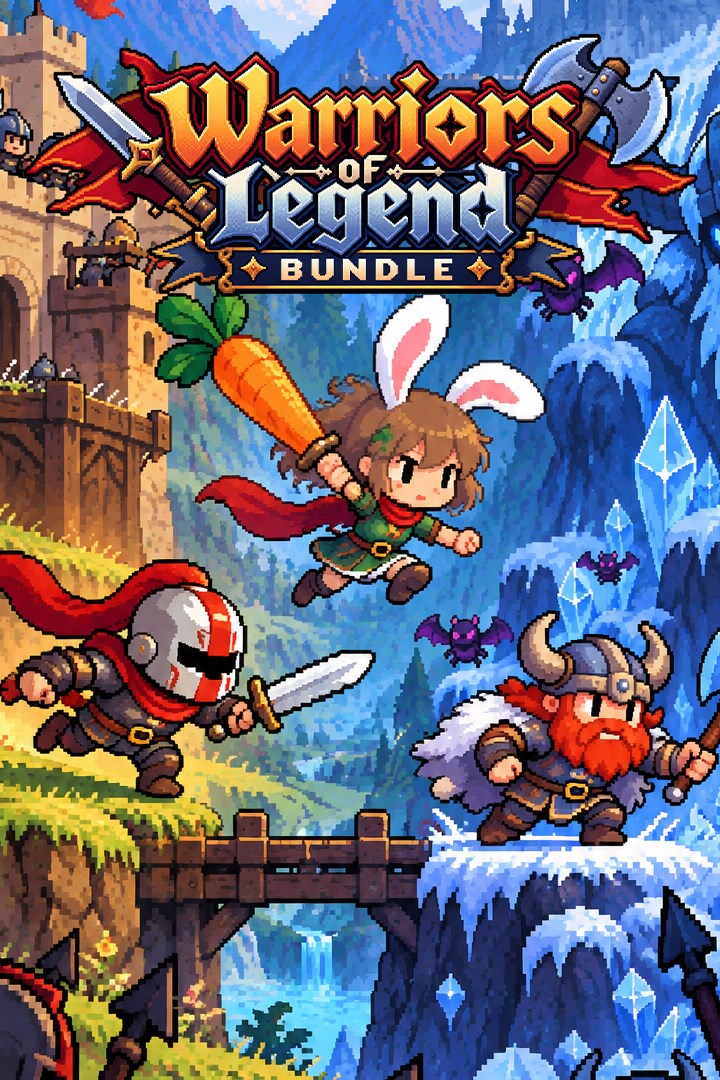
Warriors of Legend Bundle
Details
- Publisher
- Synnergy Circle Games
- Developer
- Synnergy Circle Games
- Release date
- 27.09.2026
- Age rating
- ESRB:E10
- Localization
- English
Purchase options
Platform
Primary: our account is set as the home Xbox of your console ("My home Xbox"), so the game is shared with your own profile and works offline — that is one slot on one console. Secondary: you sign in to our account and launch the game from it, and the console has to stay online. The activation code is an extra option: it is redeemed on your own account, and the game stays there forever.
You install the game from our account and set our account as the home one ("My home Xbox"): after that you play from your own profile, and the progress and achievements stay yours. It works offline.
You sign in to our account and play right from it. A permanent internet connection is required and only the issued profile can be used. It costs less than the primary access.
A bonus way to buy: you get a 25-character code and redeem it on your own account. The game stays with you forever, no other profiles and no sign-in to a shared account.
What happens after payment
About the game
Three action-packed adventures come together in the Warriors of Legend Bundle from Synnergy Circle Games, available for Xbox Series X|S, Xbox One and Windows. Step into the role of three very different warriors and fight your way through armies, monsters and legendary enemies with swords, axes and unconventional weapons.
Game 1: Carrot Crusade - Mimika's Reckoning
In a world where nature's magic is fading, Mimika—a fierce half-human, half-rabbit warrior—sets out on a legendary journey to recover the seven lost Rainbow Carrots, mystical relics said to hold the power to restore life and balance to her dying homeland.
Armed with her trusty Carrot Blade and enchanted Carrot Arrows, Mimika must leap, slash and shoot her way through treacherous lands filled with corrupted beasts, ancient traps and dark guardians. The reckoning has begun—and only she can uncover the truth buried beneath the soil.
Game 2: Bastion Break
The Empire of Valedorn is conquering the continent. Aurelia is next.
With no army strong enough to stop the invasion, legendary knight Kael Draven launches a desperate assault into enemy territory alone. Fight through relentless soldiers, fortified bastions and elite commanders in a brutal one-man war against an unstoppable empire.
Bastion Break is a fast-paced 2D action platformer where a lone knight wages war against an entire empire. Slash through enemy front lines, storm massive strongholds and battle overwhelming armies in a desperate mission to save your homeland.
Game 3: Shards of Mistfrost
The Giants of Calamity have appeared alongside mysterious Winter Crystals. Their goal is to cover the world in snow and ice, using the crystals to create an eternal, unending winter.
Before they can complete their plan, the warrior Hrok Thorgril sets out with his trusty axe to destroy every Winter Crystal and defeat the giants before it is too late.
Shards of Mistfrost is a 2D action-adventure platformer inspired by Norse mythology and retro gameplay. Its core mechanic revolves around Hrok's axe: throw it to destroy obstacles, Winter Crystals and enemies, then survive until it returns to your hands. Positioning, quick reflexes and strong map awareness are essential to conquer every level.
Screenshots
Click a frame to open it larger, use the arrows to browse
How to activate
Guide for Xbox One
Primary — the game is shared with your own profile
- 1Press the Xbox button, open "Profile & system" → "Add or switch" → "Add new" and sign in with the login and password from your order.
- 2Now open "Settings" → "General" → "Personalization" → "My home Xbox" and choose "Make this my home Xbox". This is what shares our games with every profile on your console.
- 3Switch back to your own profile, open "My games & apps" → "Library" and install the game. The internet is only needed for the download.
- 4Launch the game from your own profile: achievements, saves and progress stay yours, and after the installation the game works offline.
Only one console at a time can be the home Xbox for our account — that is the slot you bought. Please do not change the password, the email or the two-factor settings of the account, or the access will be blocked.
Secondary — you play from our account
- 1Press the Xbox button, open "Profile & system" → "Add or switch" → "Add new" and sign in with the login and password from your order.
- 2Open "My games & apps" → "Library", switch to our profile in the top-left corner and install the game.
- 3Launch the game while our profile stays signed in, and keep the console online: the licence is checked over the internet.
- 4Use your own profile for everything else — the game stays available as long as our account is signed in on this console.
Secondary costs less, but it needs a permanent internet connection and our account stays signed in on your console.
Activation code
- 1On the console open "Store" and go to the "Redeem code" section.
- 2Enter the 25-character code from your order and confirm the activation on your own account.
- 3After the activation the code is shown as "Used" — but you can reinstall the game from your library at any time.
Notes for Xbox One
Important
How to play online
Warranty and support
The warranty covers the whole period of use of the account. If the access stops working, we replace the account or refund your money.
- If the game stops launching, we replace the account or refund your money.
- Average support response time — 15–30 minutes during working hours.
- The warranty covers the whole rental period of the access.
Support
Telegram: @weskars
E-mail: support@gears.games
Working hours: daily 11:00 – 23:00 (UTC+3)
Every order goes through clear stages: "New" → "Awaiting payment" → "Paid" → "Delivered". You can follow the status in your account page.
Similar games
More games in the "Action & adventure" genre



