Ultimate Wobble Run
Details
- Publisher
- Lucky Raccoon Games
- Developer
- Lucky Raccoon Games
- Release date
- 22.05.2026
- Age rating
- ESRB:E
- Localization
- English
Purchase options
Platform
Primary: our account is set as the home Xbox of your console ("My home Xbox"), so the game is shared with your own profile and works offline — that is one slot on one console. Secondary: you sign in to our account and launch the game from it, and the console has to stay online. The activation code is an extra option: it is redeemed on your own account, and the game stays there forever.
You install the game from our account and set our account as the home one ("My home Xbox"): after that you play from your own profile, and the progress and achievements stay yours. It works offline.
You sign in to our account and play right from it. A permanent internet connection is required and only the issued profile can be used. It costs less than the primary access.
A bonus way to buy: you get a 25-character code and redeem it on your own account. The game stays with you forever, no other profiles and no sign-in to a shared account.
What happens after payment
About the game
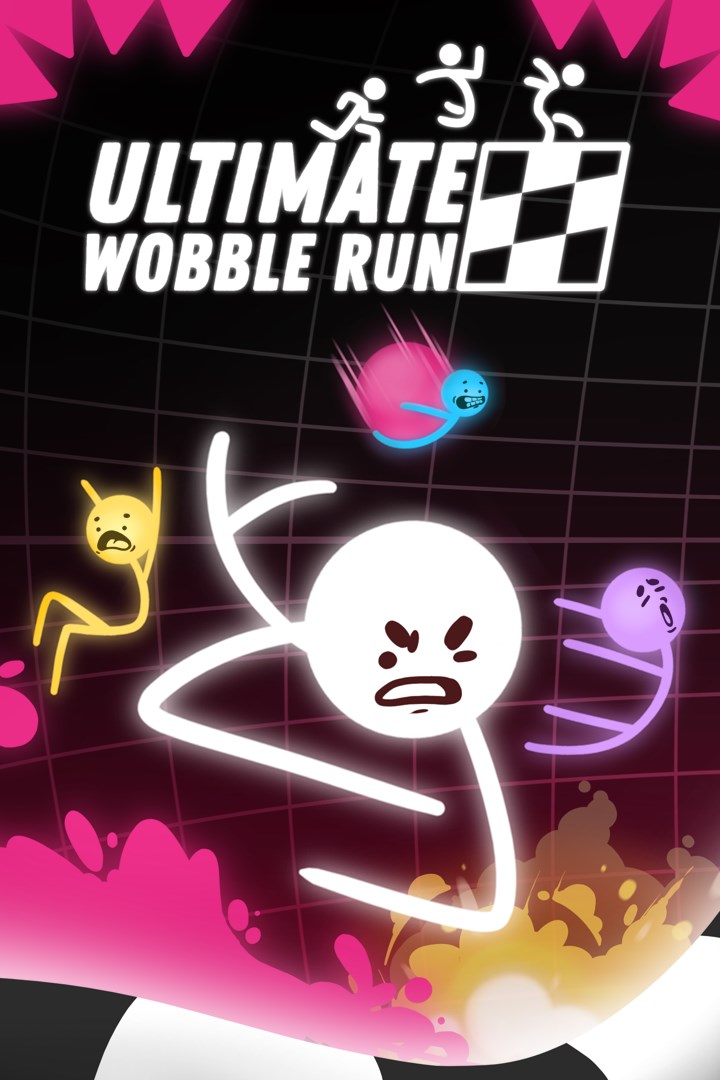
Ultimate Wobble Run is a chaotic physics-based party racing game where wobbly little runners sprint, jump, fall, stumble, recover, and compete all the way to the finish line.
In single-player, race against the clock, improve your best times, and try to reach the top of the leaderboards. Learn each level, master the movement, find better routes, and turn every messy run into a faster one.
In local multiplayer, up to 4 players can compete on the same couch in fast and hilarious races. Run for the checkered flag, survive chaotic hazards, escape rising lava, and challenge your friends in rounds where anything can happen.
Want to make things even more spicy? Jump into Party Mode, where players can place obstacles before the race begins. Protect your route, ruin someone else’s plan, and then race through the mess everyone helped create.
Easy to understand, funny to watch, and satisfying to master, Ultimate Wobble Run combines arcade racing, physics-based movement, player-placed obstacles, and party game chaos into quick, replayable challenges for solo players and groups of friends.
Features:
- Chaotic physics-based racing
- Single-player time attack challenges
- Leaderboards to chase your best times
- Local multiplayer for up to 4 players
- Party Mode with player-placed obstacles
- Wobbly movement and unpredictable moments
- Fun hazards, messy jumps, dramatic finishes, and epic recoveries
- A frantic party game for friends, family, and speed runners
Run fast. Fall hard. Build the chaos. Get back up. Reach the flag before everyone else.
Screenshots
Click a frame to open it larger, use the arrows to browse
How to activate
Guide for Xbox One
Primary — the game is shared with your own profile
- 1Press the Xbox button, open "Profile & system" → "Add or switch" → "Add new" and sign in with the login and password from your order.
- 2Now open "Settings" → "General" → "Personalization" → "My home Xbox" and choose "Make this my home Xbox". This is what shares our games with every profile on your console.
- 3Switch back to your own profile, open "My games & apps" → "Library" and install the game. The internet is only needed for the download.
- 4Launch the game from your own profile: achievements, saves and progress stay yours, and after the installation the game works offline.
Only one console at a time can be the home Xbox for our account — that is the slot you bought. Please do not change the password, the email or the two-factor settings of the account, or the access will be blocked.
Secondary — you play from our account
- 1Press the Xbox button, open "Profile & system" → "Add or switch" → "Add new" and sign in with the login and password from your order.
- 2Open "My games & apps" → "Library", switch to our profile in the top-left corner and install the game.
- 3Launch the game while our profile stays signed in, and keep the console online: the licence is checked over the internet.
- 4Use your own profile for everything else — the game stays available as long as our account is signed in on this console.
Secondary costs less, but it needs a permanent internet connection and our account stays signed in on your console.
Activation code
- 1On the console open "Store" and go to the "Redeem code" section.
- 2Enter the 25-character code from your order and confirm the activation on your own account.
- 3After the activation the code is shown as "Used" — but you can reinstall the game from your library at any time.
Notes for Xbox One
Important
How to play online
Warranty and support
The warranty covers the whole period of use of the account. If the access stops working, we replace the account or refund your money.
- If the game stops launching, we replace the account or refund your money.
- Average support response time — 15–30 minutes during working hours.
- The warranty covers the whole rental period of the access.
Support
Telegram: @weskars
E-mail: support@gears.games
Working hours: daily 11:00 – 23:00 (UTC+3)
Every order goes through clear stages: "New" → "Awaiting payment" → "Paid" → "Delivered". You can follow the status in your account page.
Similar games
More games in the "Platformer" genre