
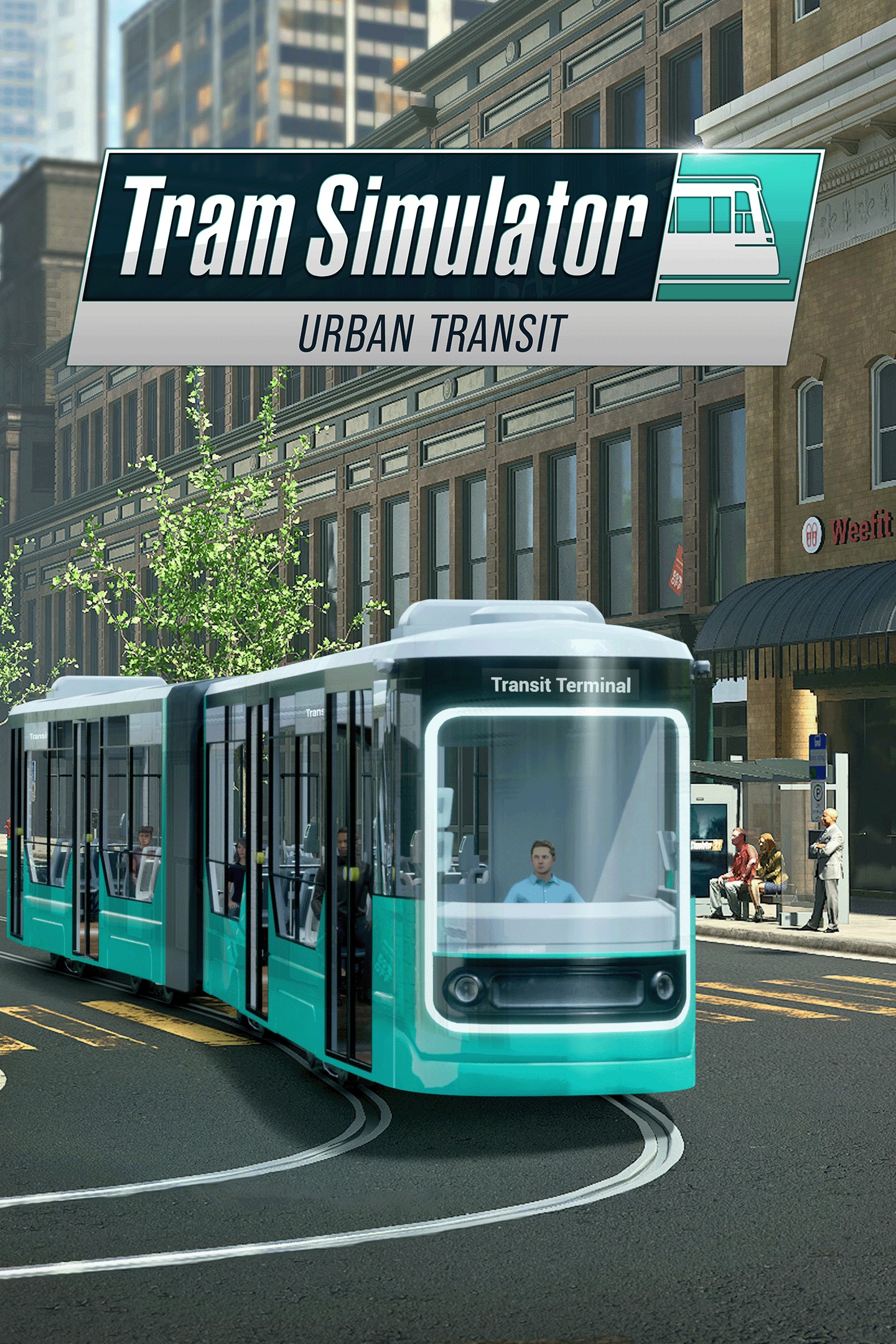
Tram Simulator Urban Transit
Details
- Publisher
- astragon Entertainment
- Developer
- stillalive studios
- Release date
- 21.03.2024
- Age rating
- ESRB:E
- Localization
- English
Purchase options
Platform
Primary: our account is set as the home Xbox of your console ("My home Xbox"), so the game is shared with your own profile and works offline — that is one slot on one console. Secondary: you sign in to our account and launch the game from it, and the console has to stay online. The activation code is an extra option: it is redeemed on your own account, and the game stays there forever.
You install the game from our account and set our account as the home one ("My home Xbox"): after that you play from your own profile, and the progress and achievements stay yours. It works offline.
You sign in to our account and play right from it. A permanent internet connection is required and only the issued profile can be used. It costs less than the primary access.
A bonus way to buy: you get a 25-character code and redeem it on your own account. The game stays with you forever, no other profiles and no sign-in to a shared account.
What happens after payment
About the game
Welcome to Tram Simulator Urban Transit - get on aboard! In this game, you take on the role of a tram driver and manager in Angel Shores, the North American-themed city from the popular bus simulator game Bus Simulator 21 Next Stop. Drive 6 tram models, from cutting-edge, sleek trams to those with a classic, timeless charm through the lively city with its numerous sights. Transport passengers with your trams and drive them to the numerous stops. Plan your own routes, carefully manage your timetables, and expand your tram network.
FEATURES
Transport passengers through Angel Shores and drop them off at different stations
Follow traffic rules and steer your tram through the lively city
Unique tram control: Each tram possesses a distinct driving feel, making every ride an unique experience
Deal with different weather scenarios, day and night cycles and traffic obstacles
Collect in-game profit for successful activities as you master the art of successful tram
Manage your tram company: create timetables, take care of new stops and the rail network
Upgrade and expand your fleet
Play the way you want: Learn the ropes in the "Driving School" tutorial or dive straight into your preferred game mode.
Different game modes: story, career and sandbox with multiplayer option for all three modes
Cross-Platform multiplayer (Tram Simulator only): Connect with friends via PC cross-play (e.g., Steam & Epic) and console cross-gen support (PS4 with PS5 / Xbox One with Xbox Series X|S)
GAMEPLAY
Experience Angel Shores and navigate metropolitan traffic.
Drive your tram through the vibrant metropolis of Angels Shores, which is modelled on large North American cities. Experience Urban Transit first hand and take control of six trams. Steer them safely through the traffic and get your passengers to their destination on time.
Plan versatile routes and manage timetables
It's not just about driving trams; it's about strategically planning routes and timetables to optimize your transit network. Take charge, make stops, and grow your company by upgrading and expanding your tram fleet.
Play as you like!
Tram Simulator Urban Transit offers three different game modes: The story mode where 10+ missions await you. In career mode you can start right away to expand your tram company with all aspects of the game unlocked from the beginning. In sandbox mode, you can drive and plan straight away without mission constraints or financial worries. Plus, join the community in multiplayer mode, where you can collaborate and compete with fellow Tram Simulator enthusiasts.
Get Tram Simulator Urban Transit now and start your tram adventure one tram ride at a time!
Screenshots
Click a frame to open it larger, use the arrows to browse
How to activate
Guide for Xbox One
Primary — the game is shared with your own profile
- 1Press the Xbox button, open "Profile & system" → "Add or switch" → "Add new" and sign in with the login and password from your order.
- 2Now open "Settings" → "General" → "Personalization" → "My home Xbox" and choose "Make this my home Xbox". This is what shares our games with every profile on your console.
- 3Switch back to your own profile, open "My games & apps" → "Library" and install the game. The internet is only needed for the download.
- 4Launch the game from your own profile: achievements, saves and progress stay yours, and after the installation the game works offline.
Only one console at a time can be the home Xbox for our account — that is the slot you bought. Please do not change the password, the email or the two-factor settings of the account, or the access will be blocked.
Secondary — you play from our account
- 1Press the Xbox button, open "Profile & system" → "Add or switch" → "Add new" and sign in with the login and password from your order.
- 2Open "My games & apps" → "Library", switch to our profile in the top-left corner and install the game.
- 3Launch the game while our profile stays signed in, and keep the console online: the licence is checked over the internet.
- 4Use your own profile for everything else — the game stays available as long as our account is signed in on this console.
Secondary costs less, but it needs a permanent internet connection and our account stays signed in on your console.
Activation code
- 1On the console open "Store" and go to the "Redeem code" section.
- 2Enter the 25-character code from your order and confirm the activation on your own account.
- 3After the activation the code is shown as "Used" — but you can reinstall the game from your library at any time.
Notes for Xbox One
Important
How to play online
Warranty and support
The warranty covers the whole period of use of the account. If the access stops working, we replace the account or refund your money.
- If the game stops launching, we replace the account or refund your money.
- Average support response time — 15–30 minutes during working hours.
- The warranty covers the whole rental period of the access.
Support
Telegram: @weskars
E-mail: support@gears.games
Working hours: daily 11:00 – 23:00 (UTC+3)
Every order goes through clear stages: "New" → "Awaiting payment" → "Paid" → "Delivered". You can follow the status in your account page.
Similar games
More games in the "Simulation" genre



