
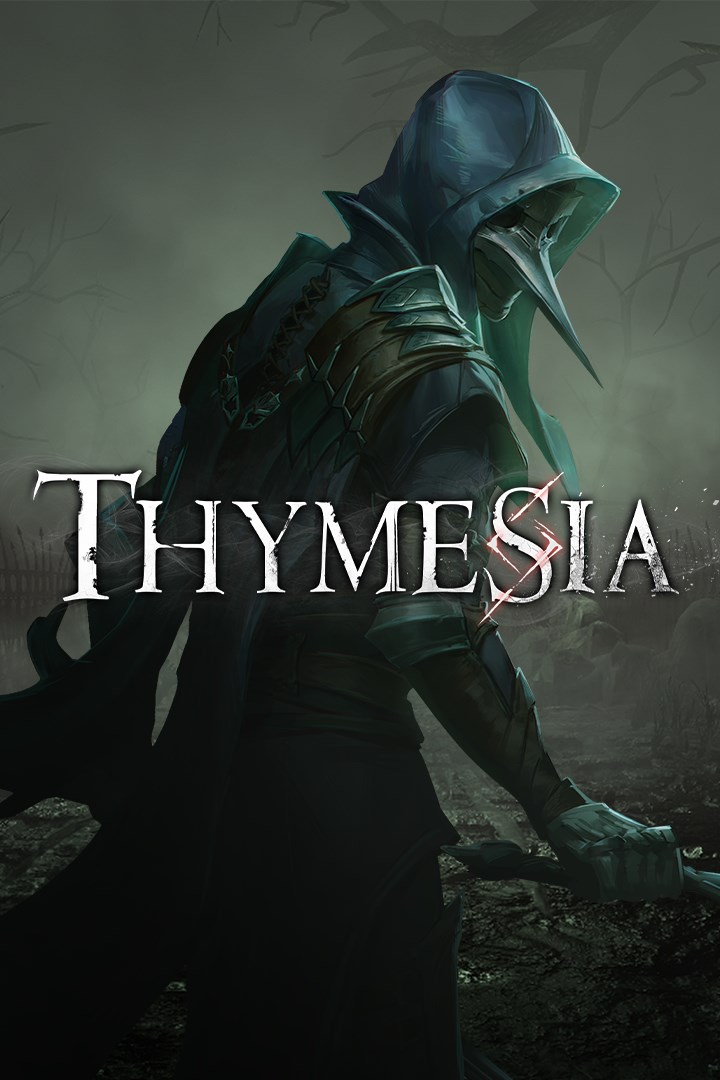
Thymesia
Details
- Publisher
- Team17
- Developer
- OverBorder Studio
- Release date
- 18.08.2022
- Age rating
- ESRB:M
- Localization
- English
Purchase options
Primary: our account is set as the home Xbox of your console ("My home Xbox"), so the game is shared with your own profile and works offline — that is one slot on one console. Secondary: you sign in to our account and launch the game from it, and the console has to stay online. The activation code is an extra option: it is redeemed on your own account, and the game stays there forever.
You install the game from our account and set our account as the home one ("My home Xbox"): after that you play from your own profile, and the progress and achievements stay yours. It works offline.
You sign in to our account and play right from it. A permanent internet connection is required and only the issued profile can be used. It costs less than the primary access.
A bonus way to buy: you get a 25-character code and redeem it on your own account. The game stays with you forever, no other profiles and no sign-in to a shared account.
What happens after payment
About the game
The once thriving Kingdom of Hermes has fallen to an age of calamity.
Seen as the answer to all the kingdom’s ailments, alchemy became a widely used practice across the land, with denizens welcoming it into their homes, using it to enhance and heal as they saw fit. When the price of alchemy became too steep, attempts to halt its use were made, each as woefully unsuccessful as the last, with the catastrophic consequences felt across the realm. Within days, the kingdom fell to chaos, infected monsters prowling the blood-soaked streets, all hope of a cure lost.
Corvus is the kingdom’s final hope, the fate of Hermes resting in his feathered hands. The truth is buried deep in the memories Corvus left scattered throughout the punishing world, and only by collecting these lost memories can the kingdom be saved, but each time he dives back in, trying to piece together the truth, all he finds is more secrets.
Key Features
Harness the plague: Seize plague weapons from gruesome bosses and formidable enemies, wielding them as deadly weapons. Giving enemies a taste of their own medicine will be the only way to survive the horrors that lurk in the shadows of the once thriving kingdom
Embrace the Raven: Shift into your raven form during battle, throw feathers like daggers to interrupt your enemies’ attacks, and perform executions with the swiftness of a raptor.
Fight your way: Upgrade and modify Corvus’ basic movements and plague weapons, build your very own playstyle, and prepare for the challenges that await in your own unique way.
Unforgiving enemies: Corrupted by the plague, and mutated into monsters, enemies are twisted and incredibly hostile, challenging your ability at every turn.
Shattered memories: Piece together Corvus’ past as you dive back into his memories, trying to uncover the truth hidden in the past.
Screenshots
Click a frame to open it larger, use the arrows to browse
How to activate
Guide for Xbox Series X|S
Primary — the game is shared with your own profile
- 1Press the Xbox button, open "Profile & system" → "Add or switch" → "Add new" and sign in with the login and password from your order.
- 2Now open "Settings" → "General" → "Personalization" → "My home Xbox" and choose "Make this my home Xbox". This is what shares our games with every profile on your console.
- 3Switch back to your own profile, open "My games & apps" → "Library" and install the game. The internet is only needed for the download.
- 4Launch the game from your own profile: achievements, saves and progress stay yours, and after the installation the game works offline.
Only one console at a time can be the home Xbox for our account — that is the slot you bought. Please do not change the password, the email or the two-factor settings of the account, or the access will be blocked.
Secondary — you play from our account
- 1Press the Xbox button, open "Profile & system" → "Add or switch" → "Add new" and sign in with the login and password from your order.
- 2Open "My games & apps" → "Library", switch to our profile in the top-left corner and install the game.
- 3Launch the game while our profile stays signed in, and keep the console online: the licence is checked over the internet.
- 4Use your own profile for everything else — the game stays available as long as our account is signed in on this console.
Secondary costs less, but it needs a permanent internet connection and our account stays signed in on your console.
Activation code
- 1On the console open "Store" and go to the "Redeem code" section.
- 2Enter the 25-character code from your order and confirm the activation on your own account.
- 3After the activation the code is shown as "Used" — but you can reinstall the game from your library at any time.
Notes for Xbox Series
Important
How to play online
Warranty and support
The warranty covers the whole period of use of the account. If the access stops working, we replace the account or refund your money.
- If the game stops launching, we replace the account or refund your money.
- Average support response time — 15–30 minutes during working hours.
- The warranty covers the whole rental period of the access.
Support
Telegram: @weskars
E-mail: support@gears.games
Working hours: daily 11:00 – 23:00 (UTC+3)
Every order goes through clear stages: "New" → "Awaiting payment" → "Paid" → "Delivered". You can follow the status in your account page.
Similar games
More games in the "Action & adventure" genre



