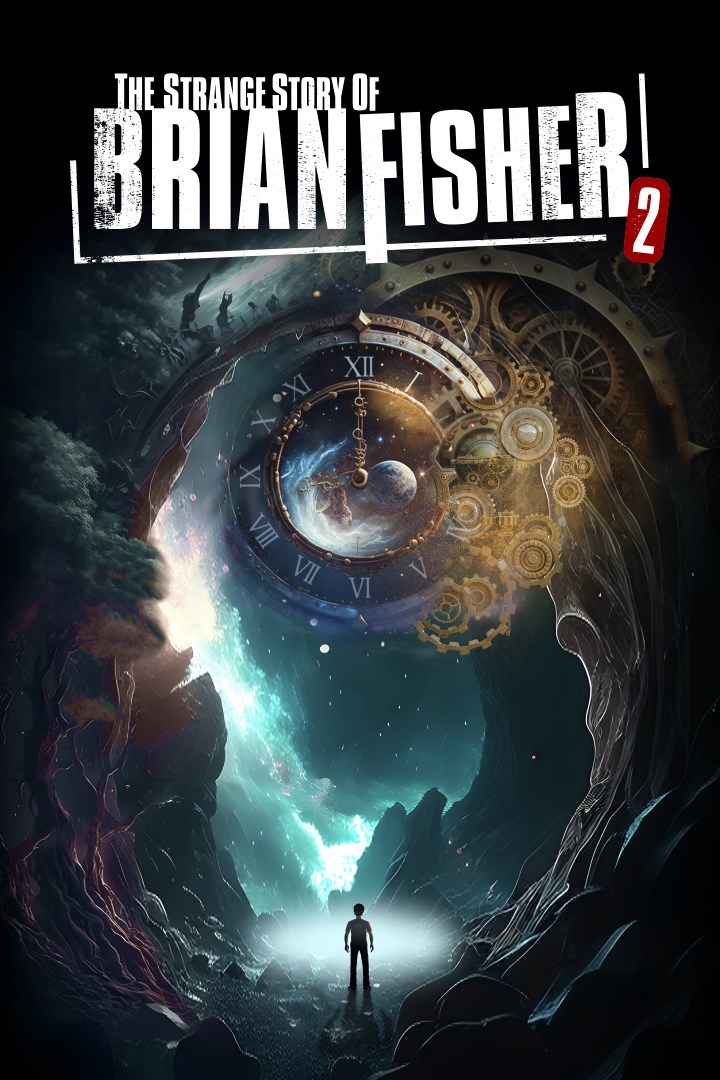
The Strange Story Of Brian Fisher: Chapter 2
Details
- Publisher
- Intetic
- Developer
- Intetic
- Release date
- 08.11.2024
- Age rating
- ESRB:E
- Localization
- English
Purchase options
Platform
Primary: our account is set as the home Xbox of your console ("My home Xbox"), so the game is shared with your own profile and works offline — that is one slot on one console. Secondary: you sign in to our account and launch the game from it, and the console has to stay online. The activation code is an extra option: it is redeemed on your own account, and the game stays there forever.
You install the game from our account and set our account as the home one ("My home Xbox"): after that you play from your own profile, and the progress and achievements stay yours. It works offline.
You sign in to our account and play right from it. A permanent internet connection is required and only the issued profile can be used. It costs less than the primary access.
A bonus way to buy: you get a 25-character code and redeem it on your own account. The game stays with you forever, no other profiles and no sign-in to a shared account.
What happens after payment
About the game
After falling unconscious following his successful escape from the old cabin in the woods where he was imprisoned by an unknown man, a scene we witnessed in Chapter 1, Brian finds himself traveling through time and space.
He wakes up 30 years in the past, as a small child, in an unfamiliar place, with no memory of how he arrived there. Although everything around him seems normal, he is trapped in a different dimension of time and space. His mission is to find something hidden within this dimension of time and space and bring it back to the present. Only then can he continue his journey and uncover the full truth.
Can you help him discover what he needs to find, hidden in this fractured dimension of time and space, and guide him back to the present?
This game is an Escape Room type with a story behind it. A mysterious, puzzle-based episodic adventure where the character is trapped in a large house, and the goal is to find a way out by solving various puzzles.
Features:
- All numbers, letters, their combinations, as well as the rotations of puzzle pieces, are randomly generated each time "New Game" is selected. This means that every player in the world will have a different puzzle setup. This feature can be disabled from the "Options".
- The game has an autosave feature, as well as a manual save, which can be used at any time. The autosave functionality can also be turned off in the "Options".
- For every item that needs to be found, an indicator appears when the character gets close enough to it. This feature can also be disabled in the "Options".
- For puzzles that involve colors, a Colorblind mode can be enabled from the "Options," which adds symbols to represent different colors in addition to the colors themselves.
- Seamless transition from Third Person View to First Person View at any time.
Screenshots
Click a frame to open it larger, use the arrows to browse
How to activate
Guide for Xbox One
Primary — the game is shared with your own profile
- 1Press the Xbox button, open "Profile & system" → "Add or switch" → "Add new" and sign in with the login and password from your order.
- 2Now open "Settings" → "General" → "Personalization" → "My home Xbox" and choose "Make this my home Xbox". This is what shares our games with every profile on your console.
- 3Switch back to your own profile, open "My games & apps" → "Library" and install the game. The internet is only needed for the download.
- 4Launch the game from your own profile: achievements, saves and progress stay yours, and after the installation the game works offline.
Only one console at a time can be the home Xbox for our account — that is the slot you bought. Please do not change the password, the email or the two-factor settings of the account, or the access will be blocked.
Secondary — you play from our account
- 1Press the Xbox button, open "Profile & system" → "Add or switch" → "Add new" and sign in with the login and password from your order.
- 2Open "My games & apps" → "Library", switch to our profile in the top-left corner and install the game.
- 3Launch the game while our profile stays signed in, and keep the console online: the licence is checked over the internet.
- 4Use your own profile for everything else — the game stays available as long as our account is signed in on this console.
Secondary costs less, but it needs a permanent internet connection and our account stays signed in on your console.
Activation code
- 1On the console open "Store" and go to the "Redeem code" section.
- 2Enter the 25-character code from your order and confirm the activation on your own account.
- 3After the activation the code is shown as "Used" — but you can reinstall the game from your library at any time.
Notes for Xbox One
Important
How to play online
Warranty and support
The warranty covers the whole period of use of the account. If the access stops working, we replace the account or refund your money.
- If the game stops launching, we replace the account or refund your money.
- Average support response time — 15–30 minutes during working hours.
- The warranty covers the whole rental period of the access.
Support
Telegram: @weskars
E-mail: support@gears.games
Working hours: daily 11:00 – 23:00 (UTC+3)
Every order goes through clear stages: "New" → "Awaiting payment" → "Paid" → "Delivered". You can follow the status in your account page.
Similar games
More games in the "Puzzle & trivia" genre