
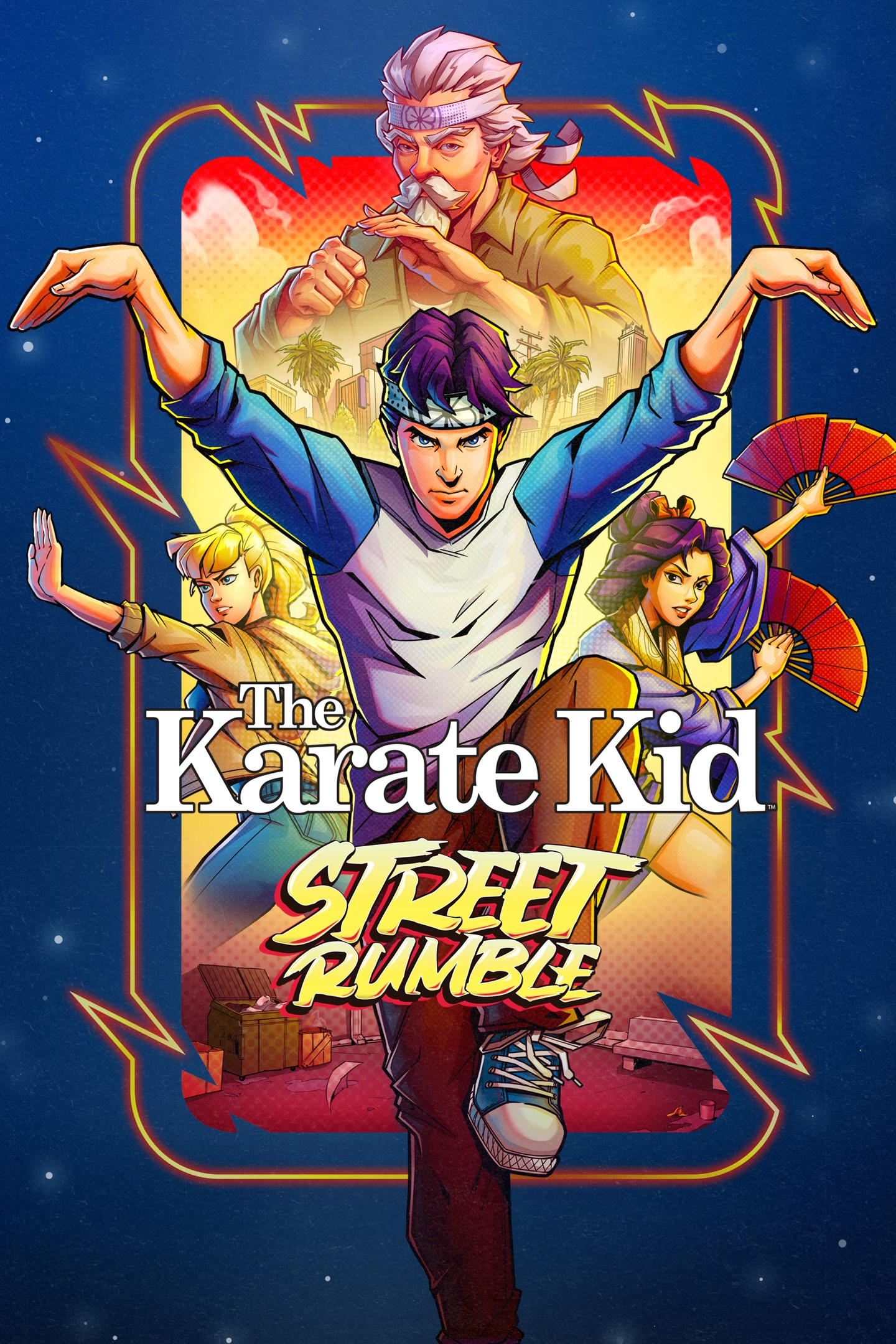
The Karate Kid: Street Rumble
Details
- Publisher
- GameMill Entertainment
- Developer
- Odaclick Game Studio
- Release date
- 20.09.2024
- Age rating
- ESRB:E10
- Localization
- English
Purchase options
Platform
Primary: our account is set as the home Xbox of your console ("My home Xbox"), so the game is shared with your own profile and works offline — that is one slot on one console. Secondary: you sign in to our account and launch the game from it, and the console has to stay online. The activation code is an extra option: it is redeemed on your own account, and the game stays there forever.
You install the game from our account and set our account as the home one ("My home Xbox"): after that you play from your own profile, and the progress and achievements stay yours. It works offline.
You sign in to our account and play right from it. A permanent internet connection is required and only the issued profile can be used. It costs less than the primary access.
A bonus way to buy: you get a 25-character code and redeem it on your own account. The game stays with you forever, no other profiles and no sign-in to a shared account.
What happens after payment
About the game
Sweeping across iconic locations of the first three classic The Karate Kid movies from the 1980s, you’ll step out of the dojo and into the streets of the West Valley and Okinawa as you battle waves of enemies in this pixel art, side-scrolling, beat ‘em up adventure. Play as Daniel LaRusso, Mr. Miyagi, Ali Mills, or Kumiko as you set out to defeat Johnny Lawrence, John Kreese, Terry Silver, and others intent on establishing dominance over Miyagi-Do Karate forever. This game features intense martial arts combat and frenetic action mixed with plenty of retro flair from the original movies.
Key Game Features:
• PIXEL ART MASTERY: Dive into a visually stunning pixel art world that pays homage to the golden era of gaming. Every punch, kick, and iconic scene is beautifully crafted in classic 16-bit glory, delivering a truly nostalgic experience.
• FAST-PACED, RETRO-STYLE, BEAT ‘EM UP, SIDE-SCROLLER: Face hordes of enemies in your quest for martial arts dominance.
• CLASSIC STORYLINE: Relive the adventures of The Karate Kid while facing challenges put forth by Cobra Kai, John Kreese, and Terry Silver. Follow the narrative of the original trilogy and experience the highs and lows of The Karate Kid journey.
• DYNAMIC COMBAT SYSTEM: Master the art of karate with an intuitive and responsive combat system. Execute powerful combos, perform Crane Kicks, and defend against the enemy dojo's relentless attacks. Each level presents new challenges and enemies inspired by the films’ memorable characters.
• BOSS BATTLES: Faceoff against classic villains such as Johnny Lawrence, John Kreese, and other formidable opponents across 12 intense levels. Each boss battle is a test of skill and strategy, challenging players to recall the lessons of Mr. Miyagi.
• ICONIC LOCATIONS FROM THE ORIGINAL CLASSIC FILMS: Brawl your way through 12 levels inspired by the original trilogy such as Topanga Beach, West Valley High, Cobra Kai Dojo, the All Valley Tournament, and more!
• RETRO SOUNDTRACK: Immerse yourself in the '80s with a chiptune soundtrack that captures the spirit of the era. Classic style tunes will accompany you on your journey, enhancing the nostalgic atmosphere.
• CO-OP MULTIPLAYER: Battle with up to 4 of your friends in local co-op.
Screenshots
Click a frame to open it larger, use the arrows to browse
How to activate
Guide for Xbox One
Primary — the game is shared with your own profile
- 1Press the Xbox button, open "Profile & system" → "Add or switch" → "Add new" and sign in with the login and password from your order.
- 2Now open "Settings" → "General" → "Personalization" → "My home Xbox" and choose "Make this my home Xbox". This is what shares our games with every profile on your console.
- 3Switch back to your own profile, open "My games & apps" → "Library" and install the game. The internet is only needed for the download.
- 4Launch the game from your own profile: achievements, saves and progress stay yours, and after the installation the game works offline.
Only one console at a time can be the home Xbox for our account — that is the slot you bought. Please do not change the password, the email or the two-factor settings of the account, or the access will be blocked.
Secondary — you play from our account
- 1Press the Xbox button, open "Profile & system" → "Add or switch" → "Add new" and sign in with the login and password from your order.
- 2Open "My games & apps" → "Library", switch to our profile in the top-left corner and install the game.
- 3Launch the game while our profile stays signed in, and keep the console online: the licence is checked over the internet.
- 4Use your own profile for everything else — the game stays available as long as our account is signed in on this console.
Secondary costs less, but it needs a permanent internet connection and our account stays signed in on your console.
Activation code
- 1On the console open "Store" and go to the "Redeem code" section.
- 2Enter the 25-character code from your order and confirm the activation on your own account.
- 3After the activation the code is shown as "Used" — but you can reinstall the game from your library at any time.
Notes for Xbox One
Important
How to play online
Warranty and support
The warranty covers the whole period of use of the account. If the access stops working, we replace the account or refund your money.
- If the game stops launching, we replace the account or refund your money.
- Average support response time — 15–30 minutes during working hours.
- The warranty covers the whole rental period of the access.
Support
Telegram: @weskars
E-mail: support@gears.games
Working hours: daily 11:00 – 23:00 (UTC+3)
Every order goes through clear stages: "New" → "Awaiting payment" → "Paid" → "Delivered". You can follow the status in your account page.
Similar games
More games in the "Action & adventure" genre



