
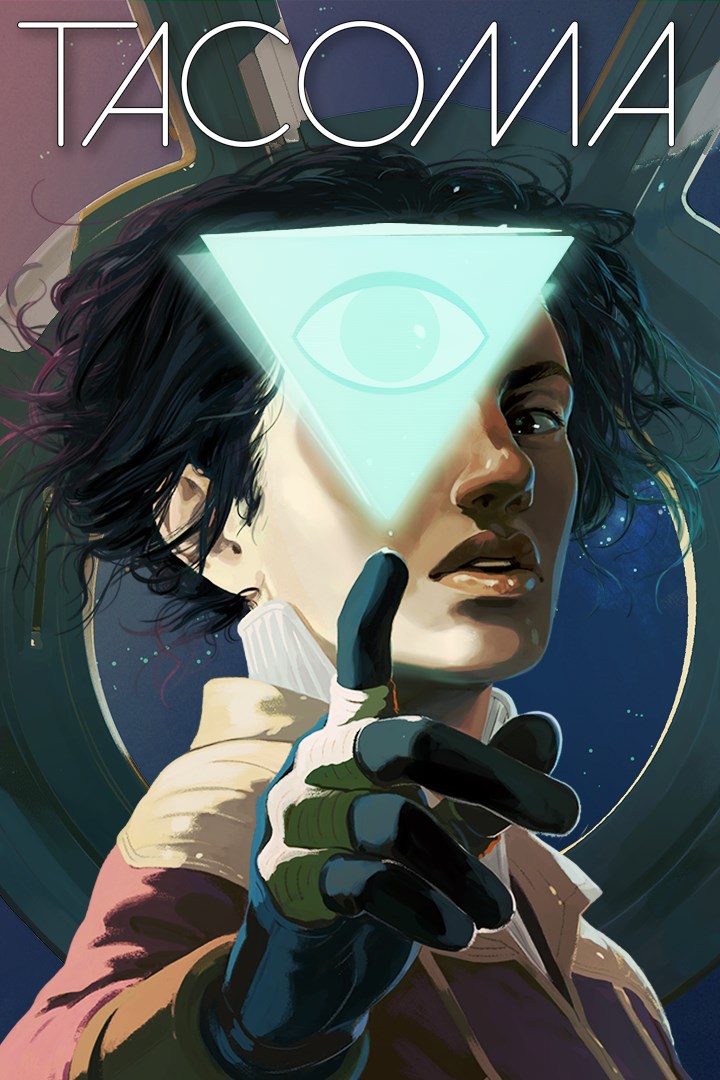
Tacoma
Details
- Publisher
- Fullbright
- Developer
- Fullbright
- Release date
- 02.08.2017
- Age rating
- ESRB:M
- Localization
- English
Purchase options
Platform
Primary: our account is set as the home Xbox of your console ("My home Xbox"), so the game is shared with your own profile and works offline — that is one slot on one console. Secondary: you sign in to our account and launch the game from it, and the console has to stay online. The activation code is an extra option: it is redeemed on your own account, and the game stays there forever.
You install the game from our account and set our account as the home one ("My home Xbox"): after that you play from your own profile, and the progress and achievements stay yours. It works offline.
You sign in to our account and play right from it. A permanent internet connection is required and only the issued profile can be used. It costs less than the primary access.
A bonus way to buy: you get a 25-character code and redeem it on your own account. The game stays with you forever, no other profiles and no sign-in to a shared account.
What happens after payment
About the game
The Venturis Corporation wants their AI back. That's where you come in.
Tacoma is a narrative adventure set aboard a high-tech space station in the year 2088. As you go about your mission, you'll explore every detail of how the station's crew lived and worked, finding the clues that add up to a gripping story of trust, fear, and resolve in the face of disaster.
At the heart of Tacoma is the facility's digital surveillance system, which has captured 3D recordings of pivotal moments in the crew's life on the station. As you explore, echoes of these captured moments surround you. You'll use your ability to rewind, fast-forward, and move through the physical space of these complex, interwoven scenes to examine events from every angle, reconstructing the multi-layered narrative as you explore.
Tacoma is the next game from the creators of Gone Home, and carries on that tradition of detailed, immersive, and powerful storytelling, while pulling players deeper into the narrative than ever before.
Features:
· A Richly Layered Story Experience: Six crewmembers lived and worked on space station Tacoma, forming relationships, experiencing love and loss, and facing crisis together. Discover not just what happened to these people, but what makes them who they are, through your role as an interactive investigator. The story is told through a series of fully voiced and animated interactive AR scenes, immersing you in the events on Tacoma.
· A Groundbreaking Multi-Path Story System: In each section of the station, you are surrounded by digital representations of crewmembers following their own parallel story threads that diverge, recombine, and split off again. Rewind, fast-forward, and move through these scenes' chronologies as they swirl around you. Your interactive tools allow you to discover the tightly-knotted narrative from every angle, and in every detail.
· A Deeply Interactive Gameworld: Explore Tacoma Station both physically and digitally. Unlock doors and drawers to find meaningful objects, notes, and physical artifacts, while simultaneously exploring extensive records of the crew's digital communications and personal thoughts. Every facet of the crew's experience on Tacoma is part of your investigation.
· A Vision of the Future: Experience life in the year 2088. Discover a rich fictional universe that depicts humanity's expansion into low-Earth orbit and beyond. A deeply-imagined speculative vision of the near future from the award-winning story team behind Gone Home and BioShock 2: Minerva's Den.
· A Compact Narrative Experience: Tacoma is estimated to take around 2 to 5 hours to complete. How deep you dig and how much detail you find is up to you. Tacoma is a non-combat, non-puzzle-focused game. The details of the story and gameworld are there for you to discover at your own pace.
Screenshots
Click a frame to open it larger, use the arrows to browse
How to activate
Guide for Xbox One
Primary — the game is shared with your own profile
- 1Press the Xbox button, open "Profile & system" → "Add or switch" → "Add new" and sign in with the login and password from your order.
- 2Now open "Settings" → "General" → "Personalization" → "My home Xbox" and choose "Make this my home Xbox". This is what shares our games with every profile on your console.
- 3Switch back to your own profile, open "My games & apps" → "Library" and install the game. The internet is only needed for the download.
- 4Launch the game from your own profile: achievements, saves and progress stay yours, and after the installation the game works offline.
Only one console at a time can be the home Xbox for our account — that is the slot you bought. Please do not change the password, the email or the two-factor settings of the account, or the access will be blocked.
Secondary — you play from our account
- 1Press the Xbox button, open "Profile & system" → "Add or switch" → "Add new" and sign in with the login and password from your order.
- 2Open "My games & apps" → "Library", switch to our profile in the top-left corner and install the game.
- 3Launch the game while our profile stays signed in, and keep the console online: the licence is checked over the internet.
- 4Use your own profile for everything else — the game stays available as long as our account is signed in on this console.
Secondary costs less, but it needs a permanent internet connection and our account stays signed in on your console.
Activation code
- 1On the console open "Store" and go to the "Redeem code" section.
- 2Enter the 25-character code from your order and confirm the activation on your own account.
- 3After the activation the code is shown as "Used" — but you can reinstall the game from your library at any time.
Notes for Xbox One
Important
How to play online
Warranty and support
The warranty covers the whole period of use of the account. If the access stops working, we replace the account or refund your money.
- If the game stops launching, we replace the account or refund your money.
- Average support response time — 15–30 minutes during working hours.
- The warranty covers the whole rental period of the access.
Support
Telegram: @weskars
E-mail: support@gears.games
Working hours: daily 11:00 – 23:00 (UTC+3)
Every order goes through clear stages: "New" → "Awaiting payment" → "Paid" → "Delivered". You can follow the status in your account page.
Similar games
More games in the "Action & adventure" genre



