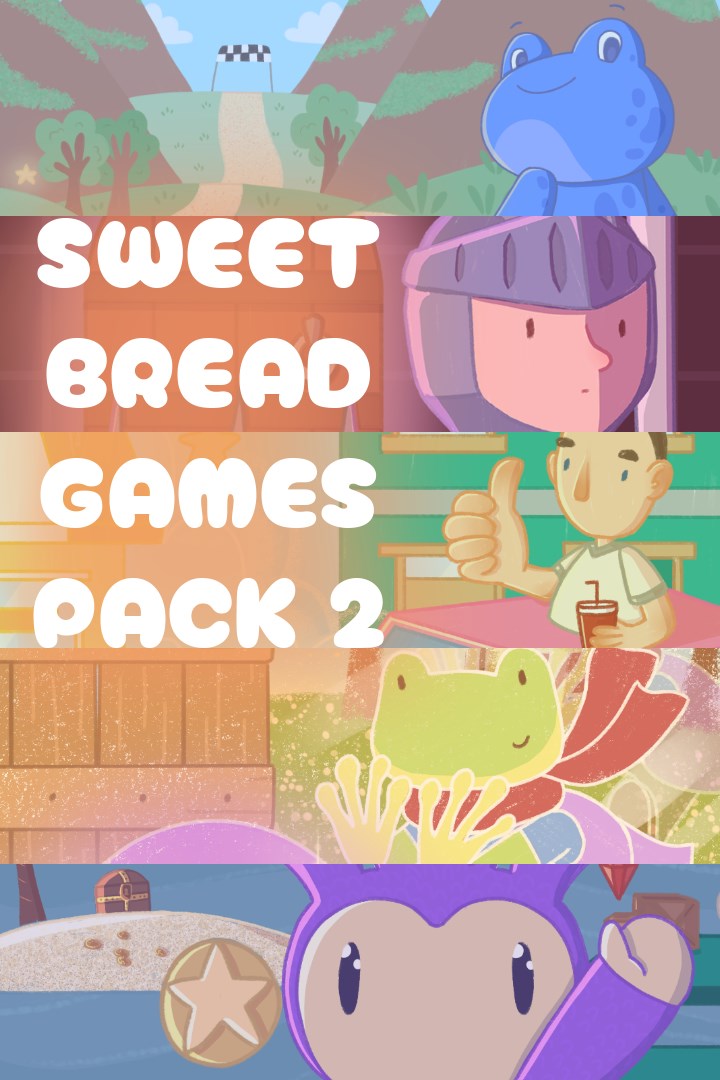
Sweet Bread Games Pack 2 - 15 in 1
Details
- Publisher
- Sweet Bread Games
- Developer
- Sweet Bread Games
- Release date
- 03.07.2026
- Age rating
- ESRB:E
- Localization
- English
Purchase options
Platform
Primary: our account is set as the home Xbox of your console ("My home Xbox"), so the game is shared with your own profile and works offline — that is one slot on one console. Secondary: you sign in to our account and launch the game from it, and the console has to stay online. The activation code is an extra option: it is redeemed on your own account, and the game stays there forever.
You install the game from our account and set our account as the home one ("My home Xbox"): after that you play from your own profile, and the progress and achievements stay yours. It works offline.
You sign in to our account and play right from it. A permanent internet connection is required and only the issued profile can be used. It costs less than the primary access.
A bonus way to buy: you get a 25-character code and redeem it on your own account. The game stays with you forever, no other profiles and no sign-in to a shared account.
What happens after payment
About the game
About the bundle:
In Sweet Bread Games Pack 2 you'll explore 5 fun adventures from your friends at Sweet Bread Games! Each game comes with 3 different versions, totaling 15 products in this package to be played on your Xbox One, Xbox Series and Windows PC!
Games included in this bundle:
Frobbut 3D is a 3D platformer about a goofy frog finally departing from his home to explore the land! Run, jump, flip and bounce across 5 big open levels searching every nook and cranny for valuable gems! Be creative with your movement abilities to reach the highest mountains and traverse the most dangerous paths to collect every treasure you can find.
Dark Dungeon Mind Mess is a unique 3D isometric puzzle game that will test your memory and intuition. Grasp the layout of the level at the start, because as soon as you make your first move, almost the whole path ahead will turn pitch black!
I Wanna Be Car will have you accelerating and using ramps to jump through 10 dreamy levels in an inventive fusion between 3D platformer and kart racing game. In his car dreams, Carl imagines himself driving in cities, flying structures and space stations. Have fun and go wild in levels that are linear and sometimes not! Can you collect everything before reaching the finish line?
Tiny Mage in Puzzle Land is a 2D pixel art puzzle game inspired by sokoban with unique twists! Help the frog mage solve 40 challenging puzzle rooms using his three magical abilities to cross gaps, build bridges on lakes and navigate objects from one point to another!
Bobobby 3D: Stranded Rush is a fun, engaging and straight to the point 3D platformer! Run, double jump and spin as the gentle Bobobby rushing through 20 levels across tropical islands! You don't actually have to rush, as there's no time limit, so play your own way! (Even though it's cooler to beat levels as fast as possible getting all collectibles).
Screenshots
Click a frame to open it larger, use the arrows to browse
How to activate
Guide for Xbox One
Primary — the game is shared with your own profile
- 1Press the Xbox button, open "Profile & system" → "Add or switch" → "Add new" and sign in with the login and password from your order.
- 2Now open "Settings" → "General" → "Personalization" → "My home Xbox" and choose "Make this my home Xbox". This is what shares our games with every profile on your console.
- 3Switch back to your own profile, open "My games & apps" → "Library" and install the game. The internet is only needed for the download.
- 4Launch the game from your own profile: achievements, saves and progress stay yours, and after the installation the game works offline.
Only one console at a time can be the home Xbox for our account — that is the slot you bought. Please do not change the password, the email or the two-factor settings of the account, or the access will be blocked.
Secondary — you play from our account
- 1Press the Xbox button, open "Profile & system" → "Add or switch" → "Add new" and sign in with the login and password from your order.
- 2Open "My games & apps" → "Library", switch to our profile in the top-left corner and install the game.
- 3Launch the game while our profile stays signed in, and keep the console online: the licence is checked over the internet.
- 4Use your own profile for everything else — the game stays available as long as our account is signed in on this console.
Secondary costs less, but it needs a permanent internet connection and our account stays signed in on your console.
Activation code
- 1On the console open "Store" and go to the "Redeem code" section.
- 2Enter the 25-character code from your order and confirm the activation on your own account.
- 3After the activation the code is shown as "Used" — but you can reinstall the game from your library at any time.
Notes for Xbox One
Important
How to play online
Warranty and support
The warranty covers the whole period of use of the account. If the access stops working, we replace the account or refund your money.
- If the game stops launching, we replace the account or refund your money.
- Average support response time — 15–30 minutes during working hours.
- The warranty covers the whole rental period of the access.
Support
Telegram: @weskars
E-mail: support@gears.games
Working hours: daily 11:00 – 23:00 (UTC+3)
Every order goes through clear stages: "New" → "Awaiting payment" → "Paid" → "Delivered". You can follow the status in your account page.
Similar games
More games in the "Family & kids" genre