
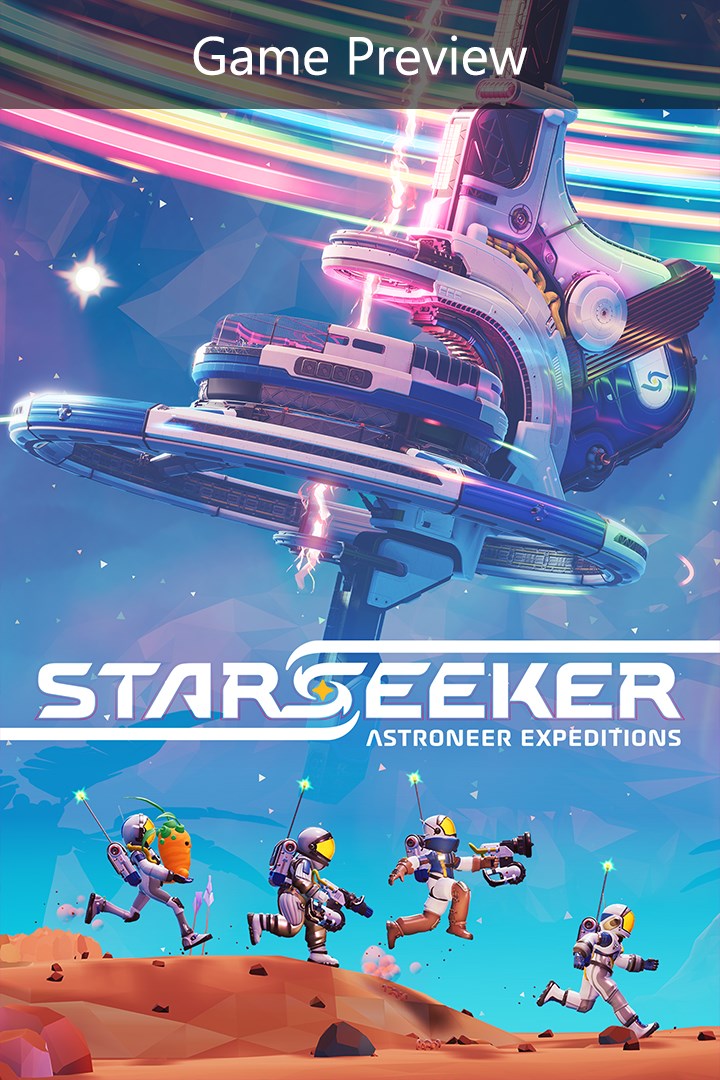
STARSEEKER: Astroneer Expeditions (Game Preview)
Details
- Publisher
- Devolver Digital
- Developer
- System Era Softworks
- Release date
- —
- Age rating
- ESRB:E10
- Localization
- English
Purchase options
Primary: our account is set as the home Xbox of your console ("My home Xbox"), so the game is shared with your own profile and works offline — that is one slot on one console. Secondary: you sign in to our account and launch the game from it, and the console has to stay online. The activation code is an extra option: it is redeemed on your own account, and the game stays there forever.
You install the game from our account and set our account as the home one ("My home Xbox"): after that you play from your own profile, and the progress and achievements stay yours. It works offline.
You sign in to our account and play right from it. A permanent internet connection is required and only the issued profile can be used. It costs less than the primary access.
A bonus way to buy: you get a 25-character code and redeem it on your own account. The game stays with you forever, no other profiles and no sign-in to a shared account.
What happens after payment
About the game
This game is a work in progress. It may or may not change over time or release as a final product. Purchase only if you are comfortable with the current state of the unfinished game.
STARSEEKER: Astroneer Expeditions is a new multiplayer game set within the Astroneer universe with a focus on discovery, online cooperative play, and camaraderie. Exploring deep space on the ESS Starseeker, players will need to work together with the crew of the space station to complete objectives that will take them further into the unknown Regions of each planet. Plan and deploy on timed Expeditions to gather resources, complete missions, and further the goals of you, your Squad, and the entire station.
Explore handcrafted and evolving worlds
The ESS Starseeker orbits unknown planets in the hopes of discovering the mysteries within. The Starseeker crew works together to venture deeper, unlocking new Landing Sites in a collective effort that will take players to new Regions, unique biomes with their own specific gameplay. Planet Tephra is the first stop, a world of sprawling wetlands, dense jungles, and vast oceans, covered in the wreckage of an ill-fated EXO Dynamics voyage.
Lead Expeditions to challenging alien worlds filled with life
Every planet is filled with a variety of encounters! Interesting and dangerous creatures, hazardous flora, and mysterious forces await the crew. Work together with your squad to complete missions that can be solved in a variety of ways but always requiring you to think on your feet. Then take the spoils back up to the station to craft more advanced gear to take on even more dangerous missions.
Unlock gear and customize your loadout
Players will have an advanced set of tools at their disposal to tackle Expeditions while they face off with the unknown perils of space. Complete missions assigned by the station's leadership and other members of the crew to unlock new blueprints and tailor your own custom loadout. You'll need it if you plan on braving the planet's toughest challenges.
Collaborate with station NPCs to unravel an evolving narrative
The ESS Starseeker is the heart of the crew, an ever-evolving space station where players get together to plan Expeditions, upgrade their gear, and hang out with other players. Complete missions given by the Fronteer Force, the cast of elite Explorers who command the ESS Starseeker. Get to know the characters, learn about the lore, and unravel the mystery of what's really going on out here in deep space...
Full details on the latest status of the game, how you can give feedback and report issues can be found at https://www.starseekergame.com/
Screenshots
Click a frame to open it larger, use the arrows to browse
How to activate
Guide for Xbox Series X|S
Primary — the game is shared with your own profile
- 1Press the Xbox button, open "Profile & system" → "Add or switch" → "Add new" and sign in with the login and password from your order.
- 2Now open "Settings" → "General" → "Personalization" → "My home Xbox" and choose "Make this my home Xbox". This is what shares our games with every profile on your console.
- 3Switch back to your own profile, open "My games & apps" → "Library" and install the game. The internet is only needed for the download.
- 4Launch the game from your own profile: achievements, saves and progress stay yours, and after the installation the game works offline.
Only one console at a time can be the home Xbox for our account — that is the slot you bought. Please do not change the password, the email or the two-factor settings of the account, or the access will be blocked.
Secondary — you play from our account
- 1Press the Xbox button, open "Profile & system" → "Add or switch" → "Add new" and sign in with the login and password from your order.
- 2Open "My games & apps" → "Library", switch to our profile in the top-left corner and install the game.
- 3Launch the game while our profile stays signed in, and keep the console online: the licence is checked over the internet.
- 4Use your own profile for everything else — the game stays available as long as our account is signed in on this console.
Secondary costs less, but it needs a permanent internet connection and our account stays signed in on your console.
Activation code
- 1On the console open "Store" and go to the "Redeem code" section.
- 2Enter the 25-character code from your order and confirm the activation on your own account.
- 3After the activation the code is shown as "Used" — but you can reinstall the game from your library at any time.
Notes for Xbox Series
Important
How to play online
Warranty and support
The warranty covers the whole period of use of the account. If the access stops working, we replace the account or refund your money.
- If the game stops launching, we replace the account or refund your money.
- Average support response time — 15–30 minutes during working hours.
- The warranty covers the whole rental period of the access.
Support
Telegram: @weskars
E-mail: support@gears.games
Working hours: daily 11:00 – 23:00 (UTC+3)
Every order goes through clear stages: "New" → "Awaiting payment" → "Paid" → "Delivered". You can follow the status in your account page.
Similar games
More games in the "Action & adventure" genre



