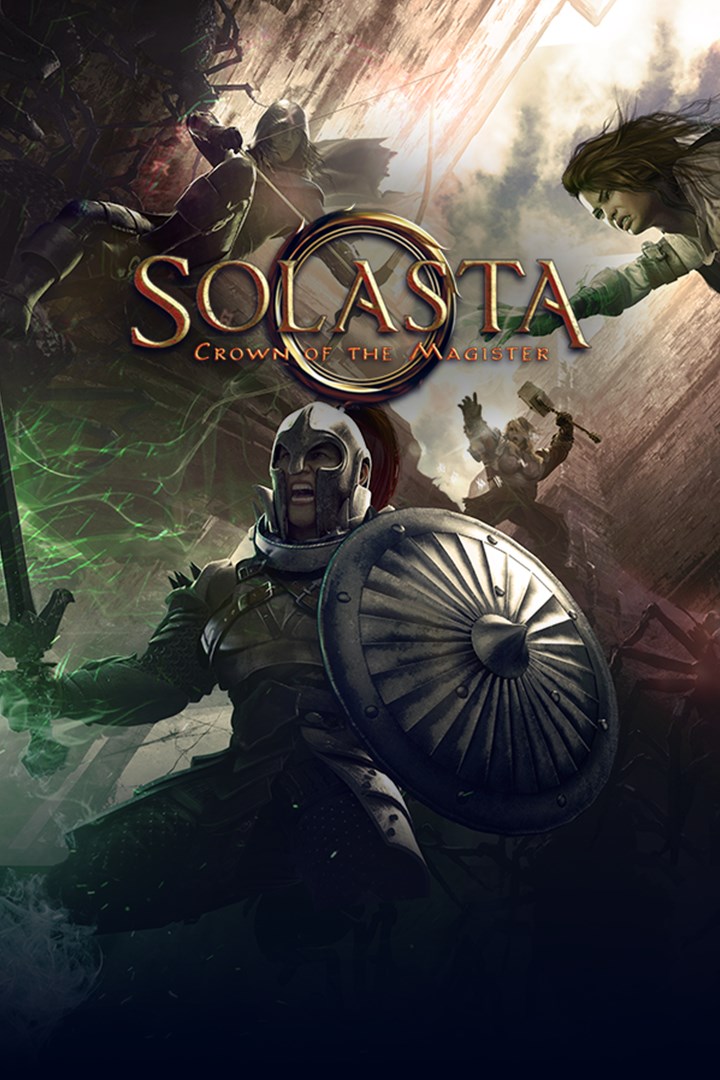
Solasta: Crown of the Magister
Details
- Publisher
- Tactical Adventures
- Developer
- Tactical Adventures
- Release date
- 27.05.2021
- Age rating
- ESRB:T
- Localization
- English
Purchase options
Platform
Primary: our account is set as the home Xbox of your console ("My home Xbox"), so the game is shared with your own profile and works offline — that is one slot on one console. Secondary: you sign in to our account and launch the game from it, and the console has to stay online. The activation code is an extra option: it is redeemed on your own account, and the game stays there forever.
You install the game from our account and set our account as the home one ("My home Xbox"): after that you play from your own profile, and the progress and achievements stay yours. It works offline.
You sign in to our account and play right from it. A permanent internet connection is required and only the issued profile can be used. It costs less than the primary access.
A bonus way to buy: you get a 25-character code and redeem it on your own account. The game stays with you forever, no other profiles and no sign-in to a shared account.
What happens after payment
About the game
Bring the authentic Tabletop gaming experience to your PC!
Created and written by lifelong fans of Pen & Paper RPGs, comes Solasta: Crown of the Magister. Roll for initiative, take attacks of opportunity, manage player location and the verticality of the battle field. Set yourself up for the finishing strike and possibly roll a natural 20 at that key moment of battle.
In Solasta, you take control of four heroes, each with unique skills that complement one another. Every hero expresses themselves in the adventure, making each action and dialog choice a dynamic part to the story. Players will create their heroes just as they would in a pen-and-paper game by choosing their race, class, personality and rolling for their stats.
You make the choices, dice decide your destiny.
--------------------
Key Features:
An Epic Team Adventure
- Discover the shattered world of Solasta: explore ruins and dungeons for legendary treasures, learn the truth of an age-old cataclysm - and stop it from happening again.
- Create your very own party of adventurers with our Character Creation Tool in the classic tabletop RPG tradition. Breathe life into your heroes, and see their personalities reflected in their dialogue. Tailor your squad to your preferred strategy and maximize your party's abilities. The choice is yours.
Discover a Mysterious & Dynamic World
- Delve into long forgotten dungeons to unearth ancient artifacts, but stay watchful of light and darkness: many dangers hide in the dark, but a light can attract monsters. Some enemies have darkvision, some may flee from your torch... Successful adventurers will learn to use it to their advantage.
- Fight monsters in squad-level, turn-based, tactical combat. Solasta's dynamic environment offers some interesting tactical options. Bridges can collapse, leaving enemies stranded and vulnerable. Walls and columns can be pushed over - on top of your foes, if you do it right. The world is your playground.
Prepare to Think in Three Dimensions
- The dungeons in Solasta are more than flat game-boards. Climb, jump, or fly around obstacles. Evade or surprise foes from above or below. Push them into chasms or drop things on their heads. Position yourself on high grounds to start the fight with an advantage.
- Size also matters. Escape through narrow passages where bigger enemies won't fit and crawl through tunnels to find secret areas. Take advantage of the environment to find cover suited to your own size. Watch out, though - the monsters are also thinking vertically.
Dungeon Maker
- In Solasta, the adventure does not stop after the campaign is over. Unleash your creativity and craft your own dungeons to play using the in-game Dungeon Maker! From the room layout, monster composition and treasure the party will find – down to the decoration and lighting of each room or the music track playing – everything is decided by you.
- Note that the Dungeon Maker is a work in progress and will keep being improved as time goes by, so look forward to more Dungeon Maker features in the future!
Screenshots
Click a frame to open it larger, use the arrows to browse
How to activate
Guide for Xbox One
Primary — the game is shared with your own profile
- 1Press the Xbox button, open "Profile & system" → "Add or switch" → "Add new" and sign in with the login and password from your order.
- 2Now open "Settings" → "General" → "Personalization" → "My home Xbox" and choose "Make this my home Xbox". This is what shares our games with every profile on your console.
- 3Switch back to your own profile, open "My games & apps" → "Library" and install the game. The internet is only needed for the download.
- 4Launch the game from your own profile: achievements, saves and progress stay yours, and after the installation the game works offline.
Only one console at a time can be the home Xbox for our account — that is the slot you bought. Please do not change the password, the email or the two-factor settings of the account, or the access will be blocked.
Secondary — you play from our account
- 1Press the Xbox button, open "Profile & system" → "Add or switch" → "Add new" and sign in with the login and password from your order.
- 2Open "My games & apps" → "Library", switch to our profile in the top-left corner and install the game.
- 3Launch the game while our profile stays signed in, and keep the console online: the licence is checked over the internet.
- 4Use your own profile for everything else — the game stays available as long as our account is signed in on this console.
Secondary costs less, but it needs a permanent internet connection and our account stays signed in on your console.
Activation code
- 1On the console open "Store" and go to the "Redeem code" section.
- 2Enter the 25-character code from your order and confirm the activation on your own account.
- 3After the activation the code is shown as "Used" — but you can reinstall the game from your library at any time.
Notes for Xbox One
Important
How to play online
Warranty and support
The warranty covers the whole period of use of the account. If the access stops working, we replace the account or refund your money.
- If the game stops launching, we replace the account or refund your money.
- Average support response time — 15–30 minutes during working hours.
- The warranty covers the whole rental period of the access.
Support
Telegram: @weskars
E-mail: support@gears.games
Working hours: daily 11:00 – 23:00 (UTC+3)
Every order goes through clear stages: "New" → "Awaiting payment" → "Paid" → "Delivered". You can follow the status in your account page.
Similar games
More games in the "Role playing" genre