Sledding Game
Details
- Publisher
- The Sledding Corporation
- Developer
- The Sledding Corporation
- Release date
- —
- Age rating
- ESRB:E
- Localization
- English
Purchase options
Primary: our account is set as the home Xbox of your console ("My home Xbox"), so the game is shared with your own profile and works offline — that is one slot on one console. Secondary: you sign in to our account and launch the game from it, and the console has to stay online. The activation code is an extra option: it is redeemed on your own account, and the game stays there forever.
You install the game from our account and set our account as the home one ("My home Xbox"): after that you play from your own profile, and the progress and achievements stay yours. It works offline.
You sign in to our account and play right from it. A permanent internet connection is required and only the issued profile can be used. It costs less than the primary access.
A bonus way to buy: you get a 25-character code and redeem it on your own account. The game stays with you forever, no other profiles and no sign-in to a shared account.
What happens after payment
About the game
This game is a work in progress. It may or may not change over time or release as a final product. Purchase only if you are comfortable with the current state of the unfinished game.
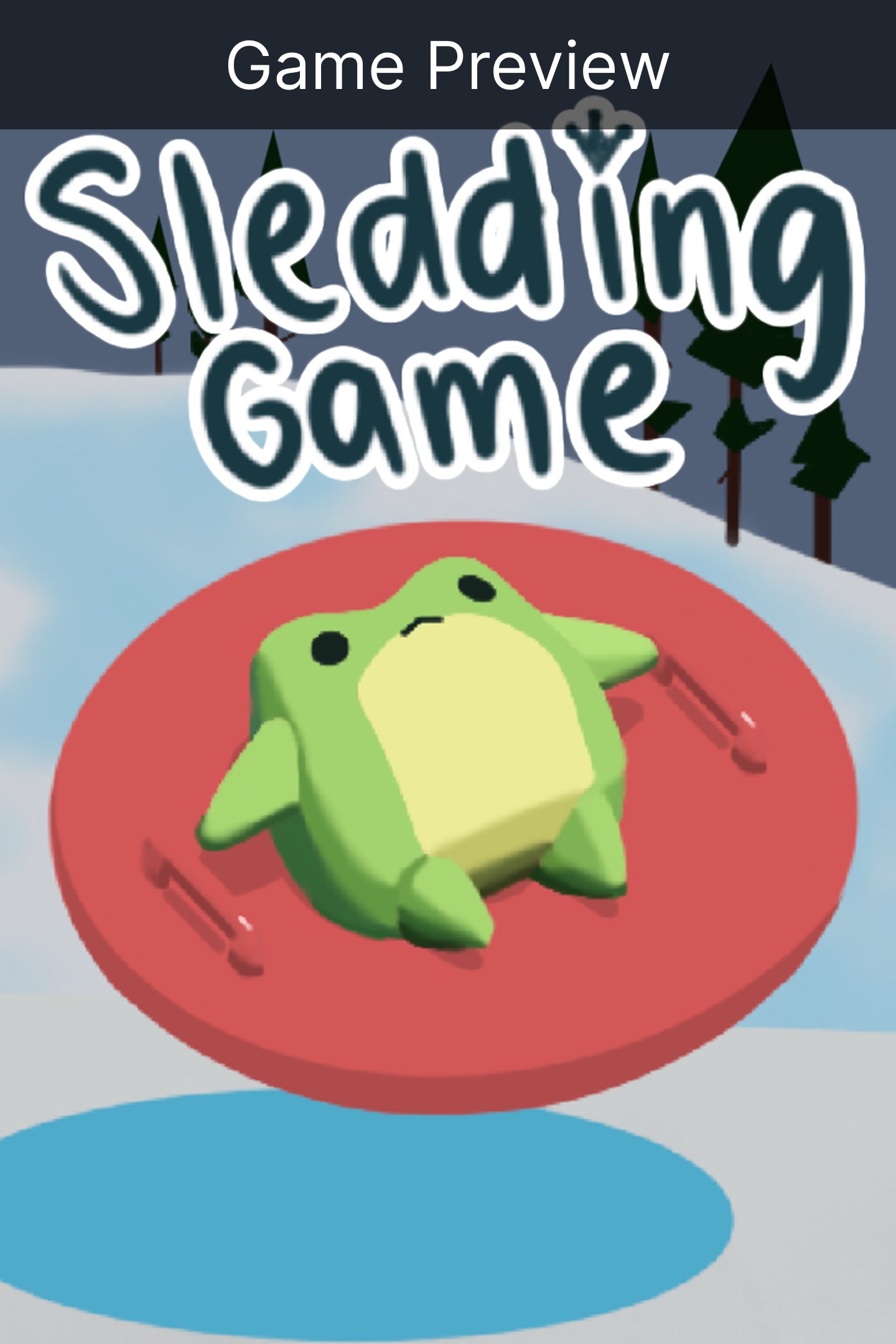
Sledding Game is a multiplayer snowsports hangout game with proximity chat. Go sledding, relax and see what else there is to do. There’s also ragdoll physics so the crashes look terrible really really good.
HANG OUT
Use proximity voice chat to talk to your friends, or express your feelings by repeatedly crashing into each other.
SLED FAST, SLED STUPID
Compete to see who can reach the bottom first or get the most points through gnarly tricks, building your own ramps and launching off them. Or you can just sled around and explore, up to you.
DO OTHER STUFF
Break up the sledding with side activities and minigames, like snowball fights, snowmen making, darts, curling, roasting smores, drinking hot chocolate in the cozy cabin, and more.
LOOKIN’ GOOD
Choose from a range of fully customizable animal characters and expressions. Earn points to spend on cool cosmetics for your bod and your sled.
GET KICKED BY A YETI
This isn’t a joke if you wander of course a yeti will literally come and kick you back on like a football
JOIN THE SLEDDERS
Join public or private lobbies to sled with friends or meet new ones. Sit on a bench with a homie, or race down the hill with your group. With up to 30* players, the ski-lift could get quite the line.
*I'm hoping I can do 50 player lobbies, but until further testing, this will just be a guess. Also I'm not sure if too many people will feel overcrowded, so I might want to keep it smaller
Features:
Multiplayer sledding fun
Talk through proximity chat
Races and cool tricks
Mini games and hang out spots
Public and private lobbies
Ragdoll physics
Customizable avatars
Fun and friendly community
Yeti
About the developer
Hi I’m Max! Sledding Game is my first ever video game! I’ve been sharing my development progress online since the start so if you wanna see how sledding game is made or wanna share ideas, follow me on socials.
Screenshots
Click a frame to open it larger, use the arrows to browse
How to activate
Guide for Xbox Series X|S
Primary — the game is shared with your own profile
- 1Press the Xbox button, open "Profile & system" → "Add or switch" → "Add new" and sign in with the login and password from your order.
- 2Now open "Settings" → "General" → "Personalization" → "My home Xbox" and choose "Make this my home Xbox". This is what shares our games with every profile on your console.
- 3Switch back to your own profile, open "My games & apps" → "Library" and install the game. The internet is only needed for the download.
- 4Launch the game from your own profile: achievements, saves and progress stay yours, and after the installation the game works offline.
Only one console at a time can be the home Xbox for our account — that is the slot you bought. Please do not change the password, the email or the two-factor settings of the account, or the access will be blocked.
Secondary — you play from our account
- 1Press the Xbox button, open "Profile & system" → "Add or switch" → "Add new" and sign in with the login and password from your order.
- 2Open "My games & apps" → "Library", switch to our profile in the top-left corner and install the game.
- 3Launch the game while our profile stays signed in, and keep the console online: the licence is checked over the internet.
- 4Use your own profile for everything else — the game stays available as long as our account is signed in on this console.
Secondary costs less, but it needs a permanent internet connection and our account stays signed in on your console.
Activation code
- 1On the console open "Store" and go to the "Redeem code" section.
- 2Enter the 25-character code from your order and confirm the activation on your own account.
- 3After the activation the code is shown as "Used" — but you can reinstall the game from your library at any time.
Notes for Xbox Series
Important
How to play online
Warranty and support
The warranty covers the whole period of use of the account. If the access stops working, we replace the account or refund your money.
- If the game stops launching, we replace the account or refund your money.
- Average support response time — 15–30 minutes during working hours.
- The warranty covers the whole rental period of the access.
Support
Telegram: @weskars
E-mail: support@gears.games
Working hours: daily 11:00 – 23:00 (UTC+3)
Every order goes through clear stages: "New" → "Awaiting payment" → "Paid" → "Delivered". You can follow the status in your account page.
Similar games
More games in the "Sports" genre