Silver Bullet
Details
- Publisher
- Flynn's Arcade
- Developer
- 1CC Games
- Release date
- 27.03.2026
- Age rating
- ESRB:E10
- Localization
- English
Purchase options
Platform
Primary: our account is set as the home Xbox of your console ("My home Xbox"), so the game is shared with your own profile and works offline — that is one slot on one console. Secondary: you sign in to our account and launch the game from it, and the console has to stay online. The activation code is an extra option: it is redeemed on your own account, and the game stays there forever.
You install the game from our account and set our account as the home one ("My home Xbox"): after that you play from your own profile, and the progress and achievements stay yours. It works offline.
You sign in to our account and play right from it. A permanent internet connection is required and only the issued profile can be used. It costs less than the primary access.
A bonus way to buy: you get a 25-character code and redeem it on your own account. The game stays with you forever, no other profiles and no sign-in to a shared account.
What happens after payment
About the game
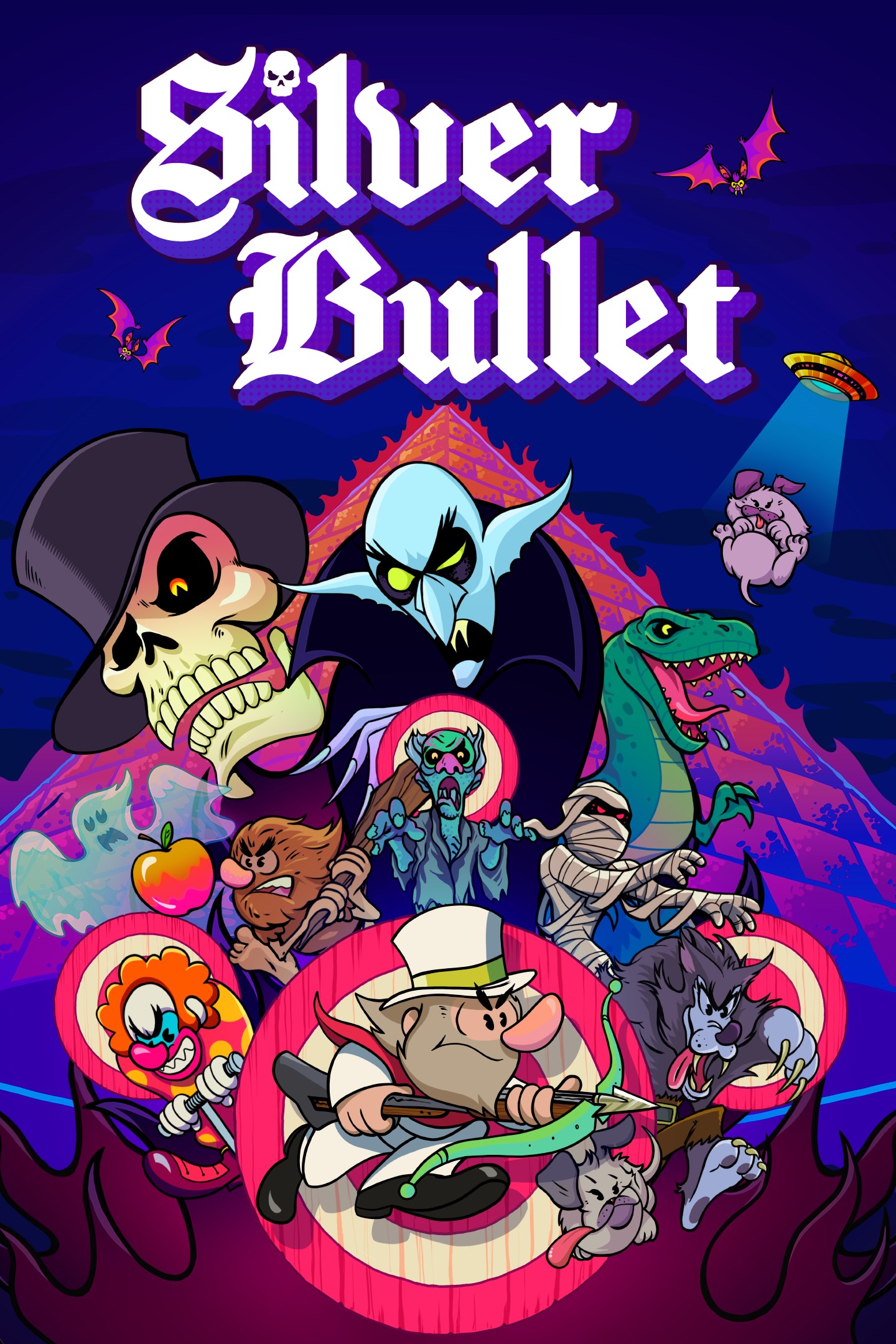
Silver Bullet is a gothic arcade shooter: blast your way through creepy environments and macabre mini-games as Van Helsing.
Reggie the vampire is kidnapping puppies and he must be stopped! As Van Helsing, embark on a journey around the world to rescue the puppies: from haunted mansions and museums to macabre cemeteries, each level is filled with unique challenges to overcome and secrets to uncover.
Man's Best Friend: Van Helsing's trusty bloodhound, Silver, can be summoned during levels to attack enemies and even drive vehicles! Any enemies hit by Silver will drop delicious bonus items that will boost your score, so make the most of your canine friend's help.
Unlock and Upgrade: Collect gold coins hidden throughout the levels to purchase power-ups that will aid you on your mission. Collect enough coins to unlock the additional puzzle game mode, Blocks of Terror! Collected bonus items, completed challenges, and discovered secret items count toward your progress and allow you to unlock additional weapons, from a zombie-smashing shotgun to the devastating rocket launcher.
Top Dog: Both Arcade Mode and Terror Blocks feature online leaderboards, allowing you to track your progress and compete for the best score. And for those who prefer to show off their skills live, the game's low memory footprint ensures smooth streaming.
Control and Conquer: With gameplay based on Cabal shooters like Wild Guns Reloaded, Silver Bullet offers extensive control and customization options. Play with modern aim with twin sticks or with a classic single stick using a gamepad, go retro with an arcade stick, or focus on precision with a keyboard and mouse.
Old-Fashioned Awesome: With personality-filled pixel art, customizable retro screen filters, and chilling synth-pop beats from the legendary YM2612 chip, Silver Bullet looks and sounds like a lost 16-bit classic.
Screenshots
Click a frame to open it larger, use the arrows to browse
How to activate
Guide for Xbox One
Primary — the game is shared with your own profile
- 1Press the Xbox button, open "Profile & system" → "Add or switch" → "Add new" and sign in with the login and password from your order.
- 2Now open "Settings" → "General" → "Personalization" → "My home Xbox" and choose "Make this my home Xbox". This is what shares our games with every profile on your console.
- 3Switch back to your own profile, open "My games & apps" → "Library" and install the game. The internet is only needed for the download.
- 4Launch the game from your own profile: achievements, saves and progress stay yours, and after the installation the game works offline.
Only one console at a time can be the home Xbox for our account — that is the slot you bought. Please do not change the password, the email or the two-factor settings of the account, or the access will be blocked.
Secondary — you play from our account
- 1Press the Xbox button, open "Profile & system" → "Add or switch" → "Add new" and sign in with the login and password from your order.
- 2Open "My games & apps" → "Library", switch to our profile in the top-left corner and install the game.
- 3Launch the game while our profile stays signed in, and keep the console online: the licence is checked over the internet.
- 4Use your own profile for everything else — the game stays available as long as our account is signed in on this console.
Secondary costs less, but it needs a permanent internet connection and our account stays signed in on your console.
Activation code
- 1On the console open "Store" and go to the "Redeem code" section.
- 2Enter the 25-character code from your order and confirm the activation on your own account.
- 3After the activation the code is shown as "Used" — but you can reinstall the game from your library at any time.
Notes for Xbox One
Important
How to play online
Warranty and support
The warranty covers the whole period of use of the account. If the access stops working, we replace the account or refund your money.
- If the game stops launching, we replace the account or refund your money.
- Average support response time — 15–30 minutes during working hours.
- The warranty covers the whole rental period of the access.
Support
Telegram: @weskars
E-mail: support@gears.games
Working hours: daily 11:00 – 23:00 (UTC+3)
Every order goes through clear stages: "New" → "Awaiting payment" → "Paid" → "Delivered". You can follow the status in your account page.
Similar games
More games in the "Platformer" genre