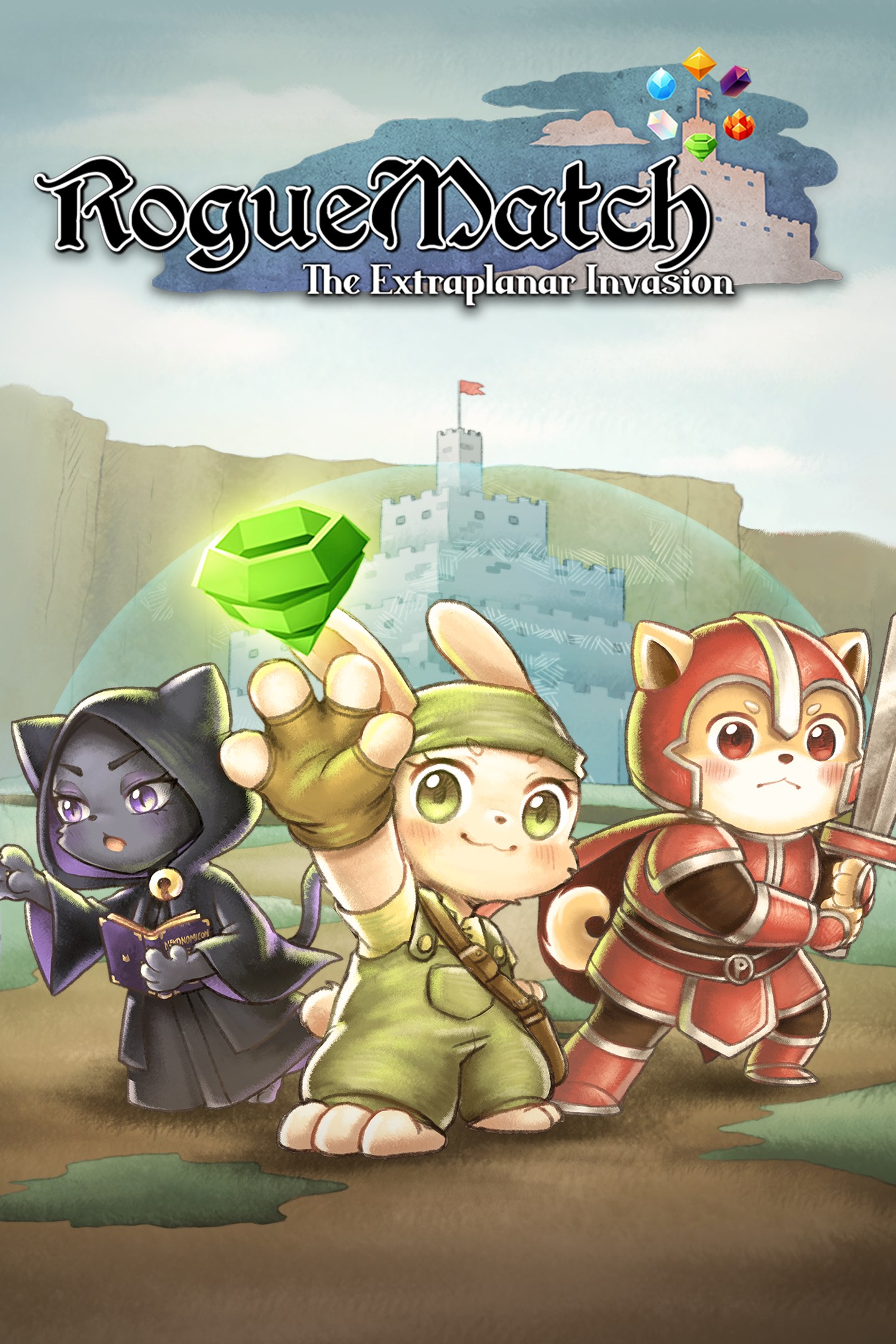
Roguematch : The Extraplanar Invasion
Details
- Publisher
- Starstruck Games Pte. Ltd.
- Developer
- Starstruck Games Pte. Ltd.
- Release date
- 24.07.2025
- Age rating
- ESRB:E
- Localization
- English
Purchase options
Platform
Primary: our account is set as the home Xbox of your console ("My home Xbox"), so the game is shared with your own profile and works offline — that is one slot on one console. Secondary: you sign in to our account and launch the game from it, and the console has to stay online. The activation code is an extra option: it is redeemed on your own account, and the game stays there forever.
You install the game from our account and set our account as the home one ("My home Xbox"): after that you play from your own profile, and the progress and achievements stay yours. It works offline.
You sign in to our account and play right from it. A permanent internet connection is required and only the issued profile can be used. It costs less than the primary access.
A bonus way to buy: you get a 25-character code and redeem it on your own account. The game stays with you forever, no other profiles and no sign-in to a shared account.
What happens after payment
About the game
ROGUEMATCH: THE EXTRAPLANAR INVASION
When a Nekomancer's curiosity drags her friends- the Binkying Bungeoneer and the Shield-Bashing Paladinu - into a hunt for the Nekonomicon, they stumble upon an army of extraplanar monsters—and now, only the most unlikely heroes can save reality! To survive, they'll need to master improvised mana tactics, because their usual swords and spells won't cut it!
MELEE, MAGIC, MATCH, OR MANEUVER:
Directly attack your foe, cast a spell, injure enemies by matching mana next to them, or dodge deadly attacks? Every turn requires careful thinking.
FACE A CASTLE OVERRUN BY VARIOUS ELEMENTS AND ELEMENTALS!
Lava burns you in the Cryovolcanic stages, but they burn enemies too!
You can get stuck in the mud in the Electric Swamp, but that protects you from electricity!
Hide in the sandclouds in the Humid Desert to ambush an enemy!
When you face Orochill, run from the ice blasts!
If you face Cathulhu, brave her air beams!
DISCOVER DIFFERENT PLAYSTYLES
Mix six unique heroes with six mana-based powers to create wild strategies like:
Boarlock + Time Set = Stop time and take extra turns. Do you think you can finish a run in one turn?
Sowceress + Match Set = Rain down long-range destruction.
Birbarian + Bomb Set = Become a close-range melee expert.
Then, refine your build further with random spells, items, and upgrades found in the mysterious castle!
ROGUELIKE SYSTEMS
Procedurally Generated Floor maps: No two runs are the same—face different level layouts and randomised treasure drops each time.
Tough but Fair: When a run ends, the castle takes back all your items and spells you have found. You start again, with nothing.
Spells and Enemies: Use 170+ spells/items to fight against 70+ enemies and bosses, each with their own elemental weakness and strengths.
Will you outsmart the extraplanar invasion... or will your realm collapse because of one book?
Screenshots
Click a frame to open it larger, use the arrows to browse
How to activate
Guide for Xbox One
Primary — the game is shared with your own profile
- 1Press the Xbox button, open "Profile & system" → "Add or switch" → "Add new" and sign in with the login and password from your order.
- 2Now open "Settings" → "General" → "Personalization" → "My home Xbox" and choose "Make this my home Xbox". This is what shares our games with every profile on your console.
- 3Switch back to your own profile, open "My games & apps" → "Library" and install the game. The internet is only needed for the download.
- 4Launch the game from your own profile: achievements, saves and progress stay yours, and after the installation the game works offline.
Only one console at a time can be the home Xbox for our account — that is the slot you bought. Please do not change the password, the email or the two-factor settings of the account, or the access will be blocked.
Secondary — you play from our account
- 1Press the Xbox button, open "Profile & system" → "Add or switch" → "Add new" and sign in with the login and password from your order.
- 2Open "My games & apps" → "Library", switch to our profile in the top-left corner and install the game.
- 3Launch the game while our profile stays signed in, and keep the console online: the licence is checked over the internet.
- 4Use your own profile for everything else — the game stays available as long as our account is signed in on this console.
Secondary costs less, but it needs a permanent internet connection and our account stays signed in on your console.
Activation code
- 1On the console open "Store" and go to the "Redeem code" section.
- 2Enter the 25-character code from your order and confirm the activation on your own account.
- 3After the activation the code is shown as "Used" — but you can reinstall the game from your library at any time.
Notes for Xbox One
Important
How to play online
Warranty and support
The warranty covers the whole period of use of the account. If the access stops working, we replace the account or refund your money.
- If the game stops launching, we replace the account or refund your money.
- Average support response time — 15–30 minutes during working hours.
- The warranty covers the whole rental period of the access.
Support
Telegram: @weskars
E-mail: support@gears.games
Working hours: daily 11:00 – 23:00 (UTC+3)
Every order goes through clear stages: "New" → "Awaiting payment" → "Paid" → "Delivered". You can follow the status in your account page.
Similar games
More games in the "Role playing" genre