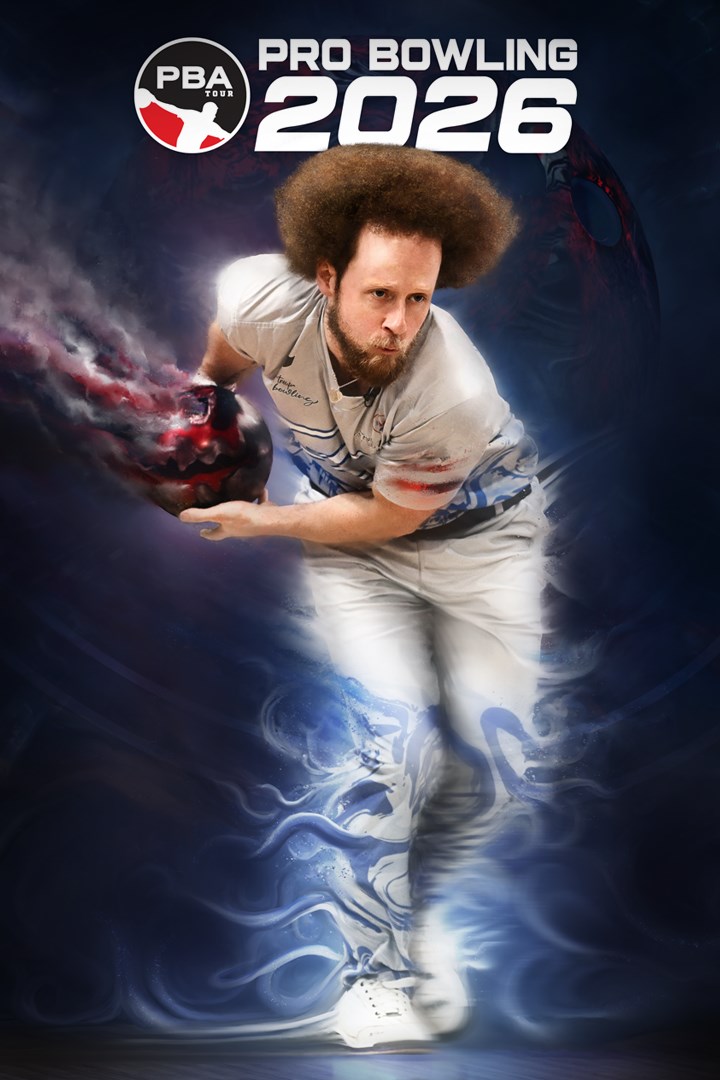
PBA Pro Bowling 2026
Details
- Publisher
- FarSight Studios
- Developer
- FarSight Studios
- Release date
- 19.12.2025
- Age rating
- ESRB:E
- Localization
- English
Purchase options
Primary: our account is set as the home Xbox of your console ("My home Xbox"), so the game is shared with your own profile and works offline — that is one slot on one console. Secondary: you sign in to our account and launch the game from it, and the console has to stay online. The activation code is an extra option: it is redeemed on your own account, and the game stays there forever.
You install the game from our account and set our account as the home one ("My home Xbox"): after that you play from your own profile, and the progress and achievements stay yours. It works offline.
You sign in to our account and play right from it. A permanent internet connection is required and only the issued profile can be used. It costs less than the primary access.
A bonus way to buy: you get a 25-character code and redeem it on your own account. The game stays with you forever, no other profiles and no sign-in to a shared account.
What happens after payment
About the game
PBA Pro Bowling 2026 is a skill driven bowling simulation with authentic ball motion, real oil patterns, and evolving lane conditions. From your first local league to competing with the pros, every throw comes down to strategy and execution.
From Local Leagues to the PBA Tour
• Progress through a deep single player career, starting in local leagues and advancing to the PBA Tour
• Build your ball arsenal from 270+ officially licensed bowling balls
• Customize your bowler with a full character creator and 120+ apparel items to collect
Real World Ball and Oil Physics That Reward Skill
• Realistic ball motion shaped by oil patterns, lane friction, and simulation grade physics
• Oil pattern breakdown and carrydown change ball reaction over time
• Adjust line, speed, rev rate, and ball choice as conditions evolve
Improve Your Skills Across Multiple Modes
• Traditional Tenpin bowling alongside Candlepin and Duckpin bowling
• Skill focused challenges like Strike Derbies, Spare Pickup Challenges, No Tap, and Oil Pattern Roulette
• Designed for practice, competition, and mastery
Bowl Against Licensed PBA Pros in Authentic Venues
• Compete against over 30 licensed PBA professionals
• Bowl across 13 unique venues inspired by real and imaginative locations
• Broadcast style presentation and commentary from the TV broadcast team of Rob Stone and Hall of Famer Randy Pedersen enhances the professional atmosphere
Prove Your Skill Against Others
• Compete in online multiplayer with friends and rivals around the world
• Bowl with or against up to 4 friends in couch local multiplayer
Designed for both newcomers and experienced bowlers, PBA Pro Bowling 2026 balances approachable gameplay with rewarding depth and long term progression. Do you have what it takes to bowl with the greats?
Screenshots
Click a frame to open it larger, use the arrows to browse
How to activate
Guide for Xbox Series X|S
Primary — the game is shared with your own profile
- 1Press the Xbox button, open "Profile & system" → "Add or switch" → "Add new" and sign in with the login and password from your order.
- 2Now open "Settings" → "General" → "Personalization" → "My home Xbox" and choose "Make this my home Xbox". This is what shares our games with every profile on your console.
- 3Switch back to your own profile, open "My games & apps" → "Library" and install the game. The internet is only needed for the download.
- 4Launch the game from your own profile: achievements, saves and progress stay yours, and after the installation the game works offline.
Only one console at a time can be the home Xbox for our account — that is the slot you bought. Please do not change the password, the email or the two-factor settings of the account, or the access will be blocked.
Secondary — you play from our account
- 1Press the Xbox button, open "Profile & system" → "Add or switch" → "Add new" and sign in with the login and password from your order.
- 2Open "My games & apps" → "Library", switch to our profile in the top-left corner and install the game.
- 3Launch the game while our profile stays signed in, and keep the console online: the licence is checked over the internet.
- 4Use your own profile for everything else — the game stays available as long as our account is signed in on this console.
Secondary costs less, but it needs a permanent internet connection and our account stays signed in on your console.
Activation code
- 1On the console open "Store" and go to the "Redeem code" section.
- 2Enter the 25-character code from your order and confirm the activation on your own account.
- 3After the activation the code is shown as "Used" — but you can reinstall the game from your library at any time.
Notes for Xbox Series
Important
How to play online
Warranty and support
The warranty covers the whole period of use of the account. If the access stops working, we replace the account or refund your money.
- If the game stops launching, we replace the account or refund your money.
- Average support response time — 15–30 minutes during working hours.
- The warranty covers the whole rental period of the access.
Support
Telegram: @weskars
E-mail: support@gears.games
Working hours: Daily 11:00–23:00 (UTC+3)
Every order goes through clear stages: "New" → "Awaiting payment" → "Paid" → "Delivered". You can follow the status in your account page.
Similar games
More games in the "Sports" genre