
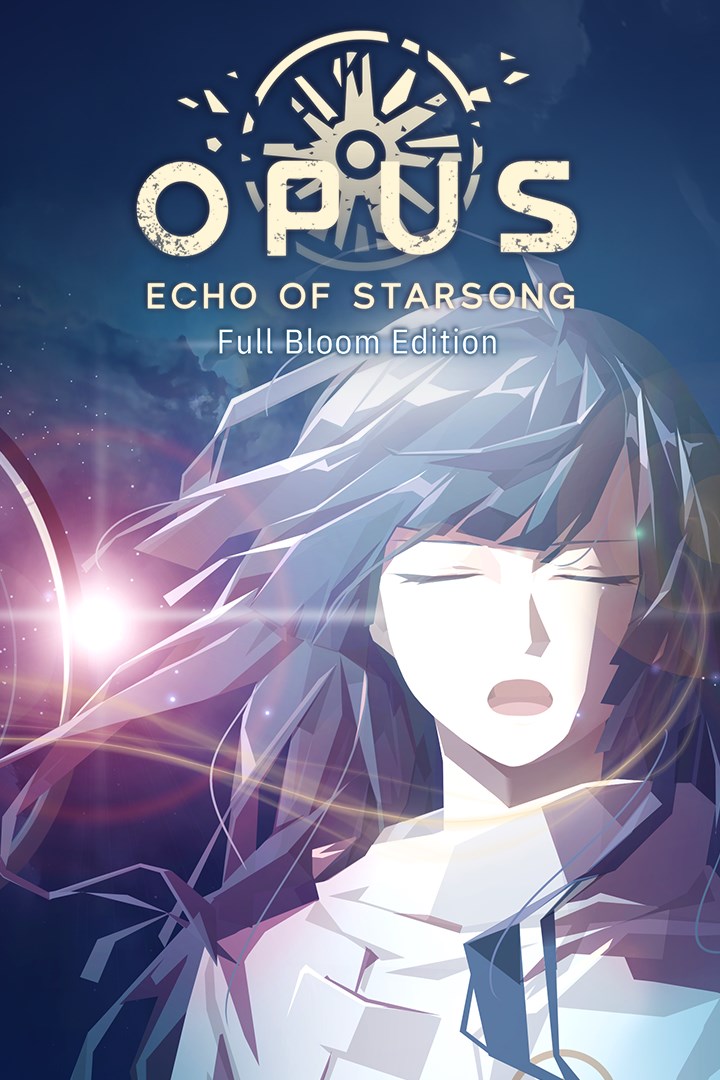
OPUS: Echo of Starsong - Full Bloom Edition
Details
- Publisher
- SIGONO INC.
- Developer
- SIGONO INC.
- Release date
- 25.08.2022
- Age rating
- ESRB:T
- Localization
- English
Purchase options
Platform
Primary: our account is set as the home Xbox of your console ("My home Xbox"), so the game is shared with your own profile and works offline — that is one slot on one console. Secondary: you sign in to our account and launch the game from it, and the console has to stay online. The activation code is an extra option: it is redeemed on your own account, and the game stays there forever.
You install the game from our account and set our account as the home one ("My home Xbox"): after that you play from your own profile, and the progress and achievements stay yours. It works offline.
You sign in to our account and play right from it. A permanent internet connection is required and only the issued profile can be used. It costs less than the primary access.
A bonus way to buy: you get a 25-character code and redeem it on your own account. The game stays with you forever, no other profiles and no sign-in to a shared account.
What happens after payment
About the game
OPUS: Echo of Starsong - Full Bloom Edition is the definitive edition of the visual novel style adventure game, now with all new voice acting.
Asteroids emitting a sound known as "Starsongs" have become the center of conflict for the immense power they hold. Determined to claim asteroids of his own, a young man ventures out with a girl who can imitate starsongs, lending her voice to unravel an ancient myth deep in the heart of space.
"I will claim the starsongs, and bring honor to the clan."
Exiled by his people, Jun ventures out in search of starsongs to redeem himself. But progress is slow, until he saves Eda, a witch who can pick up on the sound of asteroids. However, what appears to be a blessed encounter, will end up becoming a lifelong burden...
⬥SEEK OUT THE ELUSIVE ASTEROIDS⬥
The female protagonist - Eda, can hear the thunderous sound of starsongs in space, and navigate their spaceship towards the asteroid it came from.
⬥UNRAVEL THE MYSTERY OF STARSONGS⬥
The male protagonist - Jun, can explore asteroids to locate the starsong's source, which reside in magnificent temples deep within the asteroids, hiding their ancient secrets.
⬥ENGAGE WITH A COLORFUL CAST OF CHARACTERS⬥
Throughout their journey, the crew will encounter people of all sorts. From starsong intel brokers, to asteroid excavation enforcement officers. Some may act as an obstacle, while others will prove themselves to be allies.
⬥LEARN ABOUT EACH CHARACTER'S PAST⬥
Most people of Thousand Peaks have a personal story to tell when it comes to the conflicts that have ravaged their homeland. Uncover the troubled history of this solar system as you get to know each character.
⬥TRAVEL ACROSS A LAWLESS SOLAR SYSTEM⬥
The story's main setting, Thousand Peaks, has been in a state of chaos ever since the war. Help the crew travel through the territories of different factions, as they gather intel on the fabled starsongs.
⬥ENJOY THE STORY AT YOUR OWN PACE⬥
Echo of Starsong is a narrative-driven game. Although light puzzles and resource management are involved throughout the story, gameplay is kept simple to provide an accessible experience.
Screenshots
Click a frame to open it larger, use the arrows to browse
How to activate
Guide for Xbox One
Primary — the game is shared with your own profile
- 1Press the Xbox button, open "Profile & system" → "Add or switch" → "Add new" and sign in with the login and password from your order.
- 2Now open "Settings" → "General" → "Personalization" → "My home Xbox" and choose "Make this my home Xbox". This is what shares our games with every profile on your console.
- 3Switch back to your own profile, open "My games & apps" → "Library" and install the game. The internet is only needed for the download.
- 4Launch the game from your own profile: achievements, saves and progress stay yours, and after the installation the game works offline.
Only one console at a time can be the home Xbox for our account — that is the slot you bought. Please do not change the password, the email or the two-factor settings of the account, or the access will be blocked.
Secondary — you play from our account
- 1Press the Xbox button, open "Profile & system" → "Add or switch" → "Add new" and sign in with the login and password from your order.
- 2Open "My games & apps" → "Library", switch to our profile in the top-left corner and install the game.
- 3Launch the game while our profile stays signed in, and keep the console online: the licence is checked over the internet.
- 4Use your own profile for everything else — the game stays available as long as our account is signed in on this console.
Secondary costs less, but it needs a permanent internet connection and our account stays signed in on your console.
Activation code
- 1On the console open "Store" and go to the "Redeem code" section.
- 2Enter the 25-character code from your order and confirm the activation on your own account.
- 3After the activation the code is shown as "Used" — but you can reinstall the game from your library at any time.
Notes for Xbox One
Important
How to play online
Warranty and support
The warranty covers the whole period of use of the account. If the access stops working, we replace the account or refund your money.
- If the game stops launching, we replace the account or refund your money.
- Average support response time — 15–30 minutes during working hours.
- The warranty covers the whole rental period of the access.
Support
Telegram: @weskars
E-mail: support@gears.games
Working hours: daily 11:00 – 23:00 (UTC+3)
Every order goes through clear stages: "New" → "Awaiting payment" → "Paid" → "Delivered". You can follow the status in your account page.
Similar games
More games in the "Action & adventure" genre



