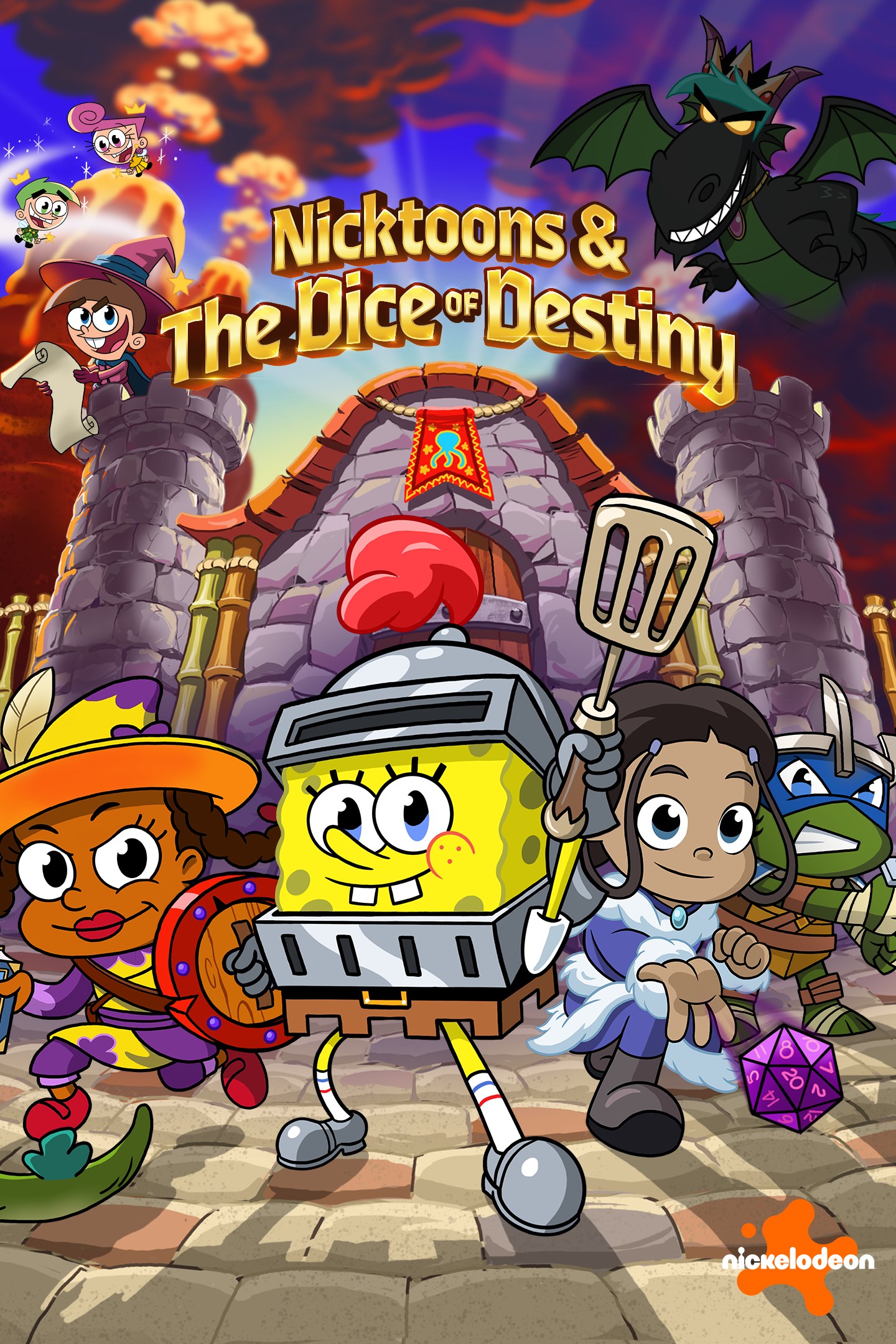
Nicktoons & The Dice of Destiny
Details
- Publisher
- GameMill Entertainment
- Developer
- Petit Fabrik / Fair Play Labs
- Release date
- 30.09.2025
- Age rating
- ESRB:E10
- Localization
- English
Purchase options
Primary: our account is set as the home Xbox of your console ("My home Xbox"), so the game is shared with your own profile and works offline — that is one slot on one console. Secondary: you sign in to our account and launch the game from it, and the console has to stay online. The activation code is an extra option: it is redeemed on your own account, and the game stays there forever.
You install the game from our account and set our account as the home one ("My home Xbox"): after that you play from your own profile, and the progress and achievements stay yours. It works offline.
You sign in to our account and play right from it. A permanent internet connection is required and only the issued profile can be used. It costs less than the primary access.
A bonus way to buy: you get a 25-character code and redeem it on your own account. The game stays with you forever, no other profiles and no sign-in to a shared account.
What happens after payment
About the game
Embark on a fantastical quest with your favorite Nicktoons characters—reimagined as epic Action-RPG heroes!
Nicktoons & The Dice of Destiny is a vibrant, universe-spanning mashup that brings iconic Nickelodeon heroes into a world of fantasy-style tropes and real-time RPG action. Get ready to roll the dice and dive into a wild, action-packed adventure with SpongeBob, Katara, Leonardo, and others as they swing spatulas, bend water, slice katanas, and more. Get ready for epic battles, dynamic environments, and recognizable character moments, all with an engaging gameplay experience for players of all ages.
Key Game Features:
• Play as Legendary Nickelodeon Characters—Fantasy Style
Suit up as SpongeBob SquarePants, Katara, Leonardo, Sandy Cheeks, Timmy Turner, Susie Carmichael, Danny Phantom, Jimmy Neutron, and Jenny Wakeman, each reimagined into classic RPG character classes from Spellcaster and Wizard to Barbarian and Knight, and more. Every hero comes with their own unique powers and weapons.
• Real-Time, Action-Packed Battles
Slash, cast spells, and strategize your way through fast-paced, fluid combat. Master each character’s unique style and time your combos to perfection.
• Explore Whimsical Worlds
From Bikini Bottomshire to the Ghost Zone, journey through colorful, Nickelodeon-inspired fantasy lands with fun, reimagined twists – each filled with puzzles, secrets, side quests, and wonderful surprises.
• Conquer Epic Boss Battles
Face off against iconic enemies like Azula, Angelica, and Plankton in intense boss battles - each fight offering unique mechanics and surprises—leading up to an unforgettably climactic final encounter.
• Single Player or Local Co-Op for 1–4 Players
Team up with friends and build your party! Mix and match characters for the perfect balance of skills and chaos in your local squad.
• Level Up and Customization
Unlock new powers, upgrade your weapons, and shape your heroes’ path through this awesome adventure.
• Built for Nick Fans and Action-RPG Lovers
Whether you're a lifelong Nickelodeon fan or a fantasy RPG adventurer, Nicktoons & The Dice of Destiny blends charm, fast-paced fun, and adventure together in one unforgettable quest.
Screenshots
Click a frame to open it larger, use the arrows to browse
How to activate
Guide for Xbox Series X|S
Primary — the game is shared with your own profile
- 1Press the Xbox button, open "Profile & system" → "Add or switch" → "Add new" and sign in with the login and password from your order.
- 2Now open "Settings" → "General" → "Personalization" → "My home Xbox" and choose "Make this my home Xbox". This is what shares our games with every profile on your console.
- 3Switch back to your own profile, open "My games & apps" → "Library" and install the game. The internet is only needed for the download.
- 4Launch the game from your own profile: achievements, saves and progress stay yours, and after the installation the game works offline.
Only one console at a time can be the home Xbox for our account — that is the slot you bought. Please do not change the password, the email or the two-factor settings of the account, or the access will be blocked.
Secondary — you play from our account
- 1Press the Xbox button, open "Profile & system" → "Add or switch" → "Add new" and sign in with the login and password from your order.
- 2Open "My games & apps" → "Library", switch to our profile in the top-left corner and install the game.
- 3Launch the game while our profile stays signed in, and keep the console online: the licence is checked over the internet.
- 4Use your own profile for everything else — the game stays available as long as our account is signed in on this console.
Secondary costs less, but it needs a permanent internet connection and our account stays signed in on your console.
Activation code
- 1On the console open "Store" and go to the "Redeem code" section.
- 2Enter the 25-character code from your order and confirm the activation on your own account.
- 3After the activation the code is shown as "Used" — but you can reinstall the game from your library at any time.
Notes for Xbox Series
Important
How to play online
Warranty and support
The warranty covers the whole period of use of the account. If the access stops working, we replace the account or refund your money.
- If the game stops launching, we replace the account or refund your money.
- Average support response time — 15–30 minutes during working hours.
- The warranty covers the whole rental period of the access.
Support
Telegram: @weskars
E-mail: support@gears.games
Working hours: daily 11:00 – 23:00 (UTC+3)
Every order goes through clear stages: "New" → "Awaiting payment" → "Paid" → "Delivered". You can follow the status in your account page.
Similar games
More games in the "Role playing" genre