
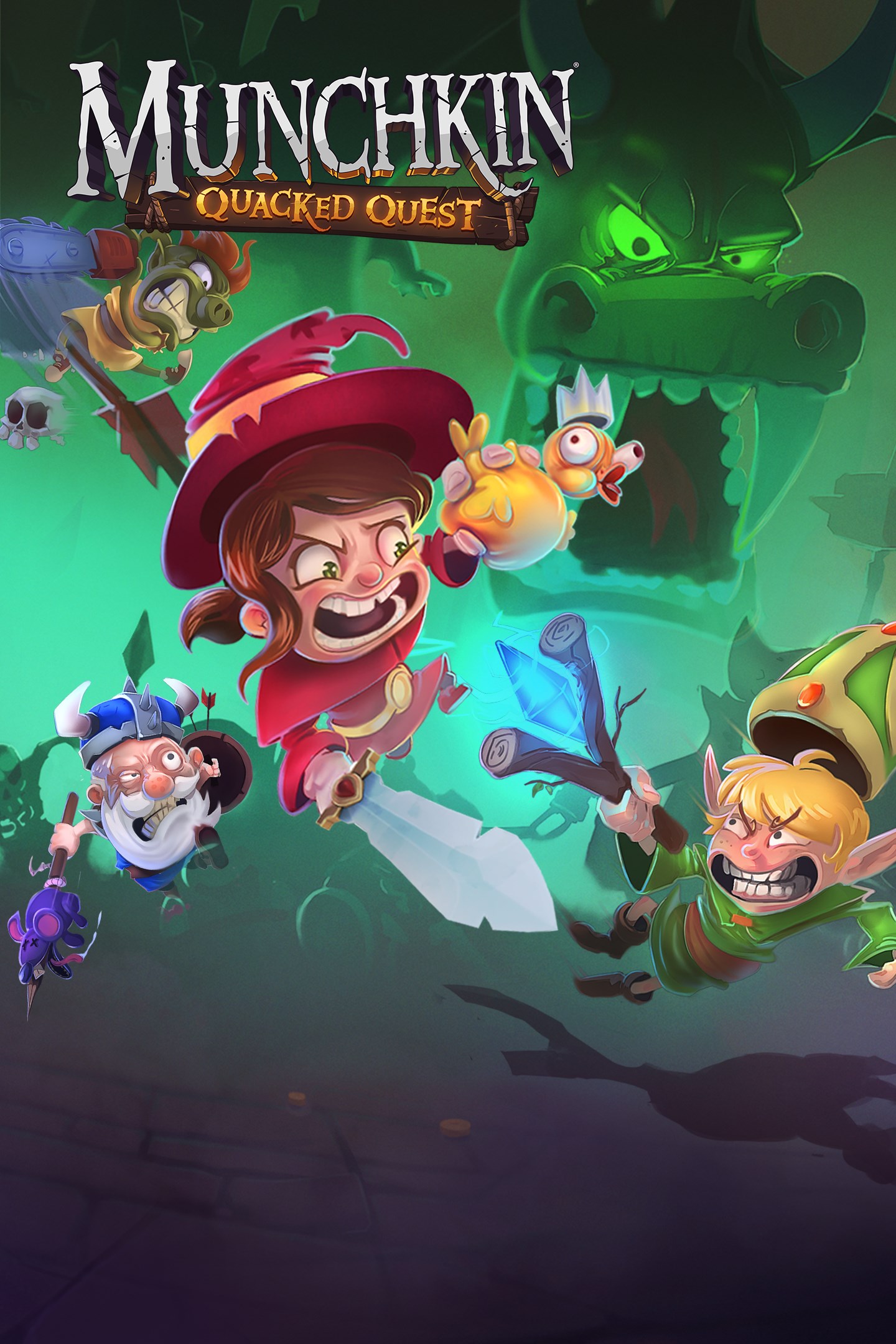
Munchkin: Quacked Quest
Details
- Publisher
- Twin Sails Interactive
- Developer
- Twin Sails Interactive
- Release date
- 19.11.2019
- Age rating
- ESRB:E10
- Localization
- English
Purchase options
Platform
Primary: our account is set as the home Xbox of your console ("My home Xbox"), so the game is shared with your own profile and works offline — that is one slot on one console. Secondary: you sign in to our account and launch the game from it, and the console has to stay online. The activation code is an extra option: it is redeemed on your own account, and the game stays there forever.
You install the game from our account and set our account as the home one ("My home Xbox"): after that you play from your own profile, and the progress and achievements stay yours. It works offline.
You sign in to our account and play right from it. A permanent internet connection is required and only the issued profile can be used. It costs less than the primary access.
A bonus way to buy: you get a 25-character code and redeem it on your own account. The game stays with you forever, no other profiles and no sign-in to a shared account.
What happens after payment
About the game
Dive into Munchkin: Quacked Quest and re-discover the parody, puns, and humor from the hit card game Munchkin by Steve Jackson. Gather gold, throw your foes (and friends) into sacrifice pits, collect ducks, eliminate the monsters—from reanimated skeletons to the Potted Plant and even the Plutonium Dragon—and reach the highest level to win the game! After all, there’s only one spot at the top and you just found a chainsaw…
Sometimes the enemy is next to you on the couch.
Gather your best friends, or enemies (doesn’t matter, you’ll turn on each other either way), and take down the rampaging hordes of monsters! Beat your “allies” to the treasure and gear up with legendary weapons such as the Rat-on-a-Stick, a Scepter that sends love or a Flare Gun.. Fast-playing and silly, Munchkin: Quacked Quest can reduce any roleplaying group to hysteria. And, while they're laughing, you can be the first to grab the ducks.
...HEY, THAT’S MY DUCK!
Not afraid of chickens and trolls? Do you enjoy smashing random objects for loot? Are you eager to vanquish epic bosses and betray your friends? In either the solo or local multiplayer mode, you race through randomly generated dungeons and overcome increasingly bizarre challenges. Choose from four different races and classes and unleash their special skills at the right moment to gain an advantage over your opponents. The mix between accessible, yet rich, gameplay and a leveling race offers intense and skill-based brawling action.
...I SAID DROP THE DUCK, BOB!
Trust the Wight Brothers and their Fabulous Dungeonarium Machine (FDM™©) to generate unique dungeons filled with deadly traps, dangerous enemies and magnificent ducks. Every adventure will be enhanced by random modifiers. The more victories you claim, the more possibilities will be added to your game.
Main gameplay features:
• Play solo or with up to four players in couch mode and adventure through deadly dungeons where enemies lurk. Be careful, sometimes the most dangerous enemy is sitting right next to you…
• Be the fastest, the most cunning, or the most effective at accomplishing the crazy objectives of each dungeon: capture ducks, slay monsters, defeat bosses, while throwing your friends/foes into pits and smashing furniture… everything you wish you could have done at your cousin’s wedding.
• Four races and four classes available: become a fashionable Orc Priest, a grumpy Dwarf Wizard, or dozens of other combinations. (Management will deny any liability in case of a botched spell or missing limb.)
• More than 20 weapons to wield for hitting, cutting, shooting, hugging, burning, smashing or knocking down more than 15 different enemies—or friends. Just in case, you know...they get in your way. And if you want to hit harder, run faster, or be even more annoying to the other players, there are nine almost-lethal items to choose from.
• Randomly generated dungeons for infinite replay value! You will never need to purchase another game. Ever. #MarketingDPTApproves
• Customized experience: choose player mode and game duration and let the back-stabbing, loot-grabbing, slaying, and betraying commence!
HA HA! THE DUCK IS MINE! MINE!!!
© 2022 Twin Sails Interactive. Munchkin is copyright © 2001, 2002, 2006-2008, 2010-2012, 2014-2019 by Steve Jackson Games Incorporated. All rights reserved. Munchkin, the Munchkin characters, and the pyramid logo are trademarks or registered trademarks of Steve Jackson Games Incorporated and are used under license. Munchkin: Quacked Quest is © 2022 by Twin Sails Interactive. All rights reserved.
Screenshots
Click a frame to open it larger, use the arrows to browse
How to activate
Guide for Xbox One
Primary — the game is shared with your own profile
- 1Press the Xbox button, open "Profile & system" → "Add or switch" → "Add new" and sign in with the login and password from your order.
- 2Now open "Settings" → "General" → "Personalization" → "My home Xbox" and choose "Make this my home Xbox". This is what shares our games with every profile on your console.
- 3Switch back to your own profile, open "My games & apps" → "Library" and install the game. The internet is only needed for the download.
- 4Launch the game from your own profile: achievements, saves and progress stay yours, and after the installation the game works offline.
Only one console at a time can be the home Xbox for our account — that is the slot you bought. Please do not change the password, the email or the two-factor settings of the account, or the access will be blocked.
Secondary — you play from our account
- 1Press the Xbox button, open "Profile & system" → "Add or switch" → "Add new" and sign in with the login and password from your order.
- 2Open "My games & apps" → "Library", switch to our profile in the top-left corner and install the game.
- 3Launch the game while our profile stays signed in, and keep the console online: the licence is checked over the internet.
- 4Use your own profile for everything else — the game stays available as long as our account is signed in on this console.
Secondary costs less, but it needs a permanent internet connection and our account stays signed in on your console.
Activation code
- 1On the console open "Store" and go to the "Redeem code" section.
- 2Enter the 25-character code from your order and confirm the activation on your own account.
- 3After the activation the code is shown as "Used" — but you can reinstall the game from your library at any time.
Notes for Xbox One
Important
How to play online
Warranty and support
The warranty covers the whole period of use of the account. If the access stops working, we replace the account or refund your money.
- If the game stops launching, we replace the account or refund your money.
- Average support response time — 15–30 minutes during working hours.
- The warranty covers the whole rental period of the access.
Support
Telegram: @weskars
E-mail: support@gears.games
Working hours: daily 11:00 – 23:00 (UTC+3)
Every order goes through clear stages: "New" → "Awaiting payment" → "Paid" → "Delivered". You can follow the status in your account page.
Similar games
More games in the "Action & adventure" genre



