MOTORSLICE
Details
- Publisher
- Top Hat Studios, Inc.
- Developer
- Regular Studio
- Release date
- 05.05.2026
- Age rating
- ESRB:T
- Localization
- English
Purchase options
Primary: our account is set as the home Xbox of your console ("My home Xbox"), so the game is shared with your own profile and works offline — that is one slot on one console. Secondary: you sign in to our account and launch the game from it, and the console has to stay online. The activation code is an extra option: it is redeemed on your own account, and the game stays there forever.
You install the game from our account and set our account as the home one ("My home Xbox"): after that you play from your own profile, and the progress and achievements stay yours. It works offline.
You sign in to our account and play right from it. A permanent internet connection is required and only the issued profile can be used. It costs less than the primary access.
A bonus way to buy: you get a 25-character code and redeem it on your own account. The game stays with you forever, no other profiles and no sign-in to a shared account.
What happens after payment
About the game
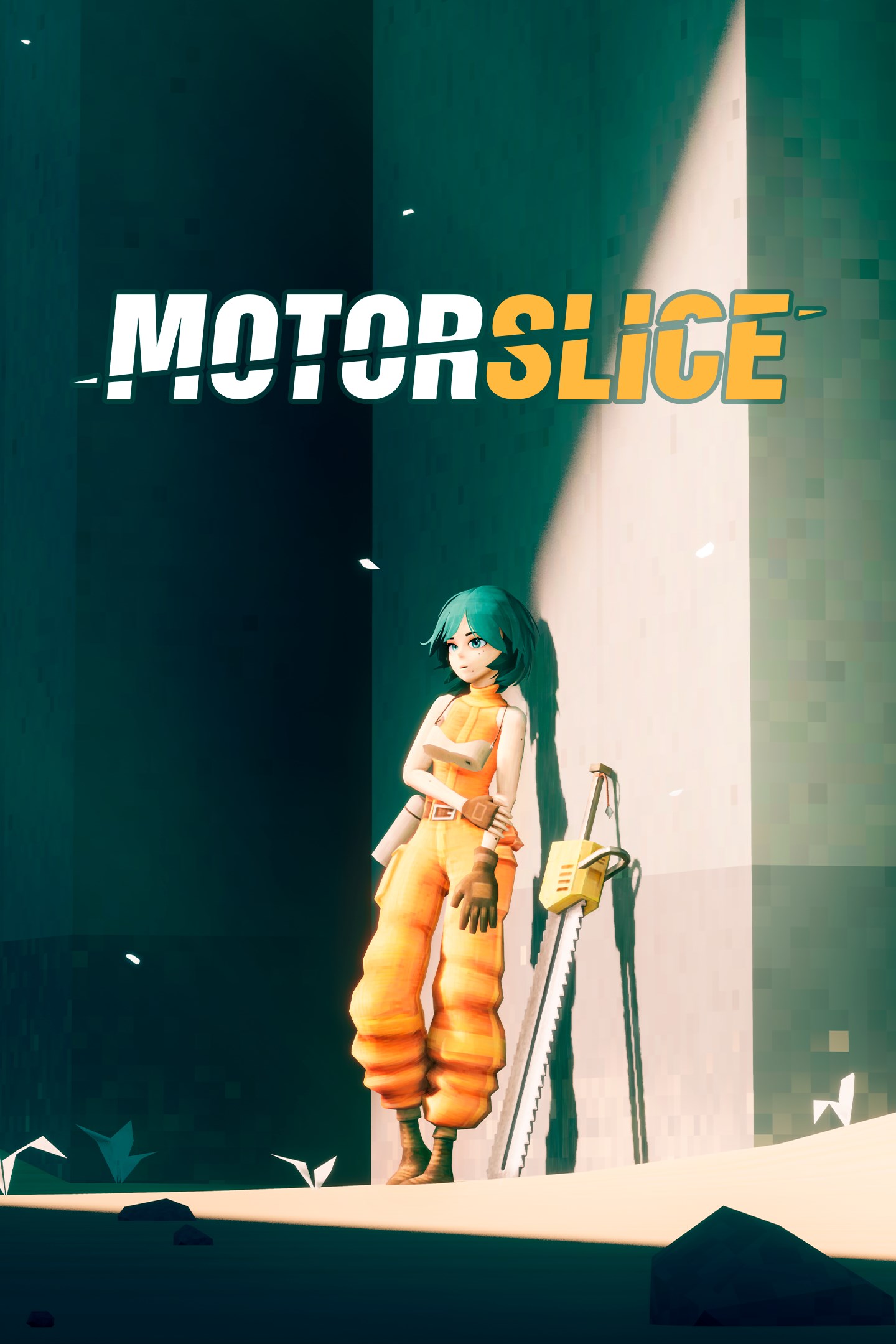
Parkour through the ruins of a megastructure, climb massive bosses, and hunt down every construction equipment in this slice of life action-adventure with immaculate vibes.
Play as a girl named ‘P’, and use everything at her disposal to escape from deadly traps. Run, climb, slide, crouch, wall run, perform stunts, and even use your chainsaw to cross impossible distances.
HEAVY MACHINES
From smaller autonomous construction equipment, to massive dump trucks, survive a hostile environment where everything wants to kill you. Who’s gonna win, a sleepy girl with a chainsaw, or an army of rogue machines?
Strike first, or die. A single mistake can cost your life in a brutal clash of metal. Too big to destroy with one swing? Climb bosses and slice them into pieces, turning colossal machines into dust.
MEGASTRUCTURE
Not everything can be solved with a chainsaw. Alone with a flashlight, you are powerless against the crushing atmosphere of the structure. Rush through the darkness in endless corridors, and cross liminal spaces.
Insignificant as you are on the scale of this cursed place, you have to face your fears and complete the job. But can you fight your megalophobia?
SLICE OF LIFE
Get in, eliminate all the machines, and get out. That was the job. But upon arriving at an abandoned megastructure, P discovers an imposing dreadful machine - and she soon realizes that this is no ordinary job.
Partner with a mysterious malfunctioning Orb Drone, and embark on a daily routine of a ‘Slicer’. With nothing more than her chainsaw, she must bring this place down, whatever it takes.
FEATURES
- Fluid acrobatic gameplay. Climb, run and slide your way around.
- Brutal fast-paced combat. You die easily, but you slice through machines easily, too.
- Climb massive, colossal heavy machines in epic boss fights.
- Traverse liminal spaces and parkour through brutalist landscapes.
- Minimalist atmospheric adventure with hardcore challenges.
- A slice of life story about a girl doing a "routine" job in a megastructure.
- Gorgeous pixelated-yet-modern low-poly graphics.
- Solve puzzles with physics oriented objects.
- Banger Atmospheric DnB/Jungle OST by Pizza Hotline!
- Story fully voiced by Kira Buckland as P
Screenshots
Click a frame to open it larger, use the arrows to browse
How to activate
Guide for Xbox Series X|S
Primary — the game is shared with your own profile
- 1Press the Xbox button, open "Profile & system" → "Add or switch" → "Add new" and sign in with the login and password from your order.
- 2Now open "Settings" → "General" → "Personalization" → "My home Xbox" and choose "Make this my home Xbox". This is what shares our games with every profile on your console.
- 3Switch back to your own profile, open "My games & apps" → "Library" and install the game. The internet is only needed for the download.
- 4Launch the game from your own profile: achievements, saves and progress stay yours, and after the installation the game works offline.
Only one console at a time can be the home Xbox for our account — that is the slot you bought. Please do not change the password, the email or the two-factor settings of the account, or the access will be blocked.
Secondary — you play from our account
- 1Press the Xbox button, open "Profile & system" → "Add or switch" → "Add new" and sign in with the login and password from your order.
- 2Open "My games & apps" → "Library", switch to our profile in the top-left corner and install the game.
- 3Launch the game while our profile stays signed in, and keep the console online: the licence is checked over the internet.
- 4Use your own profile for everything else — the game stays available as long as our account is signed in on this console.
Secondary costs less, but it needs a permanent internet connection and our account stays signed in on your console.
Activation code
- 1On the console open "Store" and go to the "Redeem code" section.
- 2Enter the 25-character code from your order and confirm the activation on your own account.
- 3After the activation the code is shown as "Used" — but you can reinstall the game from your library at any time.
Notes for Xbox Series
Important
How to play online
Warranty and support
The warranty covers the whole period of use of the account. If the access stops working, we replace the account or refund your money.
- If the game stops launching, we replace the account or refund your money.
- Average support response time — 15–30 minutes during working hours.
- The warranty covers the whole rental period of the access.
Support
Telegram: @weskars
E-mail: support@gears.games
Working hours: daily 11:00 – 23:00 (UTC+3)
Every order goes through clear stages: "New" → "Awaiting payment" → "Paid" → "Delivered". You can follow the status in your account page.
Similar games
More games in the "Platformer" genre