
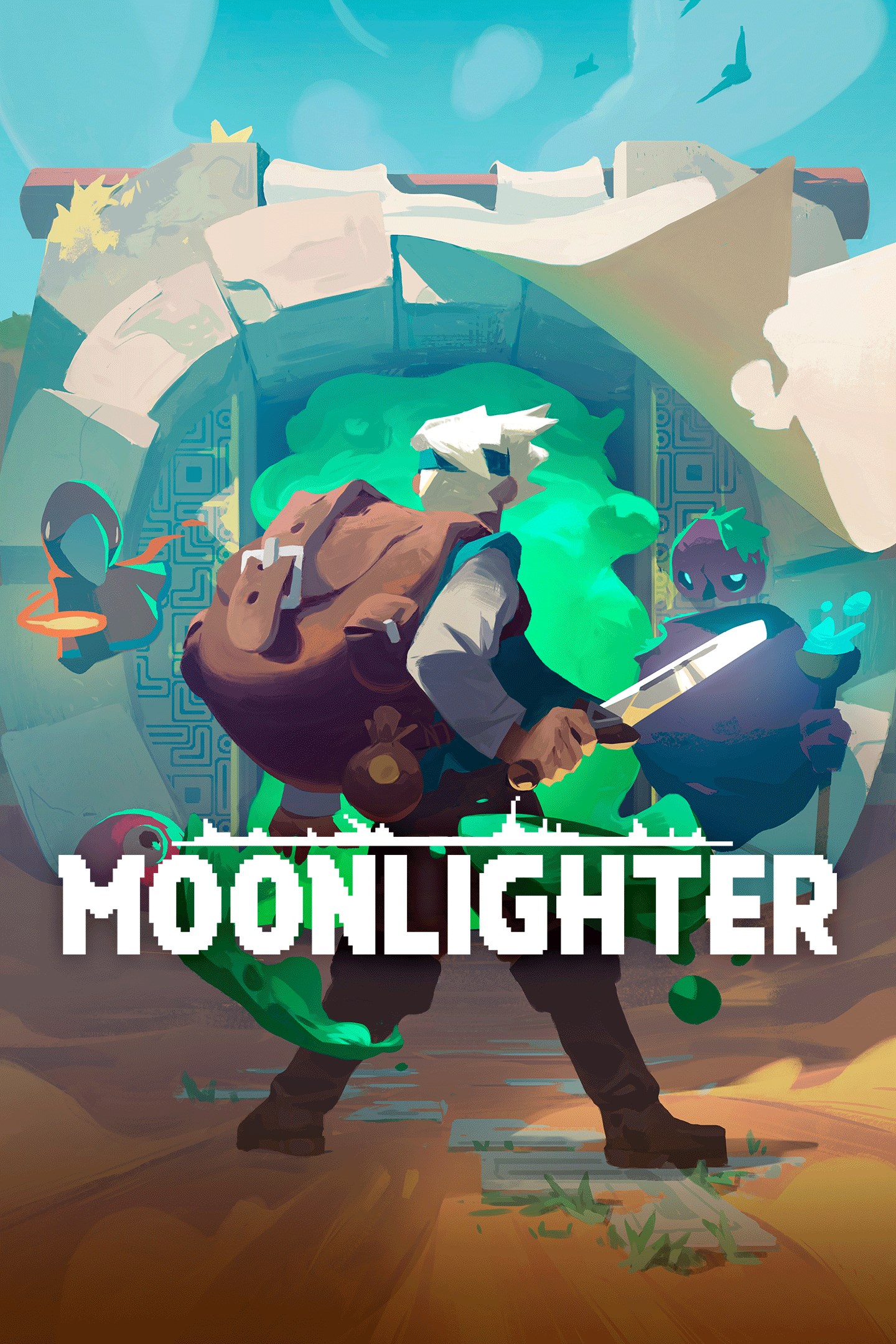
Moonlighter
Details
- Publisher
- 11 bit studios
- Developer
- Digital Sun
- Release date
- 29.05.2018
- Age rating
- ESRB:E10
- Localization
- English
- Metascore
- 74 / 100
Source: Steam
Purchase options
Platform
Primary: our account is set as the home Xbox of your console ("My home Xbox"), so the game is shared with your own profile and works offline — that is one slot on one console. Secondary: you sign in to our account and launch the game from it, and the console has to stay online. The activation code is an extra option: it is redeemed on your own account, and the game stays there forever.
You install the game from our account and set our account as the home one ("My home Xbox"): after that you play from your own profile, and the progress and achievements stay yours. It works offline.
You sign in to our account and play right from it. A permanent internet connection is required and only the issued profile can be used. It costs less than the primary access.
A bonus way to buy: you get a 25-character code and redeem it on your own account. The game stays with you forever, no other profiles and no sign-in to a shared account.
What happens after payment
About the game
Every adventure has to pay off
During an archaeological excavation – a set of Gates were discovered. People quickly realized that these ancient passages lead to different realms and dimensions. Rynoka, a small commercial village, was found near the excavation site – providing brave and reckless adventurers with treasures beyond measure.
Moonlighter is an Action RPG with rogue-lite elements that demonstrates two sides of the coin – revealing everyday routines of Will, an adventurous shopkeeper that secretly dreams of becoming a hero.
Shopkeeping
While conducting your business in Rynoka village, you can put items on sale, set their price carefully, manage gold reserves, recruit assistants and upgrade the shop. Be careful though – some shady individuals may want to steal your precious wares!
Meet villagers
Getting to know Rynoka’s residents and understanding needs of customers is crucial. Some folks may have special quests for you, requesting rare items and offering handsome rewards in return.
Craft and enchant
Crafting and enchanting system is essential for the your progression. Interacting with the villagers is the way to craft new armors, weapons and enchant existing equipment. This creates a great deal of flexibility and spices up the way the equipment is used.
Get the loot
While visiting other worlds, collect valuable resources, weapons, armors, treasures and peculiar artefacts. Then, manage acquired loot using unique inventory-based abilities.
Fight with style
Defeating various enemies and bosses, revel in the challenging and deep combat mechanics. The depth of combat depends on the interactions between weapons, timing, positioning, enemies and environment. Feel comfortable developing your own battling style.
Open the gates
Gates lead to different worlds. Each run is unique and forces you to take some smart decisions. You never know what you will encounter next – that’s why you have to be prepared for everything.
Screenshots
Click a frame to open it larger, use the arrows to browse
How to activate
Guide for Xbox One
Primary — the game is shared with your own profile
- 1Press the Xbox button, open "Profile & system" → "Add or switch" → "Add new" and sign in with the login and password from your order.
- 2Now open "Settings" → "General" → "Personalization" → "My home Xbox" and choose "Make this my home Xbox". This is what shares our games with every profile on your console.
- 3Switch back to your own profile, open "My games & apps" → "Library" and install the game. The internet is only needed for the download.
- 4Launch the game from your own profile: achievements, saves and progress stay yours, and after the installation the game works offline.
Only one console at a time can be the home Xbox for our account — that is the slot you bought. Please do not change the password, the email or the two-factor settings of the account, or the access will be blocked.
Secondary — you play from our account
- 1Press the Xbox button, open "Profile & system" → "Add or switch" → "Add new" and sign in with the login and password from your order.
- 2Open "My games & apps" → "Library", switch to our profile in the top-left corner and install the game.
- 3Launch the game while our profile stays signed in, and keep the console online: the licence is checked over the internet.
- 4Use your own profile for everything else — the game stays available as long as our account is signed in on this console.
Secondary costs less, but it needs a permanent internet connection and our account stays signed in on your console.
Activation code
- 1On the console open "Store" and go to the "Redeem code" section.
- 2Enter the 25-character code from your order and confirm the activation on your own account.
- 3After the activation the code is shown as "Used" — but you can reinstall the game from your library at any time.
Notes for Xbox One
Important
How to play online
Warranty and support
The warranty covers the whole period of use of the account. If the access stops working, we replace the account or refund your money.
- If the game stops launching, we replace the account or refund your money.
- Average support response time — 15–30 minutes during working hours.
- The warranty covers the whole rental period of the access.
Support
Telegram: @weskars
E-mail: support@gears.games
Working hours: daily 11:00 – 23:00 (UTC+3)
Every order goes through clear stages: "New" → "Awaiting payment" → "Paid" → "Delivered". You can follow the status in your account page.
Similar games
More games in the "Action & adventure" genre



