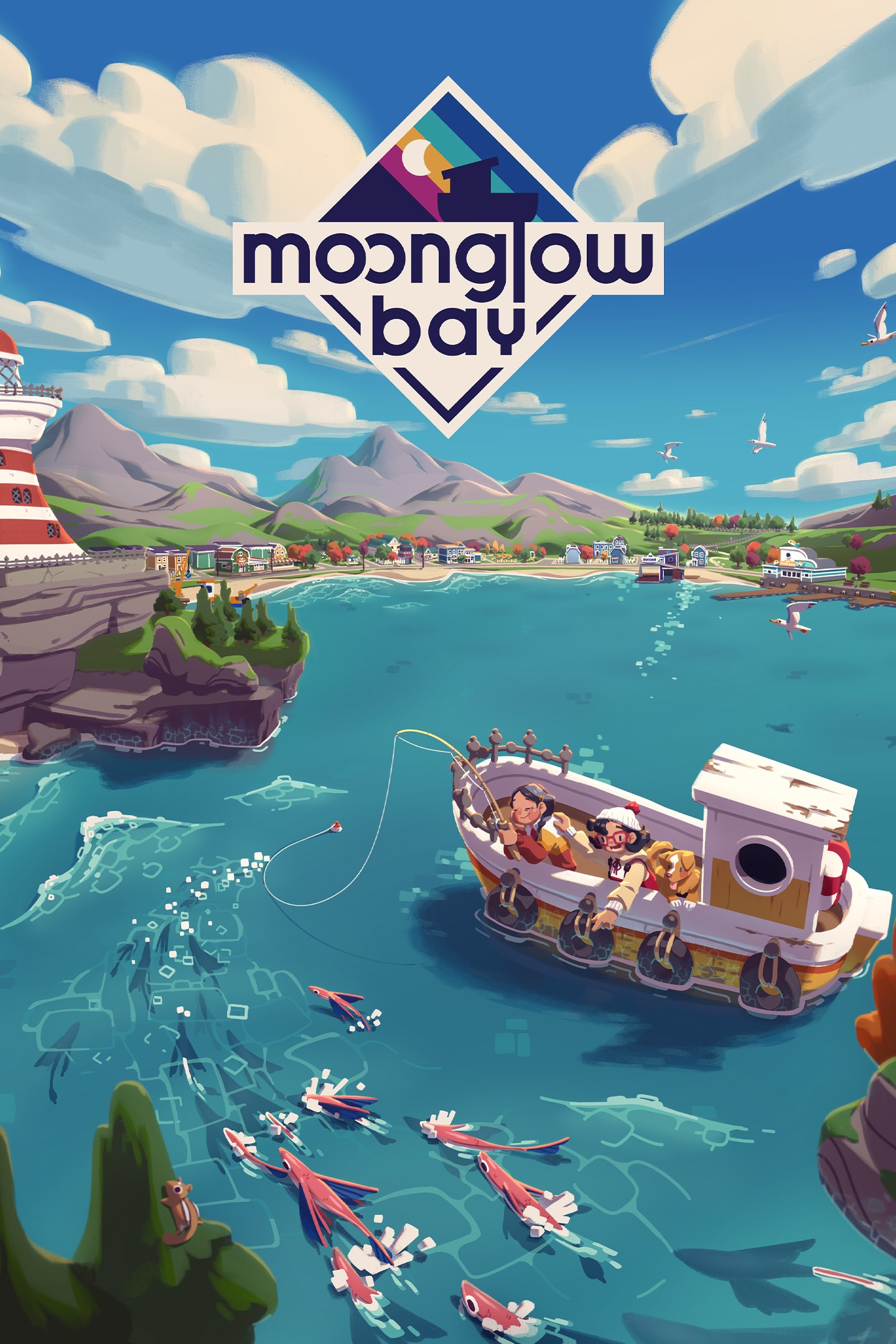
Moonglow Bay
Details
- Publisher
- Coatsink Software Ltd
- Developer
- Bunnyhug Ltd
- Release date
- 26.10.2021
- Age rating
- ESRB:E
- Localization
- English
Purchase options
Platform
Primary: our account is set as the home Xbox of your console ("My home Xbox"), so the game is shared with your own profile and works offline — that is one slot on one console. Secondary: you sign in to our account and launch the game from it, and the console has to stay online. The activation code is an extra option: it is redeemed on your own account, and the game stays there forever.
You install the game from our account and set our account as the home one ("My home Xbox"): after that you play from your own profile, and the progress and achievements stay yours. It works offline.
You sign in to our account and play right from it. A permanent internet connection is required and only the issued profile can be used. It costs less than the primary access.
A bonus way to buy: you get a 25-character code and redeem it on your own account. The game stays with you forever, no other profiles and no sign-in to a shared account.
What happens after payment
About the game
Dive into an emotionally charged story set in the serene backdrop of Moonglow Bay, in this relaxing, slice-of-life fishing RPG!
Take on the role of a rookie angler, driven by the final wish of your beloved partner, as you navigate through the challenges of a town on the brink of bankruptcy. Equipped with only your journal and trusty rod, embark on a journey to uncover the secrets hidden beneath the waves of Moonglow Bay.
Embark on an Aquatic Adventure
- Discover the Depths: Cast nets, set traps, line, and ice fish to discover over 151 aquatic species lurking beneath the surface.
- Preserve and Present: Cook your catch of the day or proudly show them off at the local aquarium.
- Explore Enigmatic Locales: Traverse the Glacier and Sulphur zones, unravel the mysteries of the Astral Clouds, and prepare for encounters with the Mythical Monsters of Moonglow.
- Share the Adventure: Team up with friends in local co-op and embark on a heartwarming journey together.
Revitalise the Bay
- Celebrate the Centennial: Help revitalise the once-thriving fishing town, breathing new life into its weathered buildings.
- Meet the Townsfolk: Befriend the locals and accept quests through the bulletin board to restore the Bay’s fractured community.
- Equip for Success: Stock up on bait, tackle, and ship upgrades to prepare for the challenges ahead.
Discover the Heart of Moonglow
- Vivid Voxel Art: Immerse yourself in Moonglow Bay's stunning visual style complimenting your adventure every step of the way.
- Sumptuous Soundtrack: Lose yourself in Lena Raine's enchanting score that seamlessly flows with the rhythm of your journey.
Screenshots
Click a frame to open it larger, use the arrows to browse
How to activate
Guide for Xbox One
Primary — the game is shared with your own profile
- 1Press the Xbox button, open "Profile & system" → "Add or switch" → "Add new" and sign in with the login and password from your order.
- 2Now open "Settings" → "General" → "Personalization" → "My home Xbox" and choose "Make this my home Xbox". This is what shares our games with every profile on your console.
- 3Switch back to your own profile, open "My games & apps" → "Library" and install the game. The internet is only needed for the download.
- 4Launch the game from your own profile: achievements, saves and progress stay yours, and after the installation the game works offline.
Only one console at a time can be the home Xbox for our account — that is the slot you bought. Please do not change the password, the email or the two-factor settings of the account, or the access will be blocked.
Secondary — you play from our account
- 1Press the Xbox button, open "Profile & system" → "Add or switch" → "Add new" and sign in with the login and password from your order.
- 2Open "My games & apps" → "Library", switch to our profile in the top-left corner and install the game.
- 3Launch the game while our profile stays signed in, and keep the console online: the licence is checked over the internet.
- 4Use your own profile for everything else — the game stays available as long as our account is signed in on this console.
Secondary costs less, but it needs a permanent internet connection and our account stays signed in on your console.
Activation code
- 1On the console open "Store" and go to the "Redeem code" section.
- 2Enter the 25-character code from your order and confirm the activation on your own account.
- 3After the activation the code is shown as "Used" — but you can reinstall the game from your library at any time.
Notes for Xbox One
Important
How to play online
Warranty and support
The warranty covers the whole period of use of the account. If the access stops working, we replace the account or refund your money.
- If the game stops launching, we replace the account or refund your money.
- Average support response time — 15–30 minutes during working hours.
- The warranty covers the whole rental period of the access.
Support
Telegram: @weskars
E-mail: support@gears.games
Working hours: daily 11:00 – 23:00 (UTC+3)
Every order goes through clear stages: "New" → "Awaiting payment" → "Paid" → "Delivered". You can follow the status in your account page.
Similar games
More games in the "Family & kids" genre