
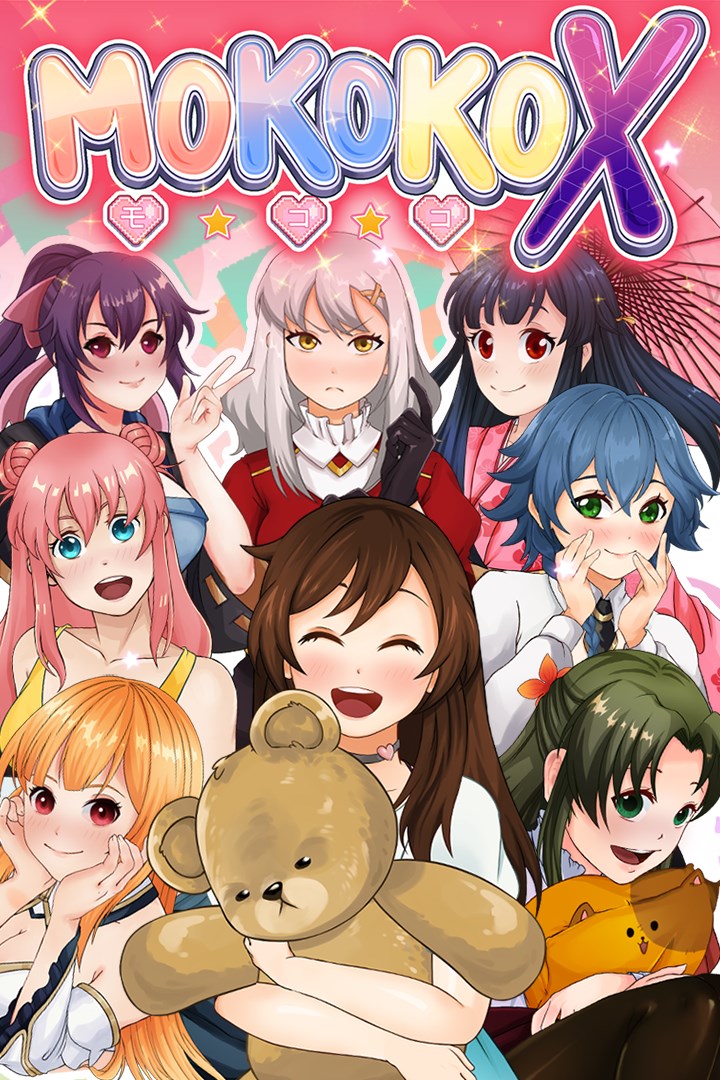
Mokoko X
Details
- Publisher
- NAISU
- Developer
- NAISU
- Release date
- 22.04.2022
- Age rating
- ESRB:T
- Localization
- English
Purchase options
Platform
Primary: our account is set as the home Xbox of your console ("My home Xbox"), so the game is shared with your own profile and works offline — that is one slot on one console. Secondary: you sign in to our account and launch the game from it, and the console has to stay online. The activation code is an extra option: it is redeemed on your own account, and the game stays there forever.
You install the game from our account and set our account as the home one ("My home Xbox"): after that you play from your own profile, and the progress and achievements stay yours. It works offline.
You sign in to our account and play right from it. A permanent internet connection is required and only the issued profile can be used. It costs less than the primary access.
A bonus way to buy: you get a 25-character code and redeem it on your own account. The game stays with you forever, no other profiles and no sign-in to a shared account.
What happens after payment
About the game
About
Mokoko X was inspired from the arcade games from 1980s and 1990s, a popular gaming style back in the time. Mokoko X looks to resurrect the soul of the arcade genre while adding a modern touch. There are 32 levels in Mokoko X; each level has its own unique boss and minions. The main goal is assisting the unlucky girls that need help from the weird bosses. This is sometimes passing a mobile game level, sometimes helping out with the insects in the kitchen.
Gameplay
The main goal is conquering the bigger portion of the screen. While you are in your own area, you are safe from the enemies until your shield empties. You conquer new areas by drawing out of your area. Drawing, however, deactivates your shield and exposes you to danger. Your shield decreases constantly. If you do not conquer at a certain frequency, your shield will burn out and you will not be safe on your own areas as well.
There are 3 difficulties in the game. The difficulty affects enemies, your shield, and required conquered area percentage for the victory.
Stories
Have you ever asked these questions to yourself:
How do you stop a heartless but not soulless emperor?
Can someone be a gyroscope and a guard dog at the same time?
Why do those ducks attack us?
Are there really demonic headphones in the world?
Why do lizardmen need a plastic toy for summoning their god?
How do you become a villain after revolting against the ant queen?
What do scientists want from Albert the wonderful sea creature?
Well, Mokoko X answers all these questions and more!
Here are some missions!
- Help out Iren with her arachnophobia and fight with the imaginary spider Mr.Fyodorov.
- Protect Issa's house from getting pillaged by the ghost pirates stuck inside the anchors. They were not the bane of Seven Seas - the crew was killed in their first naval battle.
- Toru wished to be a mosquito to annoy people. A local witch heard him, and transformed him into a mosquito. Now he causes trouble to people every night.
Fight against the weird enemies...
... and learn about their absurd stories!
Screenshots
Click a frame to open it larger, use the arrows to browse
How to activate
Guide for Xbox One
Primary — the game is shared with your own profile
- 1Press the Xbox button, open "Profile & system" → "Add or switch" → "Add new" and sign in with the login and password from your order.
- 2Now open "Settings" → "General" → "Personalization" → "My home Xbox" and choose "Make this my home Xbox". This is what shares our games with every profile on your console.
- 3Switch back to your own profile, open "My games & apps" → "Library" and install the game. The internet is only needed for the download.
- 4Launch the game from your own profile: achievements, saves and progress stay yours, and after the installation the game works offline.
Only one console at a time can be the home Xbox for our account — that is the slot you bought. Please do not change the password, the email or the two-factor settings of the account, or the access will be blocked.
Secondary — you play from our account
- 1Press the Xbox button, open "Profile & system" → "Add or switch" → "Add new" and sign in with the login and password from your order.
- 2Open "My games & apps" → "Library", switch to our profile in the top-left corner and install the game.
- 3Launch the game while our profile stays signed in, and keep the console online: the licence is checked over the internet.
- 4Use your own profile for everything else — the game stays available as long as our account is signed in on this console.
Secondary costs less, but it needs a permanent internet connection and our account stays signed in on your console.
Activation code
- 1On the console open "Store" and go to the "Redeem code" section.
- 2Enter the 25-character code from your order and confirm the activation on your own account.
- 3After the activation the code is shown as "Used" — but you can reinstall the game from your library at any time.
Notes for Xbox One
Important
How to play online
Warranty and support
The warranty covers the whole period of use of the account. If the access stops working, we replace the account or refund your money.
- If the game stops launching, we replace the account or refund your money.
- Average support response time — 15–30 minutes during working hours.
- The warranty covers the whole rental period of the access.
Support
Telegram: @weskars
E-mail: support@gears.games
Working hours: daily 11:00 – 23:00 (UTC+3)
Every order goes through clear stages: "New" → "Awaiting payment" → "Paid" → "Delivered". You can follow the status in your account page.
Similar games
More games in the "Action & adventure" genre



