Minos Dungeon Windows + Xbox Bundle
Details
- Publisher
- Afil Games
- Developer
- Afil Games
- Release date
- 11.06.2025
- Age rating
- ESRB:E
- Localization
- English
Purchase options
Platform
Primary: our account is set as the home Xbox of your console ("My home Xbox"), so the game is shared with your own profile and works offline — that is one slot on one console. Secondary: you sign in to our account and launch the game from it, and the console has to stay online. The activation code is an extra option: it is redeemed on your own account, and the game stays there forever.
You install the game from our account and set our account as the home one ("My home Xbox"): after that you play from your own profile, and the progress and achievements stay yours. It works offline.
You sign in to our account and play right from it. A permanent internet connection is required and only the issued profile can be used. It costs less than the primary access.
A bonus way to buy: you get a 25-character code and redeem it on your own account. The game stays with you forever, no other profiles and no sign-in to a shared account.
What happens after payment
About the game
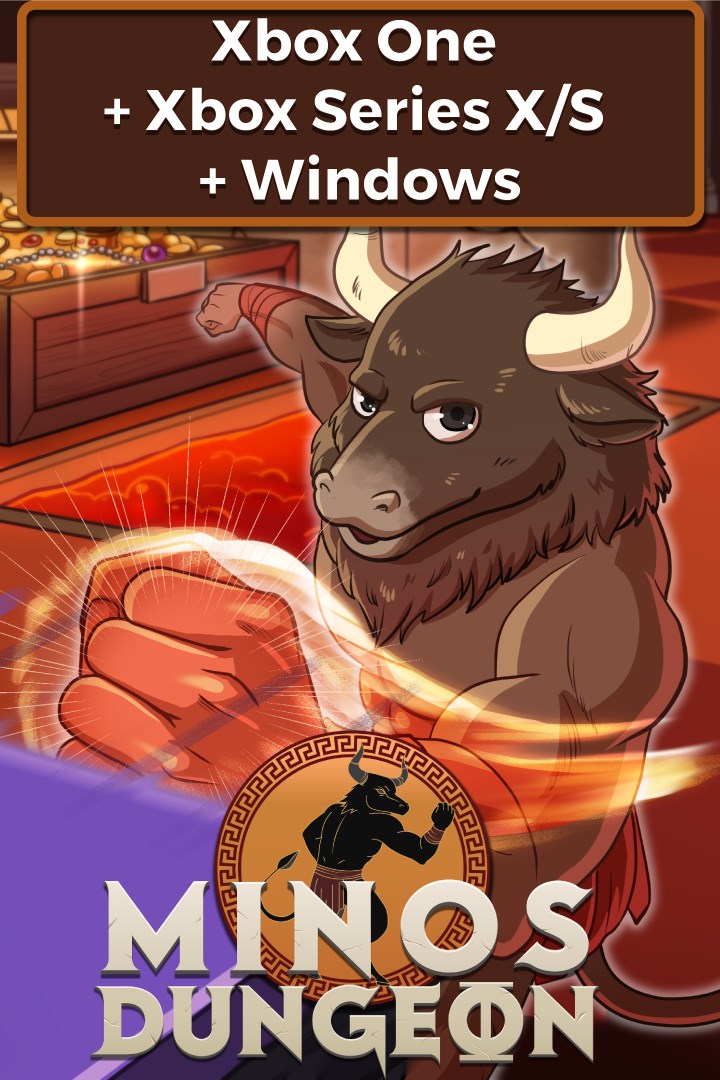
Get ready to tackle clever puzzles, slippery blocks, and a very friendly minotaur! Minos Dungeon is a pixel art puzzle game that combines logic, strategy, and a good dose of creativity—perfect for those who love solving problems in a fun way.
You control Ferdinando, a good-natured minotaur who isn't interested in fighting in labyrinths—he just wants his treasures! To achieve this, you'll need to push stone blocks through mysterious rooms, cover treacherous holes, and solve increasingly complex challenges. But don't think it's just about pushing: the blocks slide until they hit something, and each level brings surprises that will test your reasoning.
Throughout three unique biomes, you'll discover increasingly wacky mechanics: breakable blocks, arrows that change the direction of blocks, teleporting traps, and even floors that make everything stop instantly. Each new world creatively mixes these elements, requiring strategy, logic, and a lot of patience.
Minos Dungeon is a journey full of retro charm, ingenious puzzles, and that feeling of victory that only comes when you fit the right block in the right place. Enter this labyrinth and prove you're smarter than the Minotaur himself.
Features:
SMART AND FUN CHALLENGES — Solve puzzles with creative mechanics and a difficulty curve that respects your time and challenges you to think outside the box.
THREE BIOMES, DOZENS OF LEVELS — Explore the scorching heat of Magma, the ancient mysteries of the Ruins, and the freezing challenges of Snow. Each with unique visuals and new mechanics to master.
FULL OF PERSONALITY — With pixelated visuals and a charismatic atmosphere, Minos Dungeon blends the classic with the modern in an experience tailor-made for puzzle lovers.
Ferdinando is ready. Are you?
Screenshots
Click a frame to open it larger, use the arrows to browse
How to activate
Guide for Xbox One
Primary — the game is shared with your own profile
- 1Press the Xbox button, open "Profile & system" → "Add or switch" → "Add new" and sign in with the login and password from your order.
- 2Now open "Settings" → "General" → "Personalization" → "My home Xbox" and choose "Make this my home Xbox". This is what shares our games with every profile on your console.
- 3Switch back to your own profile, open "My games & apps" → "Library" and install the game. The internet is only needed for the download.
- 4Launch the game from your own profile: achievements, saves and progress stay yours, and after the installation the game works offline.
Only one console at a time can be the home Xbox for our account — that is the slot you bought. Please do not change the password, the email or the two-factor settings of the account, or the access will be blocked.
Secondary — you play from our account
- 1Press the Xbox button, open "Profile & system" → "Add or switch" → "Add new" and sign in with the login and password from your order.
- 2Open "My games & apps" → "Library", switch to our profile in the top-left corner and install the game.
- 3Launch the game while our profile stays signed in, and keep the console online: the licence is checked over the internet.
- 4Use your own profile for everything else — the game stays available as long as our account is signed in on this console.
Secondary costs less, but it needs a permanent internet connection and our account stays signed in on your console.
Activation code
- 1On the console open "Store" and go to the "Redeem code" section.
- 2Enter the 25-character code from your order and confirm the activation on your own account.
- 3After the activation the code is shown as "Used" — but you can reinstall the game from your library at any time.
Notes for Xbox One
Important
How to play online
Warranty and support
The warranty covers the whole period of use of the account. If the access stops working, we replace the account or refund your money.
- If the game stops launching, we replace the account or refund your money.
- Average support response time — 15–30 minutes during working hours.
- The warranty covers the whole rental period of the access.
Support
Telegram: @weskars
E-mail: support@gears.games
Working hours: daily 11:00 – 23:00 (UTC+3)
Every order goes through clear stages: "New" → "Awaiting payment" → "Paid" → "Delivered". You can follow the status in your account page.
Similar games
More games in the "Puzzle & trivia" genre