
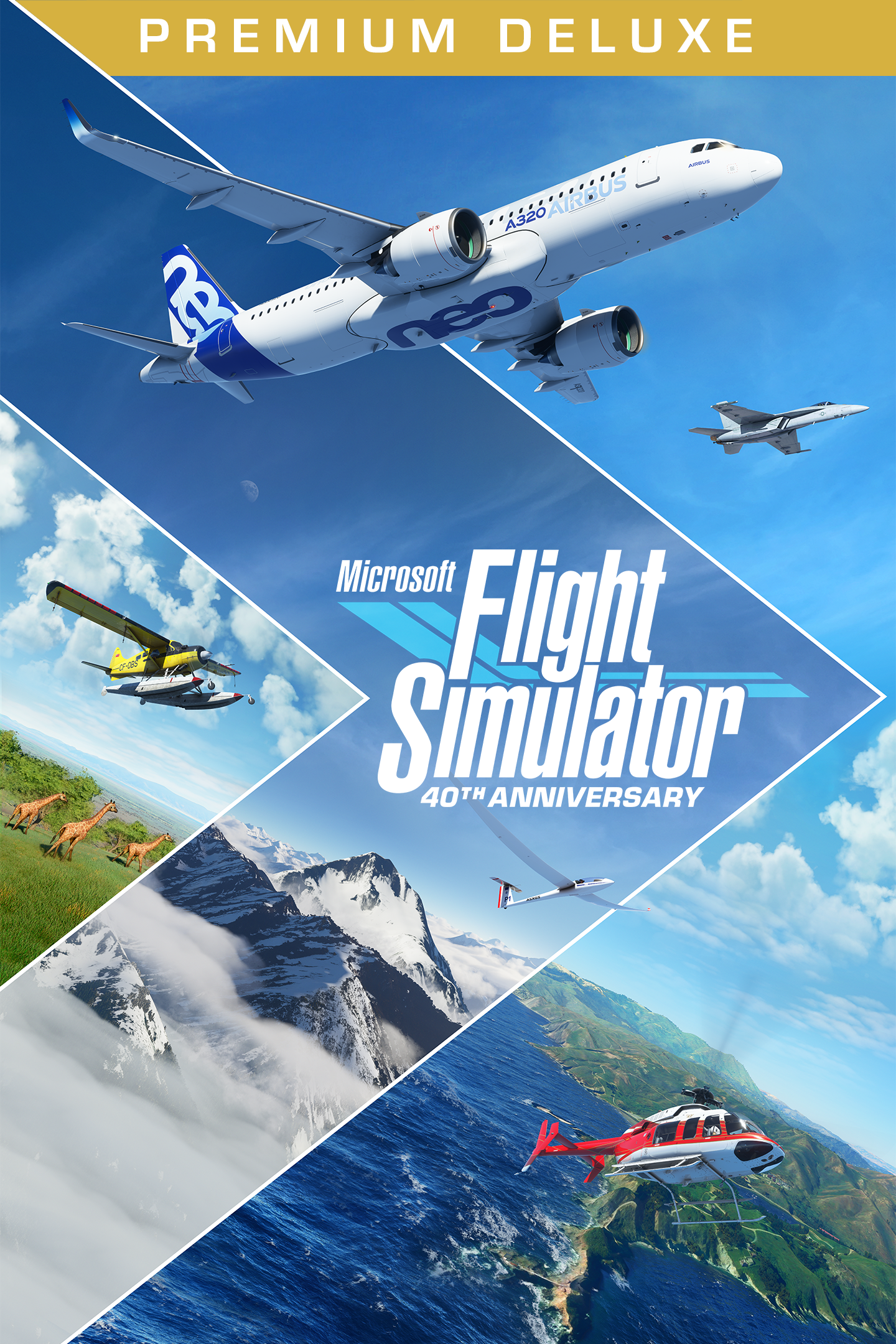
Microsoft Flight Simulator (2020) Premium Deluxe 40th Anniversary Edition
Details
- Publisher
- Xbox Game Studios
- Developer
- Asobo Studio
- Release date
- 11.11.2022
- Age rating
- ESRB:E
- Localization
- English
Purchase options
Primary: our account is set as the home Xbox of your console ("My home Xbox"), so the game is shared with your own profile and works offline — that is one slot on one console. Secondary: you sign in to our account and launch the game from it, and the console has to stay online. The activation code is an extra option: it is redeemed on your own account, and the game stays there forever.
You install the game from our account and set our account as the home one ("My home Xbox"): after that you play from your own profile, and the progress and achievements stay yours. It works offline.
You sign in to our account and play right from it. A permanent internet connection is required and only the issued profile can be used. It costs less than the primary access.
A bonus way to buy: you get a 25-character code and redeem it on your own account. The game stays with you forever, no other profiles and no sign-in to a shared account.
What happens after payment
About the game
From light planes to wide body jets to gliders and helicopters, fly highly detailed and accurate aircraft in the Microsoft Flight Simulator 40th Anniversary Edition. The world is at your fingertips.
The Premium Deluxe 40th Anniversary Edition includes everything from the Deluxe Edition plus 5 additional highly accurate planes with unique flight models and 5 additional handcrafted international airports.
Premium Deluxe Additional Aircraft
• Boeing 787-10 Dreamliner
• Cirrus Aircraft SR22
• Pipistrel Virus SW 121
• Textron Aviation Cessna Citation Longitude
• Zlin Aviation Shock Ultra
Premium Deluxe Additional Airports
• Denver International Airport (USA)
• Dubai International Airport (United Arab Emirates)
• Frankfurt Airport (Germany)
• Heathrow Airport (United Kingdom)
• San Francisco International Airport (USA)
Explore Your World
• Vivid and Detailed Landscapes - Immerse yourself in the vast and beautiful world that is our planet with over 1.5 billion buildings, 2 trillion trees, mountains, roads, rivers and more.
• Living World - The Earth is vibrant and ever-changing and so is the world of Microsoft Flight Simulator, which includes live traffic, real-time weather, and animals.
Earn Your Wings
• Aircraft - Hone your pilot skills in a variety of aircraft from light planes to commercial jets with comprehensive flight models. Every aircraft includes highly detailed and accurate cockpits with realistic instrumentation.
• Checklist System - From pro to beginner, scale your level from full manual to full assist with interactive and highlighted instrument guidance and checklist.
Test Your Skill
• Live Weather -The weather engine enables users to switch on the live weather mode to experience real-time weather including accurate wind speed and direction, temperature, humidity, rain and more.
• Day and Night Engine - Experience flight at any time of day or year allowing for night VFR, visual flight rules, navigation.
• Aerodynamic Modeling - A state-of-the-art physics engine with over 1000 control surfaces per plane allows for a truly realistic experience.
Microsoft Flight Simulator has fulfilled the aspirations of aviators worldwide for 40 years. Celebrate the award-winning franchise with the 40th Anniversary Edition, loaded with all-new features, aircraft and content that span the history of aviation.
The 40th Anniversary Edition update introduces:
• 1 true-to-life Airbus A310 Airliner
• 2 helicopters and 14 heliports
• 2 gliders and 15 glider airports
• 7 famous historical aircraft including the Hughes H-4 Hercules (aka the Spruce Goose)
• 4 classic commercial airports
• 24 classic missions from the franchise’s past
Screenshots
Click a frame to open it larger, use the arrows to browse
How to activate
Guide for Xbox Series X|S
Primary — the game is shared with your own profile
- 1Press the Xbox button, open "Profile & system" → "Add or switch" → "Add new" and sign in with the login and password from your order.
- 2Now open "Settings" → "General" → "Personalization" → "My home Xbox" and choose "Make this my home Xbox". This is what shares our games with every profile on your console.
- 3Switch back to your own profile, open "My games & apps" → "Library" and install the game. The internet is only needed for the download.
- 4Launch the game from your own profile: achievements, saves and progress stay yours, and after the installation the game works offline.
Only one console at a time can be the home Xbox for our account — that is the slot you bought. Please do not change the password, the email or the two-factor settings of the account, or the access will be blocked.
Secondary — you play from our account
- 1Press the Xbox button, open "Profile & system" → "Add or switch" → "Add new" and sign in with the login and password from your order.
- 2Open "My games & apps" → "Library", switch to our profile in the top-left corner and install the game.
- 3Launch the game while our profile stays signed in, and keep the console online: the licence is checked over the internet.
- 4Use your own profile for everything else — the game stays available as long as our account is signed in on this console.
Secondary costs less, but it needs a permanent internet connection and our account stays signed in on your console.
Activation code
- 1On the console open "Store" and go to the "Redeem code" section.
- 2Enter the 25-character code from your order and confirm the activation on your own account.
- 3After the activation the code is shown as "Used" — but you can reinstall the game from your library at any time.
Notes for Xbox Series
Important
How to play online
Warranty and support
The warranty covers the whole period of use of the account. If the access stops working, we replace the account or refund your money.
- If the game stops launching, we replace the account or refund your money.
- Average support response time — 15–30 minutes during working hours.
- The warranty covers the whole rental period of the access.
Support
Telegram: @weskars
E-mail: support@gears.games
Working hours: daily 11:00 – 23:00 (UTC+3)
Every order goes through clear stages: "New" → "Awaiting payment" → "Paid" → "Delivered". You can follow the status in your account page.
Similar games
More games in the "Simulation" genre



