Merge & Blade
Details
- Publisher
- Magic Cube
- Developer
- Magic Cube
- Release date
- 28.02.2023
- Age rating
- ESRB:E10
- Localization
- English
Purchase options
Platform
Primary: our account is set as the home Xbox of your console ("My home Xbox"), so the game is shared with your own profile and works offline — that is one slot on one console. Secondary: you sign in to our account and launch the game from it, and the console has to stay online. The activation code is an extra option: it is redeemed on your own account, and the game stays there forever.
You install the game from our account and set our account as the home one ("My home Xbox"): after that you play from your own profile, and the progress and achievements stay yours. It works offline.
You sign in to our account and play right from it. A permanent internet connection is required and only the issued profile can be used. It costs less than the primary access.
A bonus way to buy: you get a 25-character code and redeem it on your own account. The game stays with you forever, no other profiles and no sign-in to a shared account.
What happens after payment
About the game
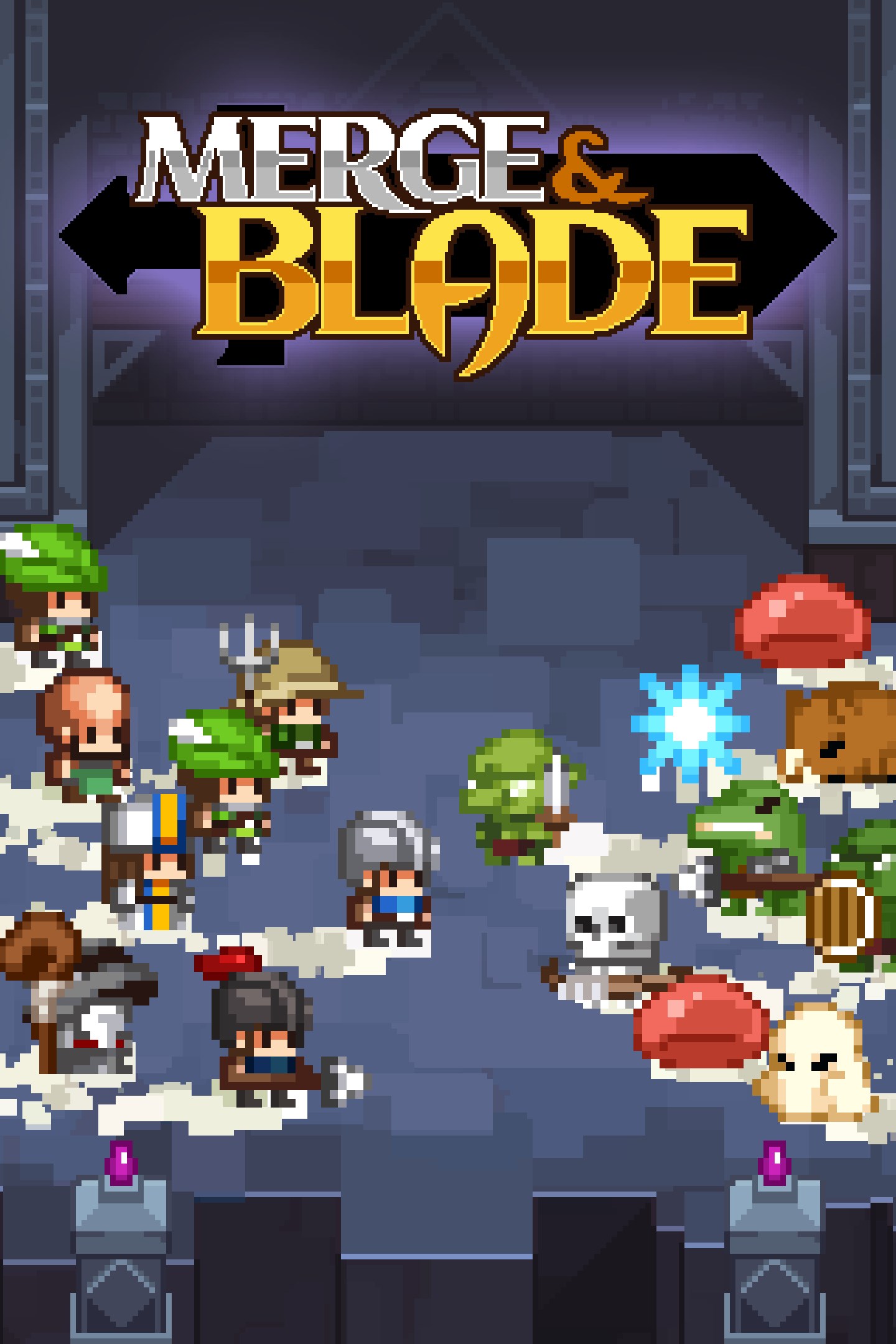
Merge and Blade is a fantasy puzzle game.
You will engage in large-scale battles with monsters with your own squad which is made using merge mechanics.
After a battle, you can recruit new units using merge mechanics.
By proceeding with these puzzles and battles, you will retake the castles occupied by monsters.
As you retake the castle one by one, your base and squad get stronger.
Your journey will continue until retaking the last castle.
But, even if you retake the last castle, your journey won't completely end.
There are endless invading monsters that you have to hold off.
You can battle with your friends or can save the world again with another strategy.
Are you ready to save this world?
DESCRIPTION
◆PUZZLE SYSTEM
This game is a puzzle that builds blocks that come down like Tetris, Hexa, and Puyo Puyo.
But it's not about holding out for a long time or removing blocks. it's about merging the same three or more units to create a higher class.
◆BATTLE SYSTEM
The goal of the puzzle is to create a squad as strong as possible within a limited turn.
You can make a much stronger squad or can get additional turns with multi-merge, combo, etc.
Battles are performed in real-time up to 25 v 25.
In battles, formation is important, as well as each unit's stats. This is because each unit has its own attack types and attack or heal ranges.
So it's good to care about the position of the unit when you place units in the puzzle part. In addition, you can use swaps to change their position in battle.
◆UPGRADE SYSTEM
You can use gold from puzzles and battles to upgrade your base and units in your squad.
Base upgrades provide unlocking the merging list and adding the number of turns, previews, and swap.
Units upgrades increase the unit's HP and ATK, giving you an advantage in battles.
◆DEFENSE MODE
Survive from the endless monsters as long as you can with your squad you've grown.
◆VERSUS SYSTEM
Brag your puzzle skill in this local multi-player mode.
◆CHALLENGE MODE
It's another land only for the challenge mode. Make a new squad, and complete from start to finish at one go.
◆ROGUELIKE MODE
Screenshots
Click a frame to open it larger, use the arrows to browse
How to activate
Guide for Xbox One
Primary — the game is shared with your own profile
- 1Press the Xbox button, open "Profile & system" → "Add or switch" → "Add new" and sign in with the login and password from your order.
- 2Now open "Settings" → "General" → "Personalization" → "My home Xbox" and choose "Make this my home Xbox". This is what shares our games with every profile on your console.
- 3Switch back to your own profile, open "My games & apps" → "Library" and install the game. The internet is only needed for the download.
- 4Launch the game from your own profile: achievements, saves and progress stay yours, and after the installation the game works offline.
Only one console at a time can be the home Xbox for our account — that is the slot you bought. Please do not change the password, the email or the two-factor settings of the account, or the access will be blocked.
Secondary — you play from our account
- 1Press the Xbox button, open "Profile & system" → "Add or switch" → "Add new" and sign in with the login and password from your order.
- 2Open "My games & apps" → "Library", switch to our profile in the top-left corner and install the game.
- 3Launch the game while our profile stays signed in, and keep the console online: the licence is checked over the internet.
- 4Use your own profile for everything else — the game stays available as long as our account is signed in on this console.
Secondary costs less, but it needs a permanent internet connection and our account stays signed in on your console.
Activation code
- 1On the console open "Store" and go to the "Redeem code" section.
- 2Enter the 25-character code from your order and confirm the activation on your own account.
- 3After the activation the code is shown as "Used" — but you can reinstall the game from your library at any time.
Notes for Xbox One
Important
How to play online
Warranty and support
The warranty covers the whole period of use of the account. If the access stops working, we replace the account or refund your money.
- If the game stops launching, we replace the account or refund your money.
- Average support response time — 15–30 minutes during working hours.
- The warranty covers the whole rental period of the access.
Support
Telegram: @weskars
E-mail: support@gears.games
Working hours: daily 11:00 – 23:00 (UTC+3)
Every order goes through clear stages: "New" → "Awaiting payment" → "Paid" → "Delivered". You can follow the status in your account page.
Similar games
More games in the "Role playing" genre