Meow Moments: Celebrating Beats & Books
Мяу-моменты: Праздник Музыки и Книг - Meow Moments: Celebrating Beats & Books
Details
- Publisher
- Mens Sana Interactive
- Developer
- Mens Sana Interactive
- Release date
- 24.09.2025
- Age rating
- ESRB:E
- Localization
- English
Purchase options
Platform
Primary: our account is set as the home Xbox of your console ("My home Xbox"), so the game is shared with your own profile and works offline — that is one slot on one console. Secondary: you sign in to our account and launch the game from it, and the console has to stay online. The activation code is an extra option: it is redeemed on your own account, and the game stays there forever.
You install the game from our account and set our account as the home one ("My home Xbox"): after that you play from your own profile, and the progress and achievements stay yours. It works offline.
You sign in to our account and play right from it. A permanent internet connection is required and only the issued profile can be used. It costs less than the primary access.
A bonus way to buy: you get a 25-character code and redeem it on your own account. The game stays with you forever, no other profiles and no sign-in to a shared account.
What happens after payment
About the game
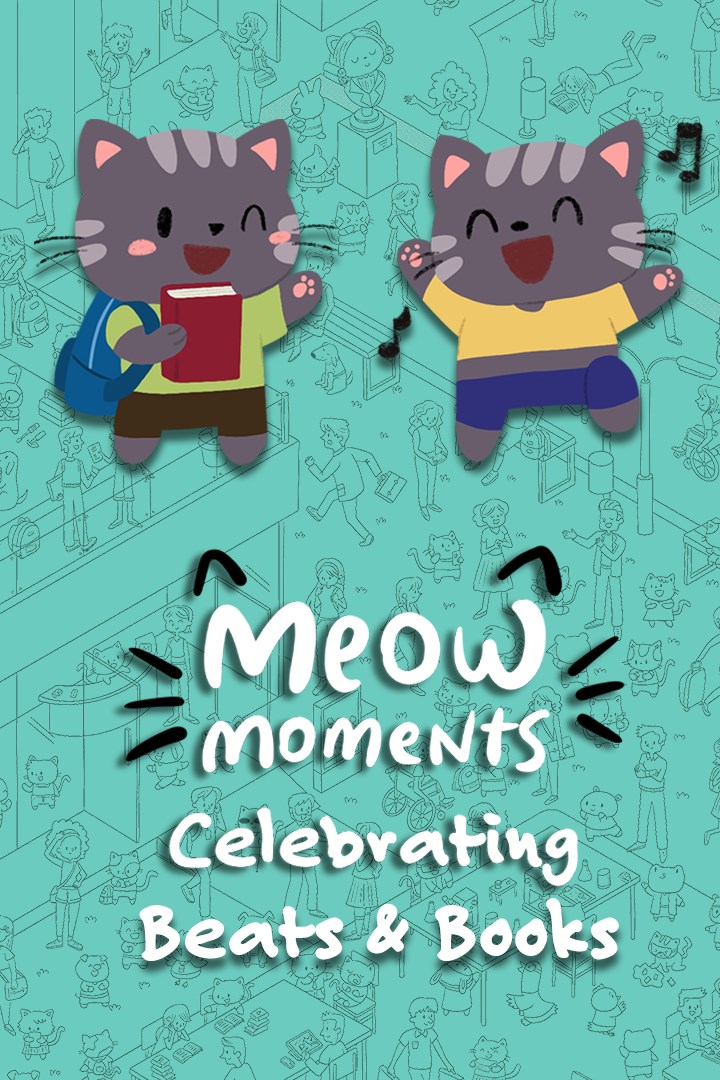
Join the Celebration! In this cozy hidden-object adventure, cats and friends gather to explore creativity, connection, and self-expression across two lively scenes. Every detail invites you to imagine stories unfolding in a world where music and learning bring everyone together.
Start your journey at an outdoor music festival where characters of all styles enjoy electrifying performances across diverse stages—from chill acoustic sets to energetic pop and electronic beats. Wander through food trucks, a Ferris wheel, and cozy camping zones in a joyful celebration of harmony and fun.
Then, step into a welcoming university campus filled with the excitement of student life. Discover cats and friends engaged in study sessions under the trees, creative clubs, and athletic games, all set in a vibrant academic atmosphere that celebrates growth and friendship.
Features:
- Cats and Friends: Find delightful characters in two detailed scenes, each full of unique stories waiting to be uncovered.
- Balloon-Popping Fun: Enjoy relaxing gameplay as you pop balloons across the scenes—a bit of fun with every search!
- Rich Details: Explore beautifully illustrated settings brought to life by artist Katia Numakura, with visual storytelling in every corner.
- 606 Items to Find! From cats and balloons to characters with diverse styles and backgrounds, there’s always something new to spot.
- Atmospheric Soundtrack: Set the tone with immersive music by Tatyana Jacques, tailored to match each scene—from indie folk vibes to academic serenity.
- Family-Friendly Fun: With cozy, pressure-free gameplay and intuitive controls, it’s an experience for all ages. Perfect for relaxing together or playing solo.
Celebrate creativity and community in this heartwarming journey—where every moment is worth remembering.
Screenshots
Click a frame to open it larger, use the arrows to browse
How to activate
Guide for Xbox One
Primary — the game is shared with your own profile
- 1Press the Xbox button, open "Profile & system" → "Add or switch" → "Add new" and sign in with the login and password from your order.
- 2Now open "Settings" → "General" → "Personalization" → "My home Xbox" and choose "Make this my home Xbox". This is what shares our games with every profile on your console.
- 3Switch back to your own profile, open "My games & apps" → "Library" and install the game. The internet is only needed for the download.
- 4Launch the game from your own profile: achievements, saves and progress stay yours, and after the installation the game works offline.
Only one console at a time can be the home Xbox for our account — that is the slot you bought. Please do not change the password, the email or the two-factor settings of the account, or the access will be blocked.
Secondary — you play from our account
- 1Press the Xbox button, open "Profile & system" → "Add or switch" → "Add new" and sign in with the login and password from your order.
- 2Open "My games & apps" → "Library", switch to our profile in the top-left corner and install the game.
- 3Launch the game while our profile stays signed in, and keep the console online: the licence is checked over the internet.
- 4Use your own profile for everything else — the game stays available as long as our account is signed in on this console.
Secondary costs less, but it needs a permanent internet connection and our account stays signed in on your console.
Activation code
- 1On the console open "Store" and go to the "Redeem code" section.
- 2Enter the 25-character code from your order and confirm the activation on your own account.
- 3After the activation the code is shown as "Used" — but you can reinstall the game from your library at any time.
Notes for Xbox One
Important
How to play online
Warranty and support
The warranty covers the whole period of use of the account. If the access stops working, we replace the account or refund your money.
- If the game stops launching, we replace the account or refund your money.
- Average support response time — 15–30 minutes during working hours.
- The warranty covers the whole rental period of the access.
Support
Telegram: @weskars
E-mail: support@gears.games
Working hours: daily 11:00 – 23:00 (UTC+3)
Every order goes through clear stages: "New" → "Awaiting payment" → "Paid" → "Delivered". You can follow the status in your account page.
Similar games
More games in the "Family & kids" genre