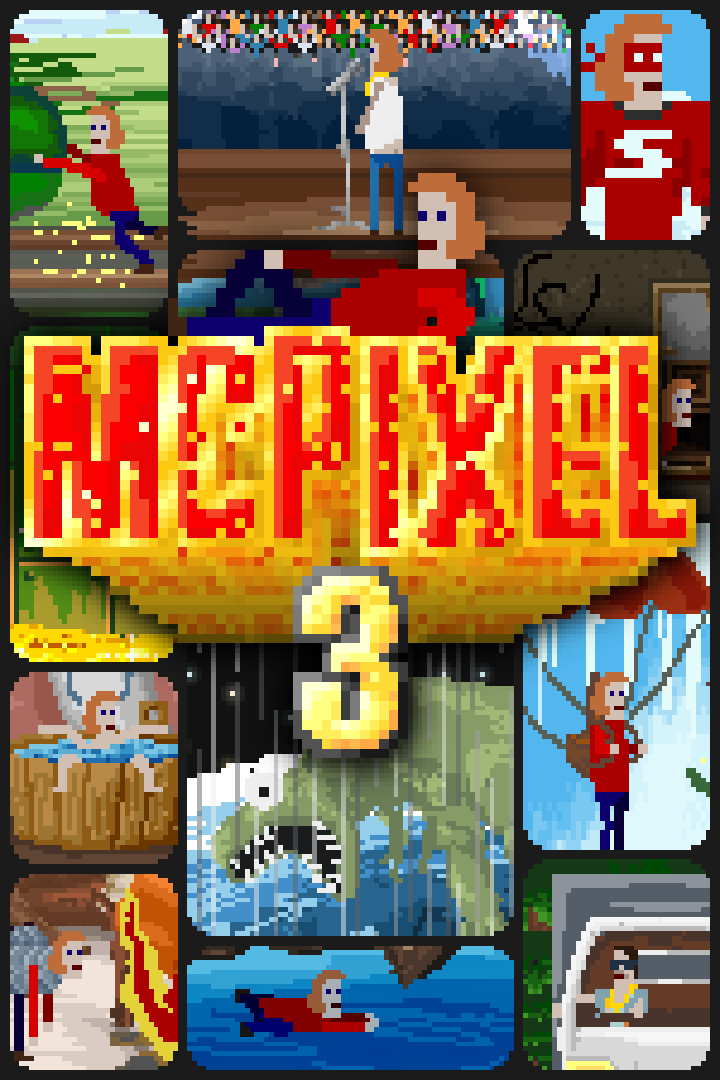
McPixel 3
Details
- Publisher
- Devolver Digital
- Developer
- Sos Sosowski
- Release date
- 14.11.2022
- Age rating
- ESRB:T
- Localization
- English
Purchase options
Platform
Primary: our account is set as the home Xbox of your console ("My home Xbox"), so the game is shared with your own profile and works offline — that is one slot on one console. Secondary: you sign in to our account and launch the game from it, and the console has to stay online. The activation code is an extra option: it is redeemed on your own account, and the game stays there forever.
You install the game from our account and set our account as the home one ("My home Xbox"): after that you play from your own profile, and the progress and achievements stay yours. It works offline.
You sign in to our account and play right from it. A permanent internet connection is required and only the issued profile can be used. It costs less than the primary access.
A bonus way to buy: you get a 25-character code and redeem it on your own account. The game stays with you forever, no other profiles and no sign-in to a shared account.
What happens after payment
About the game
Is it a bird? Is it a plane? It's falling too fast to be either of those. It's McPixel! A wanna-be hero who keeps getting mixed up in the most unbelievable situations you can imagine.
Levels
One moment you're stuck in a speeding train headed towards the cliff; the other, you're in a falling plane. Sometimes you need to win an impossible-to-win soccer match, and the other, you're a dinosaur trying to hide from a meteorite. Stuck in a flaming house? Sandwiched between two battling armies? Certainly not a problem for McPixel! 100 levels of fast-paced action are waiting for you!
Minigames
Sometimes, the usual adventure style will get interrupted by genre-bending minigames. Ranging from racing, shooting, fighting, and sports to even platforming or FPS! The game offers over 20 minigames scattered around the world of McPixel!
Coins and stamps
McPixel is not all about just saving the day but having fun trying to come up with the craziest possible solutions. And for every solution, you will be rewarded with coins! Find all solutions in a level to get the gold prize and some extra coins! You can use them to unlock new levels! Also, everyone loves coins, right? They're shiny and golden and spinning! No reason not to have some more!
McBurg
The game takes place in the city of McBurg. Explore the city and find different adventures! Some of the paths in the city are blocked and will require you to spend coins to move forward and access new levels! The city will get populated with characters and items from the levels you already visited as you play. You will also be able to don some of the costumes you found while playing.
On the edge of the city upon a grassy hill, you can see a Devolver vault, full of gold, looming over McBurg. So, if you ever need a lot of coins, maybe it's time to pay Fork Parker a visit?
Steve
Sometimes, during your adventures, you will find Steve. Steve can be in the weirdest and most unexpected of places, and finding him will transport you to the Steve level.
Steve is not like McPixel and doesn't specialize in saving the day. He's just some guy, doing stuff. Like fishing, cooking, driving a car, or summoning demons. You know, just the average guy kind of stuff.
Key Features:
- 100 mind-blowing levels
- Nearly 1000 hilarious gags to discover
- Over 1500 interactive items
- Over 20 minigames in all imaginable genres
- Over 300,000,000 pixels
- Steve
- A water level
Screenshots
Click a frame to open it larger, use the arrows to browse
How to activate
Guide for Xbox One
Primary — the game is shared with your own profile
- 1Press the Xbox button, open "Profile & system" → "Add or switch" → "Add new" and sign in with the login and password from your order.
- 2Now open "Settings" → "General" → "Personalization" → "My home Xbox" and choose "Make this my home Xbox". This is what shares our games with every profile on your console.
- 3Switch back to your own profile, open "My games & apps" → "Library" and install the game. The internet is only needed for the download.
- 4Launch the game from your own profile: achievements, saves and progress stay yours, and after the installation the game works offline.
Only one console at a time can be the home Xbox for our account — that is the slot you bought. Please do not change the password, the email or the two-factor settings of the account, or the access will be blocked.
Secondary — you play from our account
- 1Press the Xbox button, open "Profile & system" → "Add or switch" → "Add new" and sign in with the login and password from your order.
- 2Open "My games & apps" → "Library", switch to our profile in the top-left corner and install the game.
- 3Launch the game while our profile stays signed in, and keep the console online: the licence is checked over the internet.
- 4Use your own profile for everything else — the game stays available as long as our account is signed in on this console.
Secondary costs less, but it needs a permanent internet connection and our account stays signed in on your console.
Activation code
- 1On the console open "Store" and go to the "Redeem code" section.
- 2Enter the 25-character code from your order and confirm the activation on your own account.
- 3After the activation the code is shown as "Used" — but you can reinstall the game from your library at any time.
Notes for Xbox One
Important
How to play online
Warranty and support
The warranty covers the whole period of use of the account. If the access stops working, we replace the account or refund your money.
- If the game stops launching, we replace the account or refund your money.
- Average support response time — 15–30 minutes during working hours.
- The warranty covers the whole rental period of the access.
Support
Telegram: @weskars
E-mail: support@gears.games
Working hours: daily 11:00 – 23:00 (UTC+3)
Every order goes through clear stages: "New" → "Awaiting payment" → "Paid" → "Delivered". You can follow the status in your account page.
Similar games
More games in the "Other" genre