Manairons
Details
- Publisher
- JanduSoft
- Developer
- JanduSoft & 3Cat
- Release date
- 26.02.2026
- Age rating
- ESRB:E10
- Localization
- English
Purchase options
Platform
Primary: our account is set as the home Xbox of your console ("My home Xbox"), so the game is shared with your own profile and works offline — that is one slot on one console. Secondary: you sign in to our account and launch the game from it, and the console has to stay online. The activation code is an extra option: it is redeemed on your own account, and the game stays there forever.
You install the game from our account and set our account as the home one ("My home Xbox"): after that you play from your own profile, and the progress and achievements stay yours. It works offline.
You sign in to our account and play right from it. A permanent internet connection is required and only the issued profile can be used. It costs less than the primary access.
A bonus way to buy: you get a 25-character code and redeem it on your own account. The game stays with you forever, no other profiles and no sign-in to a shared account.
What happens after payment
About the game
Unleash chaos, control magic, and save the village... with a flute.
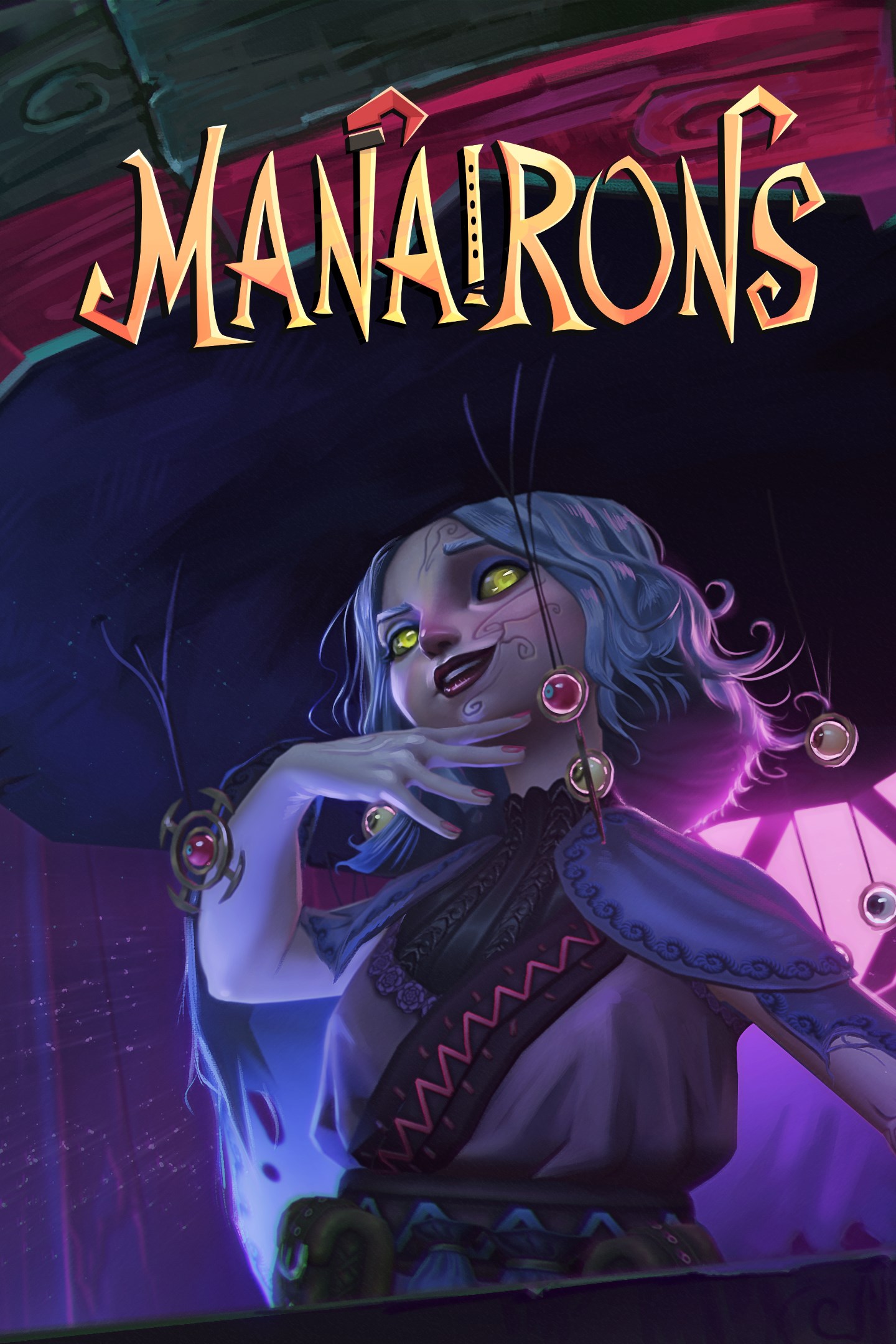
Manairons is a 3D action platformer game inspired by the legends of little creatures living in the Pyrenees. Help Nai face off against the landowner who has taken control of a charming village using the power of the "canut," with magic, flute, and plenty of chaos.
The Manairons are back… and this time, they’re not staying quiet!
Manairons is a 3D action platformer game set in the Pyrenees, where ancient legends mix with smoking factories, mischievous magic, and quirky little creatures. You are Nai, a manairó who has just awakened from centuries locked in the ""canut"", a magical artifact as old as it is suspicious. A witch frees you (very timely, indeed) and gives you a mission: recover the ""canut"" and stop the chaos it’s causing.
The culprit? Llorenç, a landowner with zero charisma and a lot of machines. He’s used the power of the manairons to industrialize the peaceful village of Vilamont. Shops are closed, people are hiding at home, and your fellow manairons are working as if there’s no tomorrow… This is not what the legends said!
But Nai isn’t going to sit back. With the help of ancient magical melodies (and a few poorly played notes), you’ll control your fellow manairons, solve puzzles that’ll make you scratch your head, and face your own kind who are working for Llorenç—all with the flute!
Adventure, action, stressed-out little creatures, and more than a few hidden secrets await you in the mountains. And remember: when a manairó gets mad… it’s best to step aside.
Key Features:
- Businesses: Explore the most important businesses of Vilamont, each with its own style and unique challenges.
- Magical Melodies: Learn and play different melodies to solve puzzles that will test your creativity and problem-solving skills.
- Flute Combat:Face off against other Manairons with your flute. Knock them out or send them to sleep!
- Unique Bosses: Defeat the bosses of each zone to progress in the story and free the Manairons.
- Tons of Secrets: Each business hides secrets waiting to be uncovered. Are you brave enough to find them all?
Screenshots
Click a frame to open it larger, use the arrows to browse
How to activate
Guide for Xbox One
Primary — the game is shared with your own profile
- 1Press the Xbox button, open "Profile & system" → "Add or switch" → "Add new" and sign in with the login and password from your order.
- 2Now open "Settings" → "General" → "Personalization" → "My home Xbox" and choose "Make this my home Xbox". This is what shares our games with every profile on your console.
- 3Switch back to your own profile, open "My games & apps" → "Library" and install the game. The internet is only needed for the download.
- 4Launch the game from your own profile: achievements, saves and progress stay yours, and after the installation the game works offline.
Only one console at a time can be the home Xbox for our account — that is the slot you bought. Please do not change the password, the email or the two-factor settings of the account, or the access will be blocked.
Secondary — you play from our account
- 1Press the Xbox button, open "Profile & system" → "Add or switch" → "Add new" and sign in with the login and password from your order.
- 2Open "My games & apps" → "Library", switch to our profile in the top-left corner and install the game.
- 3Launch the game while our profile stays signed in, and keep the console online: the licence is checked over the internet.
- 4Use your own profile for everything else — the game stays available as long as our account is signed in on this console.
Secondary costs less, but it needs a permanent internet connection and our account stays signed in on your console.
Activation code
- 1On the console open "Store" and go to the "Redeem code" section.
- 2Enter the 25-character code from your order and confirm the activation on your own account.
- 3After the activation the code is shown as "Used" — but you can reinstall the game from your library at any time.
Notes for Xbox One
Important
How to play online
Warranty and support
The warranty covers the whole period of use of the account. If the access stops working, we replace the account or refund your money.
- If the game stops launching, we replace the account or refund your money.
- Average support response time — 15–30 minutes during working hours.
- The warranty covers the whole rental period of the access.
Support
Telegram: @weskars
E-mail: support@gears.games
Working hours: daily 11:00 – 23:00 (UTC+3)
Every order goes through clear stages: "New" → "Awaiting payment" → "Paid" → "Delivered". You can follow the status in your account page.
Similar games
More games in the "Platformer" genre