
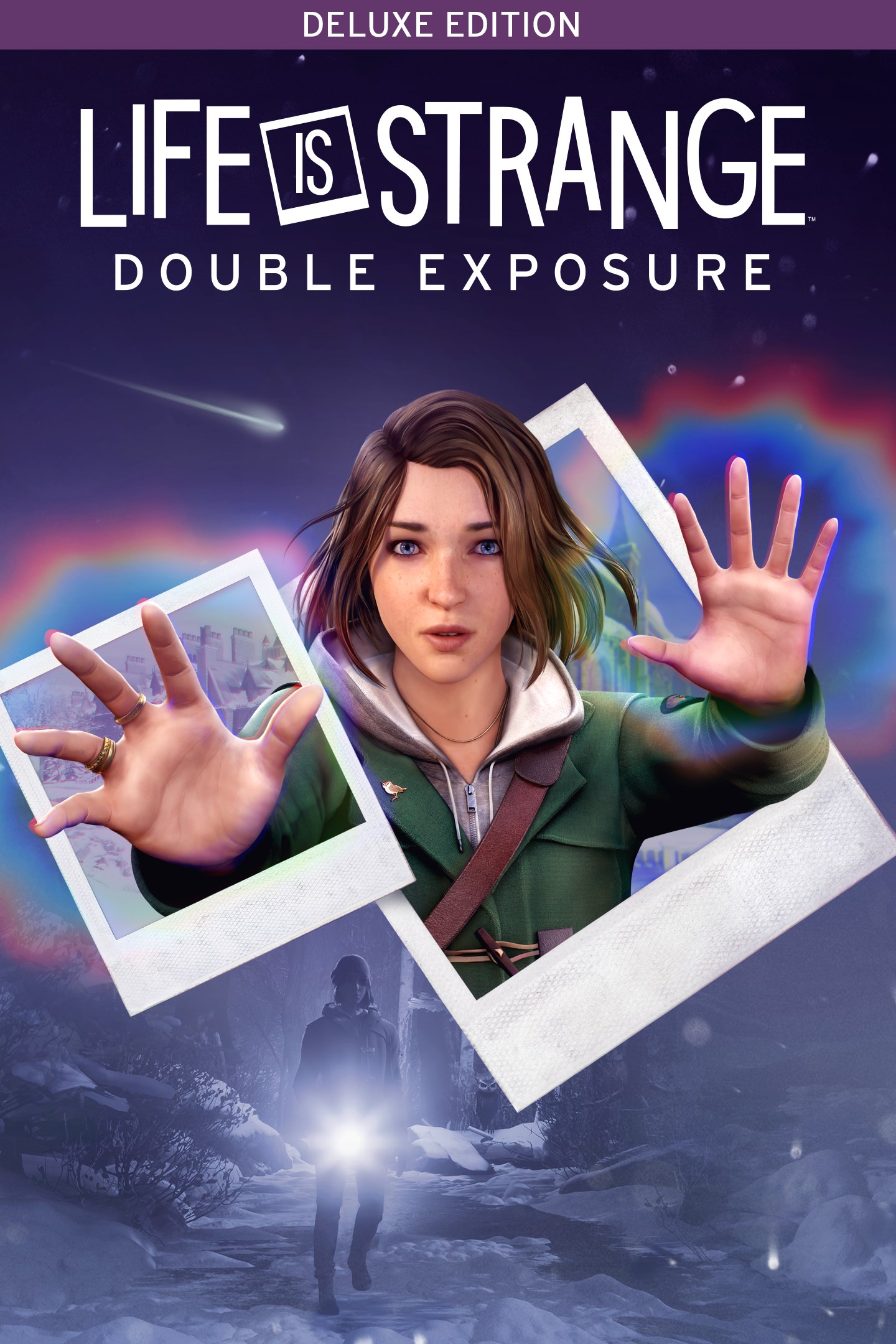
Life is Strange: Double Exposure Deluxe Edition
Life is Strange: Double Exposure — расширенное издание
Details
- Publisher
- Square Enix
- Developer
- Deck Nine Games
- Release date
- 29.10.2024
- Age rating
- ESRB:M
- Localization
- English
Purchase options
Primary: our account is set as the home Xbox of your console ("My home Xbox"), so the game is shared with your own profile and works offline — that is one slot on one console. Secondary: you sign in to our account and launch the game from it, and the console has to stay online. The activation code is an extra option: it is redeemed on your own account, and the game stays there forever.
You install the game from our account and set our account as the home one ("My home Xbox"): after that you play from your own profile, and the progress and achievements stay yours. It works offline.
You sign in to our account and play right from it. A permanent internet connection is required and only the issued profile can be used. It costs less than the primary access.
A bonus way to buy: you get a 25-character code and redeem it on your own account. The game stays with you forever, no other profiles and no sign-in to a shared account.
What happens after payment
About the game
Choose the Deluxe Edition to get two extra Outfit Packs for Max!
The Life is Strange: Double Exposure Deluxe Edition contains:
• Life is Strange: Double Exposure - the complete game
• Spooky Outfit Pack
• Decades Outfit Pack
Both the Spooky Outfit Pack and Decades Outfit Pack will be available at launch of the base game.
Max Caulfield, photographer-in-residence at the prestigious Caledon University, discovers her closest new friend, Safi, dead in the snow.
Murdered.
To save her, Max tries to Rewind time – a power she’s not used in years… instead, Max opens the way to a parallel timeline where Safi is still alive, and still in danger!
Max realizes the killer will soon strike again – in both versions of reality.
With her new power to Shift between two timelines – can Max solve and prevent the same murder?
ORDINARY GIRL, EXTRAORDINARY POWER
Max is thrust into a thrilling supernatural murder mystery – more dangerous than ever before!
TRAVERSE TWO TIMELINES
Forge allies and pursue suspects across two versions of reality, shaping both timelines through unforgettable choices.
RACE AGAINST TIME
A relentless detective has Max in his sights, and Safi’s killer grows closer with every clue uncovered. Can Max survive long enough – to do the impossible?
DECIDE THE FATE OF CALEDON
Explore two versions of a vivid winter campus, each packed with clues, secrets, and tough decisions.
EXCLUSIVE SOUNDTRACK
A rich original score, new songs, and thrilling licensed tracks!
SPOOKY OUTFIT PACK
Dial up the shivers and indulge your ghost-hunting, monster-wrangling passions with these outfits perfect for Halloween – or for witching hours all year round! This pack contains the Just Haunt It! coat and four indoor outfits: Maxidermy, Ragdoll Max, Max Ghoulfield, and Max O’Lantern.
DECADES OUTFIT PACK
Confront the inexorable passage of time and celebrate your colorful past, with iconic outfits that pay homage to 90s Grunge, 50s Rockabilly, 70s Flower Power, the 80s Mallrat, and 60s Psychedelia.
Each Outfit Pack lets you change up Max’s look with 4 new indoor outfits and a coat, with one new indoor outfit available for Max to wear in each chapter of the story.
You can change Max’s Outfit Pack at the dresser in her apartment, and at the start of every new chapter.
Screenshots
Click a frame to open it larger, use the arrows to browse
How to activate
Guide for Xbox Series X|S
Primary — the game is shared with your own profile
- 1Press the Xbox button, open "Profile & system" → "Add or switch" → "Add new" and sign in with the login and password from your order.
- 2Now open "Settings" → "General" → "Personalization" → "My home Xbox" and choose "Make this my home Xbox". This is what shares our games with every profile on your console.
- 3Switch back to your own profile, open "My games & apps" → "Library" and install the game. The internet is only needed for the download.
- 4Launch the game from your own profile: achievements, saves and progress stay yours, and after the installation the game works offline.
Only one console at a time can be the home Xbox for our account — that is the slot you bought. Please do not change the password, the email or the two-factor settings of the account, or the access will be blocked.
Secondary — you play from our account
- 1Press the Xbox button, open "Profile & system" → "Add or switch" → "Add new" and sign in with the login and password from your order.
- 2Open "My games & apps" → "Library", switch to our profile in the top-left corner and install the game.
- 3Launch the game while our profile stays signed in, and keep the console online: the licence is checked over the internet.
- 4Use your own profile for everything else — the game stays available as long as our account is signed in on this console.
Secondary costs less, but it needs a permanent internet connection and our account stays signed in on your console.
Activation code
- 1On the console open "Store" and go to the "Redeem code" section.
- 2Enter the 25-character code from your order and confirm the activation on your own account.
- 3After the activation the code is shown as "Used" — but you can reinstall the game from your library at any time.
Notes for Xbox Series
Important
How to play online
Warranty and support
The warranty covers the whole period of use of the account. If the access stops working, we replace the account or refund your money.
- If the game stops launching, we replace the account or refund your money.
- Average support response time — 15–30 minutes during working hours.
- The warranty covers the whole rental period of the access.
Support
Telegram: @weskars
E-mail: support@gears.games
Working hours: daily 11:00 – 23:00 (UTC+3)
Every order goes through clear stages: "New" → "Awaiting payment" → "Paid" → "Delivered". You can follow the status in your account page.
Similar games
More games in the "Action & adventure" genre



