Kentum
Details
- Publisher
- V Publishing
- Developer
- Tlön Industries
- Release date
- 06.11.2025
- Age rating
- ESRB:E10
- Localization
- English
Purchase options
Primary: our account is set as the home Xbox of your console ("My home Xbox"), so the game is shared with your own profile and works offline — that is one slot on one console. Secondary: you sign in to our account and launch the game from it, and the console has to stay online. The activation code is an extra option: it is redeemed on your own account, and the game stays there forever.
You install the game from our account and set our account as the home one ("My home Xbox"): after that you play from your own profile, and the progress and achievements stay yours. It works offline.
You sign in to our account and play right from it. A permanent internet connection is required and only the issued profile can be used. It costs less than the primary access.
A bonus way to buy: you get a 25-character code and redeem it on your own account. The game stays with you forever, no other profiles and no sign-in to a shared account.
What happens after payment
About the game
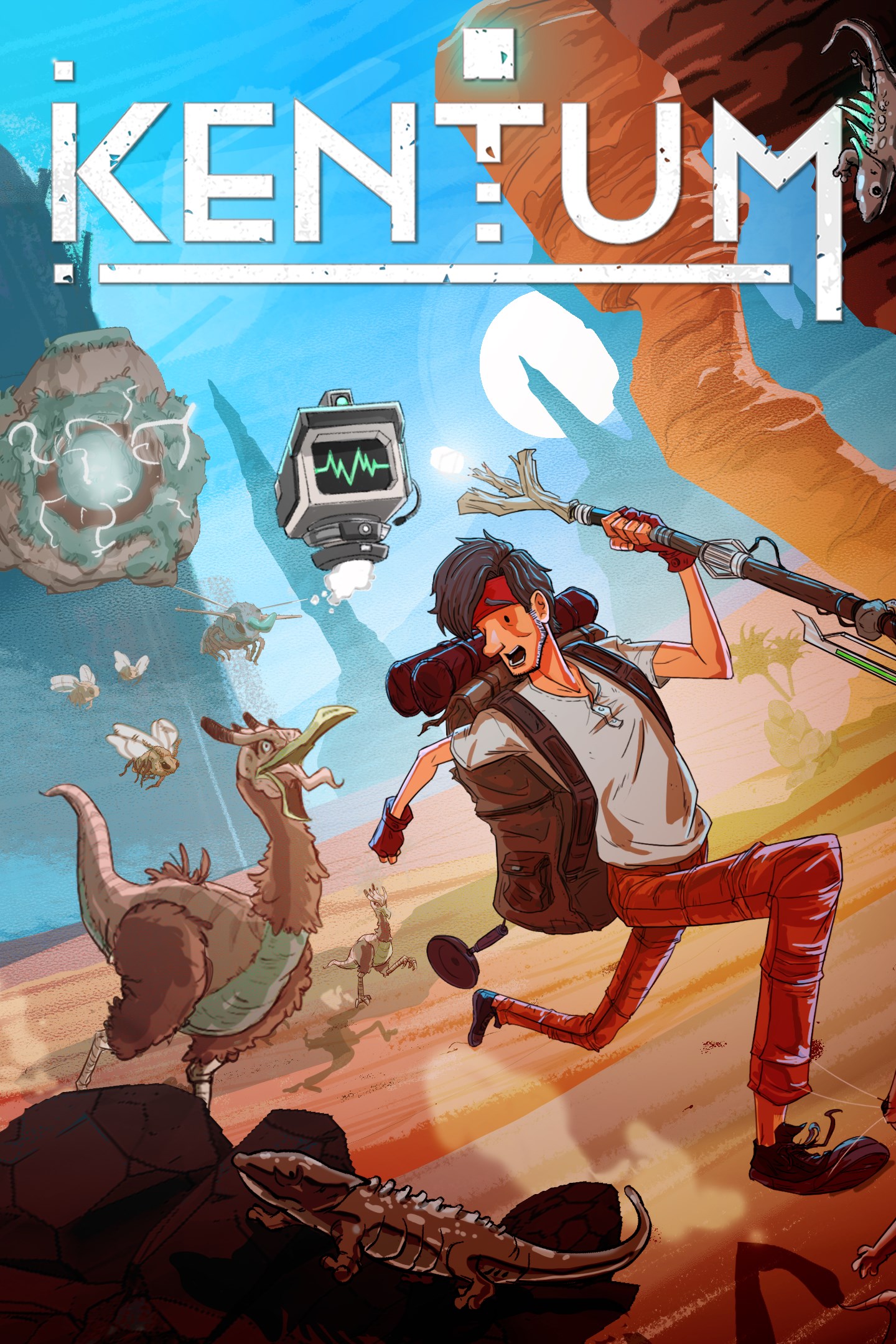
Stranded in the year 10,000, Kent—an average Joe turned clone—must survive, explore, and rebuild civilization with the help of his quirky robot companion. Craft, farm, and automate in this 2D craftervania adventure as you uncover Earth’s secrets and kickstart humanity, one machine at a time.
KICK START HUMANITY AFTER A 7,000 YEAR SLUMBER
After a record-breaking nap spanning several millennia, Kent finds himself in the year 10,000 with nothing but a stick and a dry sense of humor. Tired, hungry, and still employed, he will need to explore the unknown to craft the machines that will turn his broken space module into a self-sufficient base of operations. Prepare to craft to survive and automate to thrive.
EXPLORE, SCAN, AND CATALOGUE
Discover the wonders and the oddities of a vast, ever-changing world filled to the brim with fascinating flora, fauna, and climate events. Classify every animal, plant, and mineral in order to help you survive the passing seasons. Knowledge is your greatest weapon. But don’t try to use knowledge against certain animals, you WILL get eaten.
CRAFT IT TO THE LIMIT
Use every material at your disposal to build your base. Start small by turning bone and wood into coal, machine scraps into sheets of metal, and slowly but surely grow your base into a full-blown resource-generating machine that can rival any factory in the world.
SURVIVE… OR NOT! YOU’LL BE CLONED ANYWAYS
Even though Kent will be revived endlessly, that doesn’t change the fact that dying is a major drag. To not bite the dust constantly, you’ll need to gather and hunt for food, find new recipes, and polish your cooking skills. Building your own farms and vivariums is your ticket to a steady source of nourishment.
BUILD THE HOME BASE OF YOUR DREAM
Expand your home base and create an automated system to allow you to streamline and optimize your productions while you are off exploring.
TRAVERSE EXOTIC LOCALES IN STYLE
From trash mountains to desolate ruins, traverse post-apocalyptic Earth with your hoverboard, hang glider, grappling hook and more. It is up to you to maneuver with equal parts adventure and efficiency.
Screenshots
Click a frame to open it larger, use the arrows to browse
How to activate
Guide for Xbox Series X|S
Primary — the game is shared with your own profile
- 1Press the Xbox button, open "Profile & system" → "Add or switch" → "Add new" and sign in with the login and password from your order.
- 2Now open "Settings" → "General" → "Personalization" → "My home Xbox" and choose "Make this my home Xbox". This is what shares our games with every profile on your console.
- 3Switch back to your own profile, open "My games & apps" → "Library" and install the game. The internet is only needed for the download.
- 4Launch the game from your own profile: achievements, saves and progress stay yours, and after the installation the game works offline.
Only one console at a time can be the home Xbox for our account — that is the slot you bought. Please do not change the password, the email or the two-factor settings of the account, or the access will be blocked.
Secondary — you play from our account
- 1Press the Xbox button, open "Profile & system" → "Add or switch" → "Add new" and sign in with the login and password from your order.
- 2Open "My games & apps" → "Library", switch to our profile in the top-left corner and install the game.
- 3Launch the game while our profile stays signed in, and keep the console online: the licence is checked over the internet.
- 4Use your own profile for everything else — the game stays available as long as our account is signed in on this console.
Secondary costs less, but it needs a permanent internet connection and our account stays signed in on your console.
Activation code
- 1On the console open "Store" and go to the "Redeem code" section.
- 2Enter the 25-character code from your order and confirm the activation on your own account.
- 3After the activation the code is shown as "Used" — but you can reinstall the game from your library at any time.
Notes for Xbox Series
Important
How to play online
Warranty and support
The warranty covers the whole period of use of the account. If the access stops working, we replace the account or refund your money.
- If the game stops launching, we replace the account or refund your money.
- Average support response time — 15–30 minutes during working hours.
- The warranty covers the whole rental period of the access.
Support
Telegram: @weskars
E-mail: support@gears.games
Working hours: daily 11:00 – 23:00 (UTC+3)
Every order goes through clear stages: "New" → "Awaiting payment" → "Paid" → "Delivered". You can follow the status in your account page.
Similar games
More games in the "Platformer" genre