
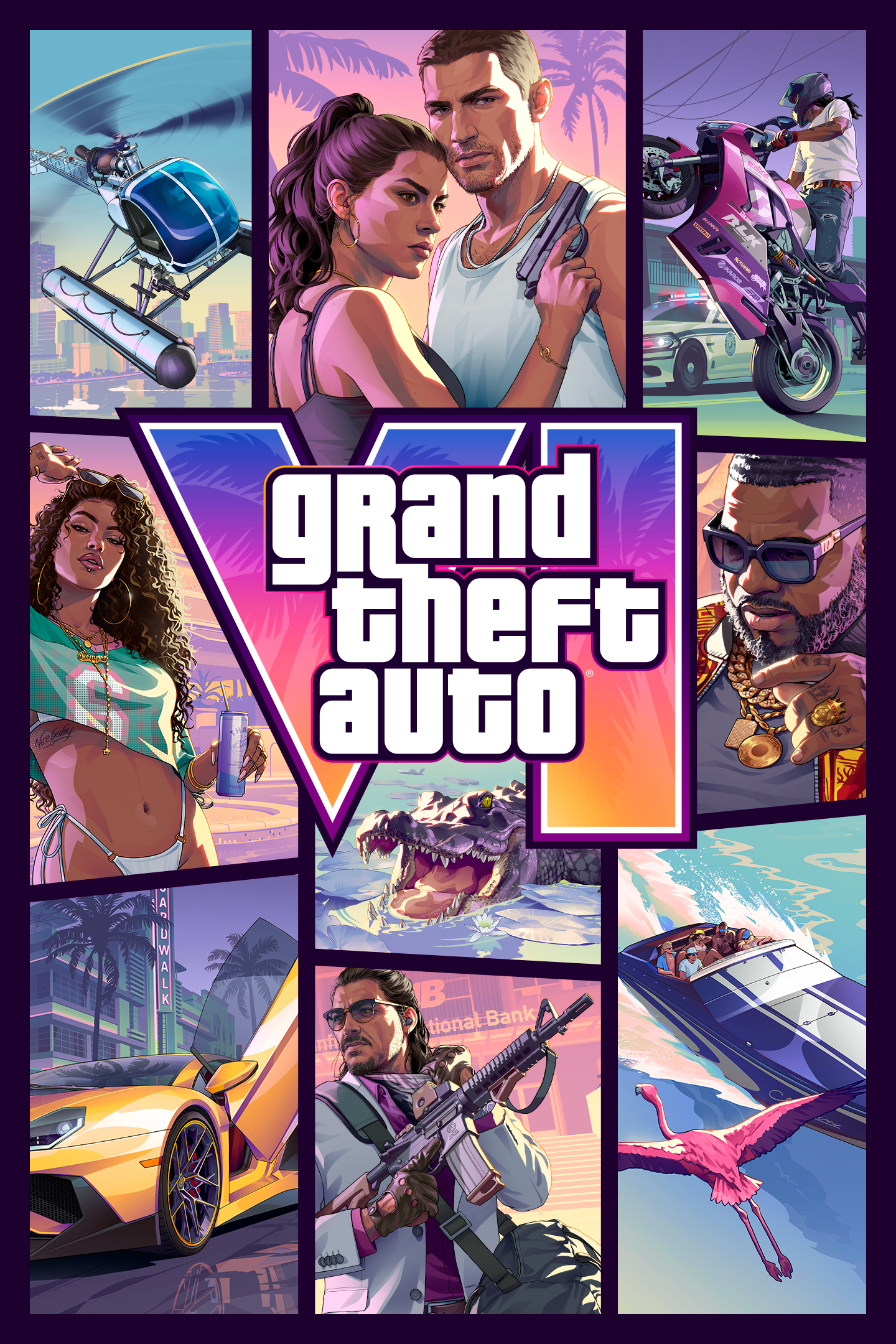
Grand Theft Auto VI
Details
- Publisher
- Rockstar Games
- Developer
- Rockstar Games
- Release date
- 19.11.2026
- Age rating
- ESRB:M
- Localization
- English
Purchase options
Primary: our account is set as the home Xbox of your console ("My home Xbox"), so the game is shared with your own profile and works offline — that is one slot on one console. Secondary: you sign in to our account and launch the game from it, and the console has to stay online. The activation code is an extra option: it is redeemed on your own account, and the game stays there forever.
You install the game from our account and set our account as the home one ("My home Xbox"): after that you play from your own profile, and the progress and achievements stay yours. It works offline.
You sign in to our account and play right from it. A permanent internet connection is required and only the issued profile can be used. It costs less than the primary access.
A bonus way to buy: you get a 25-character code and redeem it on your own account. The game stays with you forever, no other profiles and no sign-in to a shared account.
What happens after payment
About the game
Purchase prior to 19 November 2026 23:59:59 to receive:
-The Vintage Vice City Pack
-One Month of GTA+
Receive a month of GTA+ with your pre-order; must be redeemed within 180 days after placing your pre-order. Subscription redemption is not available to child accounts with restrictions on age-restricted content. You will receive a pop-up notification on your console when your GTA+ subscription month is available to redeem. Open the Store, select your profile icon in the top left corner, and select “Offers & credits” to find and redeem this offer. Limited to one redemption per Platform Account.
Grand Theft Auto VI is a single-player experience.
Vice City, USA.
Jason and Lucia have always known the deck is stacked against them. But when an easy score goes wrong, they find themselves on the darkest side of the sunniest place in America, in the middle of a criminal conspiracy stretching across the state of Leonida — forced to rely on each other more than ever if they want to make it out alive.
Purchase grants a license to the digital product subject to the Terms of Service (“ToS”) and Privacy Policy in game and at www.rockstargames.com/legal and www.rockstargames.com/privacy. Certain game features, content, services, or functions may require internet connection, Rockstar Games account registration (minimum age varies), single-use serial code, additional fees, or unlocking with gameplay, may not be available to all users or at all times, and may be terminated, modified, or offered under different terms in accordance with the ToS. Violation of the ToS may result in restriction or termination of access to game or online account. This game is fictional; any similarities to real-world places, people, or entities is coincidental and does not imply any third-party sponsorship or endorsement of game content. Rockstar Games does not in any way endorse or condone engaging in any conduct depicted in this game.
© 1997–2026. Rockstar Games Inc. Rockstar Games, Grand Theft Auto, Grand Theft Auto VI, VI, Vice City, R*, and related logos are trademarks of Take-Two Interactive Software, Inc. All other marks and trademarks are the property of their respective owners. All rights reserved.
Screenshots
Click a frame to open it larger, use the arrows to browse
How to activate
Guide for Xbox Series X|S
Primary — the game is shared with your own profile
- 1Press the Xbox button, open "Profile & system" → "Add or switch" → "Add new" and sign in with the login and password from your order.
- 2Now open "Settings" → "General" → "Personalization" → "My home Xbox" and choose "Make this my home Xbox". This is what shares our games with every profile on your console.
- 3Switch back to your own profile, open "My games & apps" → "Library" and install the game. The internet is only needed for the download.
- 4Launch the game from your own profile: achievements, saves and progress stay yours, and after the installation the game works offline.
Only one console at a time can be the home Xbox for our account — that is the slot you bought. Please do not change the password, the email or the two-factor settings of the account, or the access will be blocked.
Secondary — you play from our account
- 1Press the Xbox button, open "Profile & system" → "Add or switch" → "Add new" and sign in with the login and password from your order.
- 2Open "My games & apps" → "Library", switch to our profile in the top-left corner and install the game.
- 3Launch the game while our profile stays signed in, and keep the console online: the licence is checked over the internet.
- 4Use your own profile for everything else — the game stays available as long as our account is signed in on this console.
Secondary costs less, but it needs a permanent internet connection and our account stays signed in on your console.
Activation code
- 1On the console open "Store" and go to the "Redeem code" section.
- 2Enter the 25-character code from your order and confirm the activation on your own account.
- 3After the activation the code is shown as "Used" — but you can reinstall the game from your library at any time.
Notes for Xbox Series
Important
How to play online
Warranty and support
The warranty covers the whole period of use of the account. If the access stops working, we replace the account or refund your money.
- If the game stops launching, we replace the account or refund your money.
- Average support response time — 15–30 minutes during working hours.
- The warranty covers the whole rental period of the access.
Support
Telegram: @weskars
E-mail: support@gears.games
Working hours: daily 11:00 – 23:00 (UTC+3)
Every order goes through clear stages: "New" → "Awaiting payment" → "Paid" → "Delivered". You can follow the status in your account page.
Similar games
More games in the "Action & adventure" genre



