Golden Knight
Details
- Publisher
- Guará Studios
- Developer
- Guará Studios
- Release date
- 20.08.2025
- Age rating
- ESRB:E10
- Localization
- English
Purchase options
Platform
Primary: our account is set as the home Xbox of your console ("My home Xbox"), so the game is shared with your own profile and works offline — that is one slot on one console. Secondary: you sign in to our account and launch the game from it, and the console has to stay online. The activation code is an extra option: it is redeemed on your own account, and the game stays there forever.
You install the game from our account and set our account as the home one ("My home Xbox"): after that you play from your own profile, and the progress and achievements stay yours. It works offline.
You sign in to our account and play right from it. A permanent internet connection is required and only the issued profile can be used. It costs less than the primary access.
A bonus way to buy: you get a 25-character code and redeem it on your own account. The game stays with you forever, no other profiles and no sign-in to a shared account.
What happens after payment
About the game
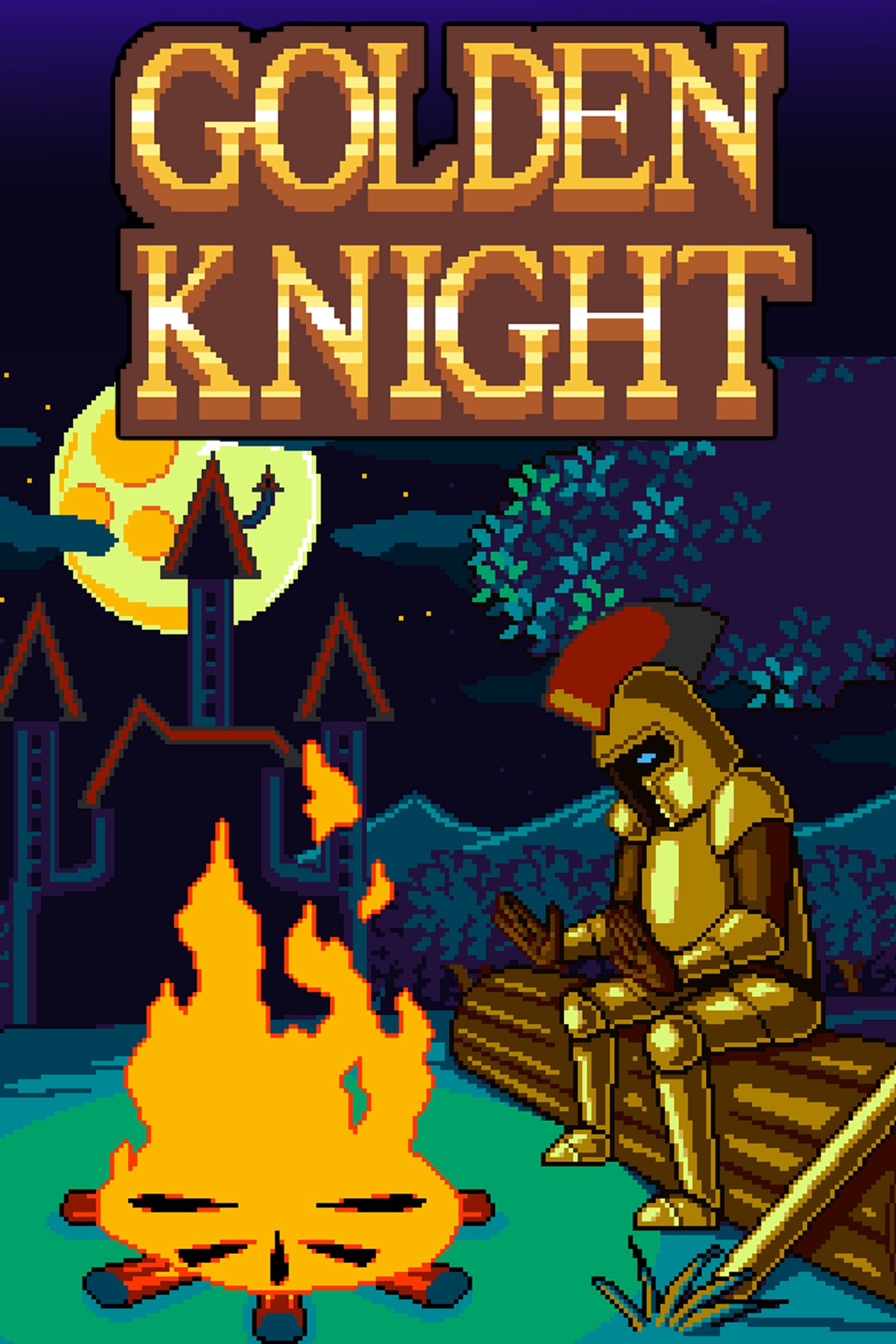
In Golden Knight, you embark on an epic journey to defeat the forces of darkness that have taken over the kingdom of Valerond. As the legendary hero Golden Knight, a defender of endangered kingdoms, you were caught off guard by the encroaching darkness while traveling through the region. Determined to save the kingdom, you venture through mysterious forests and treacherous castles, facing hordes of enemies and deadly challenges.
This mini metroidvania RPG platformer offers an immersive experience where exploration, combat, and progression are key to victory. With high-quality 2D pixel art graphics, each environment and enemy comes to life in stunning detail as you explore the world and seek a way to restore peace.
-Exploration and Action: Travel through dark forests and sinister castles, facing unique challenges as you explore to find treasures and essential resources for your journey.
-Upgrades and Progression: Collect coins, discover campsites, and improve your abilities, such as attack and health, to become stronger as you advance. Prepare to face increasingly powerful enemies.
-Dynamic Combat: Unleash your combat power with your sword, jump to avoid enemies or traps, and use your dash to dodge or hit enemies at long range.
-Challenging Enemies and Bosses: Encounter a variety of enemies like slimes, skeletons, zombies, and bats. Get ready to confront terrifying bosses, including the Demon Bat, a giant evil eye, and the powerful Dark Mage.
-Deadly Traps: Beware of traps scattered along the way, such as spikes, darts, and scythes, which require skill and precision to overcome.
-Immersive Music: The soundtrack, inspired by classic medieval music, creates an epic and immersive atmosphere, enhancing the gameplay experience.
-Linear and Focused Gameplay: Complete levels, defeat bosses, and progress through the world of Valerond to restore peace and defeat the forces of evil.
-Single-Player Mode: An intense, player-focused experience, ideal for those who love action and exploration challenges.
If you're ready to embark on an epic journey of action, exploration, and heroism, then Golden Knight is the game you've been waiting for. Unleash the hero within, face the darkness, and restore the glory of the kingdom of Valerond!
Screenshots
Click a frame to open it larger, use the arrows to browse
How to activate
Guide for Xbox One
Primary — the game is shared with your own profile
- 1Press the Xbox button, open "Profile & system" → "Add or switch" → "Add new" and sign in with the login and password from your order.
- 2Now open "Settings" → "General" → "Personalization" → "My home Xbox" and choose "Make this my home Xbox". This is what shares our games with every profile on your console.
- 3Switch back to your own profile, open "My games & apps" → "Library" and install the game. The internet is only needed for the download.
- 4Launch the game from your own profile: achievements, saves and progress stay yours, and after the installation the game works offline.
Only one console at a time can be the home Xbox for our account — that is the slot you bought. Please do not change the password, the email or the two-factor settings of the account, or the access will be blocked.
Secondary — you play from our account
- 1Press the Xbox button, open "Profile & system" → "Add or switch" → "Add new" and sign in with the login and password from your order.
- 2Open "My games & apps" → "Library", switch to our profile in the top-left corner and install the game.
- 3Launch the game while our profile stays signed in, and keep the console online: the licence is checked over the internet.
- 4Use your own profile for everything else — the game stays available as long as our account is signed in on this console.
Secondary costs less, but it needs a permanent internet connection and our account stays signed in on your console.
Activation code
- 1On the console open "Store" and go to the "Redeem code" section.
- 2Enter the 25-character code from your order and confirm the activation on your own account.
- 3After the activation the code is shown as "Used" — but you can reinstall the game from your library at any time.
Notes for Xbox One
Important
How to play online
Warranty and support
The warranty covers the whole period of use of the account. If the access stops working, we replace the account or refund your money.
- If the game stops launching, we replace the account or refund your money.
- Average support response time — 15–30 minutes during working hours.
- The warranty covers the whole rental period of the access.
Support
Telegram: @weskars
E-mail: support@gears.games
Working hours: daily 11:00 – 23:00 (UTC+3)
Every order goes through clear stages: "New" → "Awaiting payment" → "Paid" → "Delivered". You can follow the status in your account page.
Similar games
More games in the "Platformer" genre