
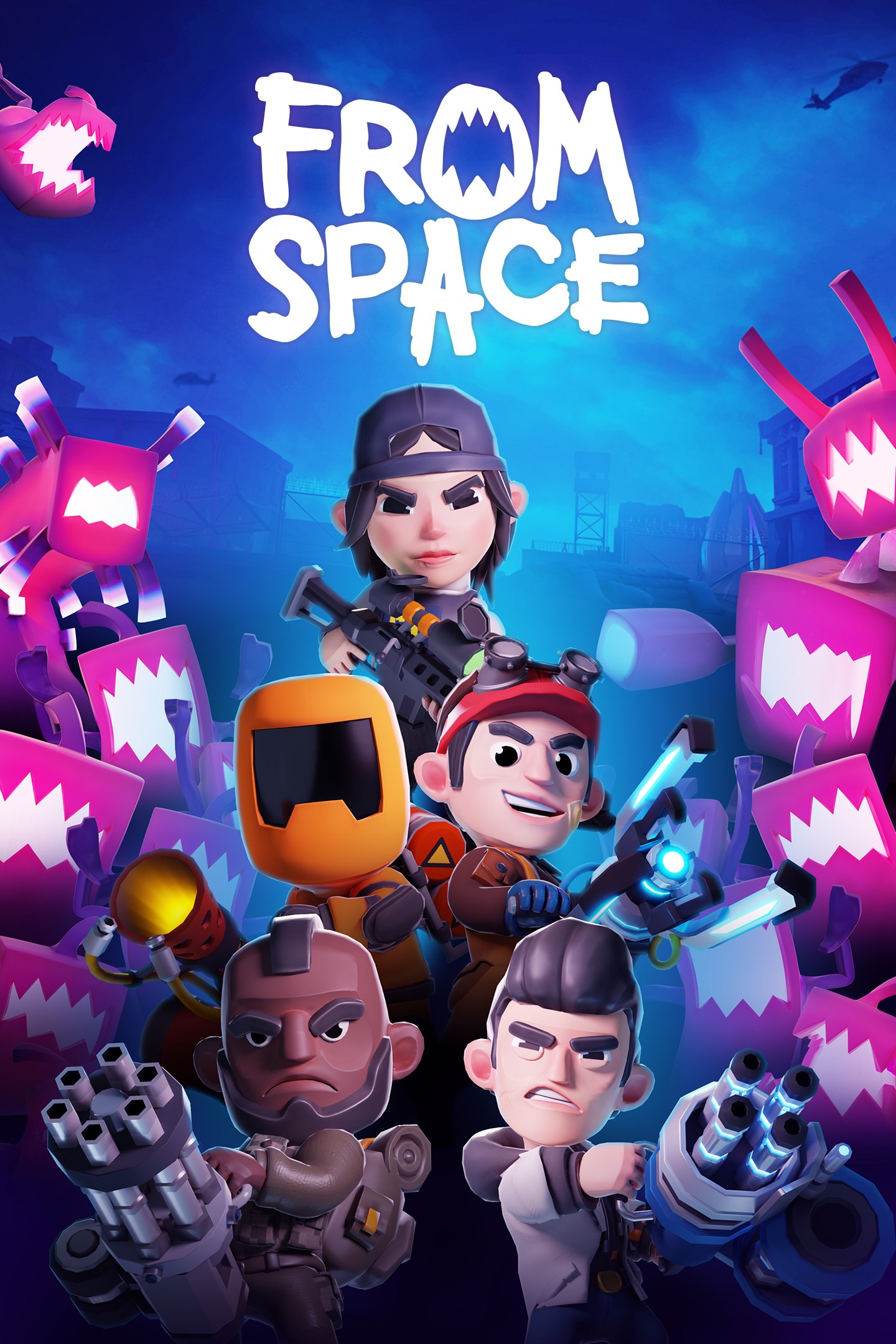
From Space
Details
- Publisher
- Curve Games
- Developer
- Triangle Studios
- Release date
- 12.10.2023
- Age rating
- ESRB:T
- Localization
- English
Purchase options
Platform
Primary: our account is set as the home Xbox of your console ("My home Xbox"), so the game is shared with your own profile and works offline — that is one slot on one console. Secondary: you sign in to our account and launch the game from it, and the console has to stay online. The activation code is an extra option: it is redeemed on your own account, and the game stays there forever.
You install the game from our account and set our account as the home one ("My home Xbox"): after that you play from your own profile, and the progress and achievements stay yours. It works offline.
You sign in to our account and play right from it. A permanent internet connection is required and only the issued profile can be used. It costs less than the primary access.
A bonus way to buy: you get a 25-character code and redeem it on your own account. The game stays with you forever, no other profiles and no sign-in to a shared account.
What happens after payment
About the game
That's no bubblegum army, that's an endless horde of menacingly pink aliens taking over our planet! Enough sweet talk, grab your gear, we need you and your squad to defeat the pink pests!
YOUR MISSION: Liberate Earth from the Alien horde!
HORDE MODE
We have an emergency on our hands! Resistance is a high-energy “Horde Mode” where you and your (extremely qualified) team will be deployed into unique locations, completing objectives, while surviving waves of pink life forms that increase in difficulty. It’s down to you to save the world.
Collect Tokens to unlock weapons, items, and perks to boost your stats and build the ultimate loadout based on your playstyle. Complete formidable missions and extract with your squad to gain well-earned experience to level up your character. Additionally, for those that love to flaunt, you can show off your skill to other players in the session with 26 different ranks to work towards! Get out there and make us proud, recruit!
STORY MODE
It’s time to save the world! Embark on a journey to meet fellow earthlings that require your assistance, you virtuoso. You’ll be completing a wide range of exciting missions, usually, through chaotic combat, and yes, you have full permission to destroy everything in your path.
MISSION TIP #1: Squad Up!
While you can play From Space solo (if you're brave enough) you'd be wise to invite some friends to help you out. With online play you can create a four-person squad. Look, there's a lot of those pink pests out there so the more people, the better. Oh, and with a squad, you'll have some witnessess to tell everyone how awesome you are. It's basically a win-win scenario.
MISSION TIP #2: Shoot, Explode & Stab
With a variety of weapons (Rocket Launchers, Miniguns, Flamethrowers and more!) there’s no excuse not to annihilate those aliens! Build your ideal spec and use tactical items such as grenades and mines, or slow down the hordes with barbed wire and machinegun turrets. Remember to scavenge the world for loot, you'll need it!
MISSION TIP #3: You’re special, so pick your specialist skill!
No matter what type of player you are, there’s a wide range of characters in From Space's roster, each with their own unique ability and weapons. Find the perfect balance with your friends as you build the ultimate super squad.
MISSION TIP #4: Don’t just stand there, Level-up!
As you level-up, you’ll be able to attach special perks to your character, helping you to master the art of destroying aliens. You'll need to find ways to combat increasingly more powerful aliens, and perks will help you accomplish all of your pink alien squashing dreams. Need to rethink your strategy? No problem! We like innovators! Perks can be swapped around, even between your squad!
MISSION TIP 5#: The apocalypse has never been so much fun... so have fun!
We’re going to level with you... an alien threat is terrifying, terrifyingly fun! Look, the world is already pretty beat up as it is. Who's going to notice if you cause a little bit more destruction while saving the day? People have insurance it's fine...
Screenshots
Click a frame to open it larger, use the arrows to browse
How to activate
Guide for Xbox One
Primary — the game is shared with your own profile
- 1Press the Xbox button, open "Profile & system" → "Add or switch" → "Add new" and sign in with the login and password from your order.
- 2Now open "Settings" → "General" → "Personalization" → "My home Xbox" and choose "Make this my home Xbox". This is what shares our games with every profile on your console.
- 3Switch back to your own profile, open "My games & apps" → "Library" and install the game. The internet is only needed for the download.
- 4Launch the game from your own profile: achievements, saves and progress stay yours, and after the installation the game works offline.
Only one console at a time can be the home Xbox for our account — that is the slot you bought. Please do not change the password, the email or the two-factor settings of the account, or the access will be blocked.
Secondary — you play from our account
- 1Press the Xbox button, open "Profile & system" → "Add or switch" → "Add new" and sign in with the login and password from your order.
- 2Open "My games & apps" → "Library", switch to our profile in the top-left corner and install the game.
- 3Launch the game while our profile stays signed in, and keep the console online: the licence is checked over the internet.
- 4Use your own profile for everything else — the game stays available as long as our account is signed in on this console.
Secondary costs less, but it needs a permanent internet connection and our account stays signed in on your console.
Activation code
- 1On the console open "Store" and go to the "Redeem code" section.
- 2Enter the 25-character code from your order and confirm the activation on your own account.
- 3After the activation the code is shown as "Used" — but you can reinstall the game from your library at any time.
Notes for Xbox One
Important
How to play online
Warranty and support
The warranty covers the whole period of use of the account. If the access stops working, we replace the account or refund your money.
- If the game stops launching, we replace the account or refund your money.
- Average support response time — 15–30 minutes during working hours.
- The warranty covers the whole rental period of the access.
Support
Telegram: @weskars
E-mail: support@gears.games
Working hours: daily 11:00 – 23:00 (UTC+3)
Every order goes through clear stages: "New" → "Awaiting payment" → "Paid" → "Delivered". You can follow the status in your account page.
Similar games
More games in the "Action & adventure" genre



