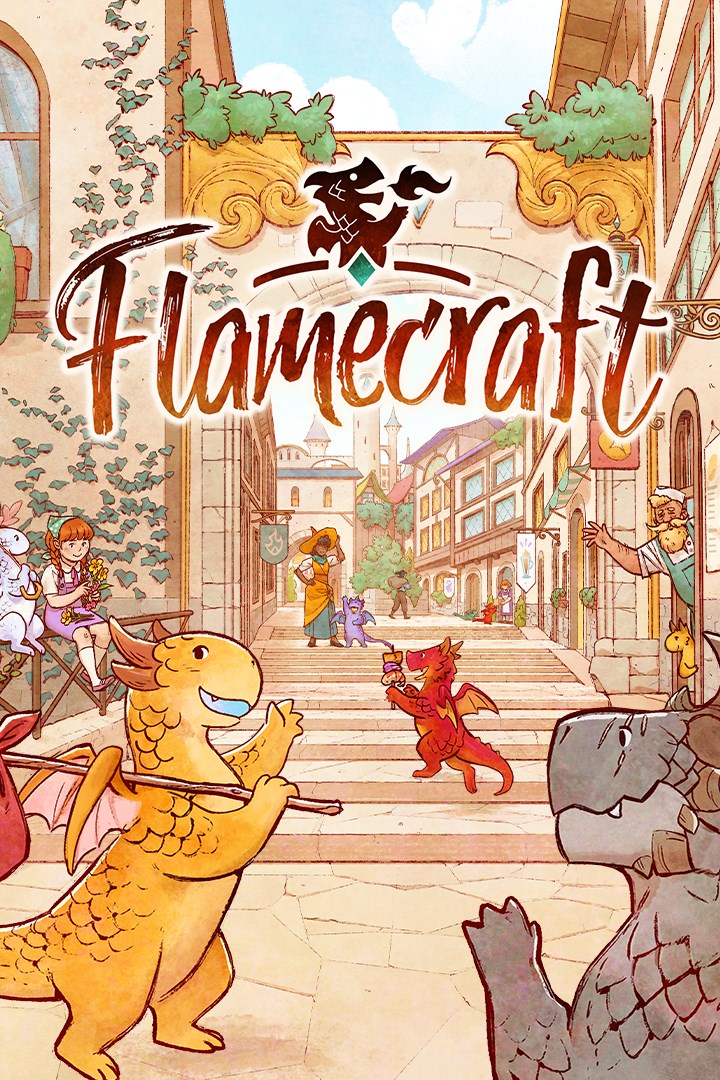
Flamecraft
Flamecraft (Мастера пламени)
Details
- Publisher
- Monster Couch
- Developer
- Monster Couch
- Release date
- 17.09.2026
- Age rating
- ESRB:E
- Localization
- English
Purchase options
Platform
Primary: our account is set as the home Xbox of your console ("My home Xbox"), so the game is shared with your own profile and works offline — that is one slot on one console. Secondary: you sign in to our account and launch the game from it, and the console has to stay online. The activation code is an extra option: it is redeemed on your own account, and the game stays there forever.
You install the game from our account and set our account as the home one ("My home Xbox"): after that you play from your own profile, and the progress and achievements stay yours. It works offline.
You sign in to our account and play right from it. A permanent internet connection is required and only the issued profile can be used. It costs less than the primary access.
A bonus way to buy: you get a 25-character code and redeem it on your own account. The game stays with you forever, no other profiles and no sign-in to a shared account.
What happens after payment
About the game
Flamecraft is a cozy, turn-based strategy board game for 1 to 5 players. Become a Flamekeeper and help artisan dragons and shopkeepers delight the townspeople with their craft. Gather and manage resources, enhance the shops by casting enchantments, and become the Master of Flamecraft.
Enter a cozy, vibrant world inhabited by dragons
Flamecraft is set in a fantasy world in which dragons and magic are part of the ordinary. Here, you’ll meet the adorable artisan dragons, who will use their extraordinary flamecraft to help the town’s shopkeepers with their seemingly mundane tasks.
The sweets are just waiting to be baked in Guilty Treasures, and Scale Mail Post is ready to send enchanted letters all across the town!
Master the art of resource management and create powerful combos to increase your reputation
You’ll have to strategize and outsmart other Flamekeepers if you want to come out on top. There are countless ways to victory, and it’s up to you to make the most of your skills. Your main task is to thoughtfully place dragon artisans in the town’s bustling shopping district. They will help you gather various resources from the shops, which you can later use to cast enchantments, triggering powerful ability combos. You’ll also befriend the extraordinary Fancy Dragons, with abilities allowing you to boost your reputation.
This, along with the Companion cards, which offer powerful additional scoring opportunities, will let you get the reputation points needed to win the game.
Play in a variety of gameplay modes, both single and multiplayer
Whether you prefer playing solo, with friends, or people from around the world, Flamecraft has something in store for you. Test your skills against AI of varying difficulty or set up a relaxing custom game for your family to enjoy together.
Meet over 70 beautiful animated dragons and visit 30 unique shops while listening to a whimsical score
In Flamecraft, we’ve brought the enchanting world created by Sandara Tang to life. The beautifully illustrated dragons come to life as they use their craft in the vibrant, hand-painted town, full of animated 3D shops, booths, and laboratories.
Paweł Górniak, the composer behind Wingspan and Quilts and Cats of Calico, is also back, with another spellbinding score.
Will you be able to claim the Master of Flamecraft title with the help of your creative little crafter friends?
Screenshots
Click a frame to open it larger, use the arrows to browse
How to activate
Guide for Xbox One
Primary — the game is shared with your own profile
- 1Press the Xbox button, open "Profile & system" → "Add or switch" → "Add new" and sign in with the login and password from your order.
- 2Now open "Settings" → "General" → "Personalization" → "My home Xbox" and choose "Make this my home Xbox". This is what shares our games with every profile on your console.
- 3Switch back to your own profile, open "My games & apps" → "Library" and install the game. The internet is only needed for the download.
- 4Launch the game from your own profile: achievements, saves and progress stay yours, and after the installation the game works offline.
Only one console at a time can be the home Xbox for our account — that is the slot you bought. Please do not change the password, the email or the two-factor settings of the account, or the access will be blocked.
Secondary — you play from our account
- 1Press the Xbox button, open "Profile & system" → "Add or switch" → "Add new" and sign in with the login and password from your order.
- 2Open "My games & apps" → "Library", switch to our profile in the top-left corner and install the game.
- 3Launch the game while our profile stays signed in, and keep the console online: the licence is checked over the internet.
- 4Use your own profile for everything else — the game stays available as long as our account is signed in on this console.
Secondary costs less, but it needs a permanent internet connection and our account stays signed in on your console.
Activation code
- 1On the console open "Store" and go to the "Redeem code" section.
- 2Enter the 25-character code from your order and confirm the activation on your own account.
- 3After the activation the code is shown as "Used" — but you can reinstall the game from your library at any time.
Notes for Xbox One
Important
How to play online
Warranty and support
The warranty covers the whole period of use of the account. If the access stops working, we replace the account or refund your money.
- If the game stops launching, we replace the account or refund your money.
- Average support response time — 15–30 minutes during working hours.
- The warranty covers the whole rental period of the access.
Support
Telegram: @weskars
E-mail: support@gears.games
Working hours: daily 11:00 – 23:00 (UTC+3)
Every order goes through clear stages: "New" → "Awaiting payment" → "Paid" → "Delivered". You can follow the status in your account page.
Similar games
More games in the "Card & board" genre