
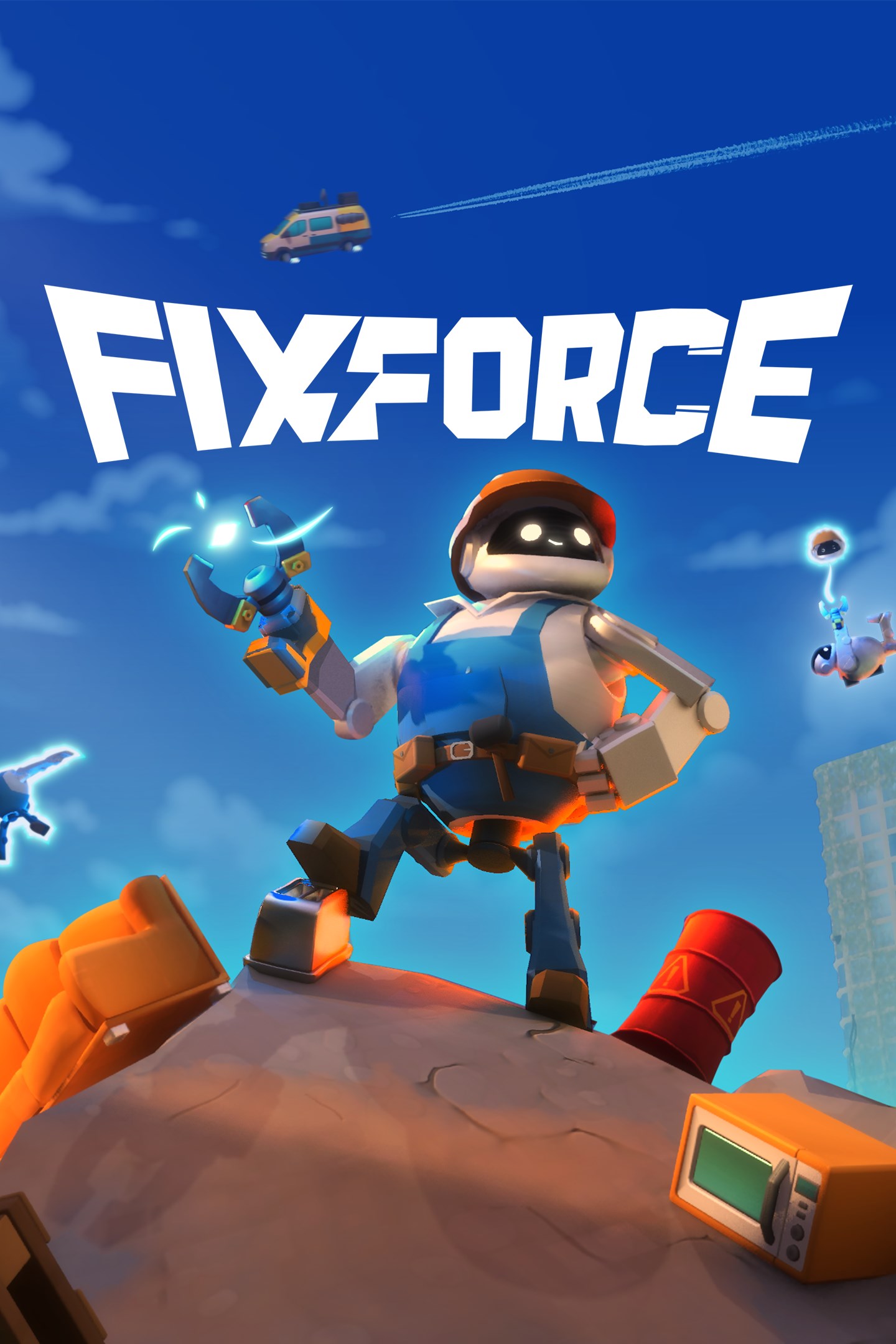
FixForce
Details
- Publisher
- Surgent Studios
- Developer
- Surgent Studios
- Release date
- 17.07.2026
- Age rating
- ESRB:E10
- Localization
- English
Purchase options
Primary: our account is set as the home Xbox of your console ("My home Xbox"), so the game is shared with your own profile and works offline — that is one slot on one console. Secondary: you sign in to our account and launch the game from it, and the console has to stay online. The activation code is an extra option: it is redeemed on your own account, and the game stays there forever.
You install the game from our account and set our account as the home one ("My home Xbox"): after that you play from your own profile, and the progress and achievements stay yours. It works offline.
You sign in to our account and play right from it. A permanent internet connection is required and only the issued profile can be used. It costs less than the primary access.
A bonus way to buy: you get a 25-character code and redeem it on your own account. The game stays with you forever, no other profiles and no sign-in to a shared account.
What happens after payment
About the game
Leap, climb, and launch your friends in this chaotic co-op extraction platformer for up to 6 players! Use your drill-wrench to build your way across a vibrant post-apocalyptic world, find replacement parts, and fix broken machines.
BUILD WITH FRIENDS
As FixForce bots, you and up to 5 friends will build towers and paths out of scrap parts, using the structures to climb all over the worksite. Rescue each other when things get hairy, and remember: how high or far you go is limited only by how much scrap you can find.
FIND + FIX
In each round, you and your team will be dropped near machines in desperate need of repair. Once you’ve found them, use your drill-wrench to scour the site for the perfect replacement parts to get them working again so you can clock out on time. You might even find a few extra odd jobs around to line your pockets...
WORKPLACE HAZARDS
No job is the same, but they’re all teeming with hazards and violent rogue robots. Keep your eyes peeled so you can protect yourself, your friends, and your precious towers and bridges from their destructive wrath while you finish the job.
BUT DON’T LOSE YOUR HEAD
FixForce means reliability, and high-risk assignments are your bread and butter. If you take a tumble, slip into the water, or find yourself on the wrong side of a rogue bot, your friends can simply recover your head and snap it onto another body. Good as new!
PERKS OF THE JOB
The work is relentless, but so is your resolve! Every successful fix lines your bank account, letting you snag new tools to maximise efficiency and tackle even the toughest of challenges in exchange for a few unorthodox updates to your uniform.
Wield the drill-wrench: Use your built-in power tool to fix machines, build towers and bridges to get around, retrieve your friends’ fallen heads, and launch items around.
Screenshots
Click a frame to open it larger, use the arrows to browse
How to activate
Guide for Xbox Series X|S
Primary — the game is shared with your own profile
- 1Press the Xbox button, open "Profile & system" → "Add or switch" → "Add new" and sign in with the login and password from your order.
- 2Now open "Settings" → "General" → "Personalization" → "My home Xbox" and choose "Make this my home Xbox". This is what shares our games with every profile on your console.
- 3Switch back to your own profile, open "My games & apps" → "Library" and install the game. The internet is only needed for the download.
- 4Launch the game from your own profile: achievements, saves and progress stay yours, and after the installation the game works offline.
Only one console at a time can be the home Xbox for our account — that is the slot you bought. Please do not change the password, the email or the two-factor settings of the account, or the access will be blocked.
Secondary — you play from our account
- 1Press the Xbox button, open "Profile & system" → "Add or switch" → "Add new" and sign in with the login and password from your order.
- 2Open "My games & apps" → "Library", switch to our profile in the top-left corner and install the game.
- 3Launch the game while our profile stays signed in, and keep the console online: the licence is checked over the internet.
- 4Use your own profile for everything else — the game stays available as long as our account is signed in on this console.
Secondary costs less, but it needs a permanent internet connection and our account stays signed in on your console.
Activation code
- 1On the console open "Store" and go to the "Redeem code" section.
- 2Enter the 25-character code from your order and confirm the activation on your own account.
- 3After the activation the code is shown as "Used" — but you can reinstall the game from your library at any time.
Notes for Xbox Series
Important
How to play online
Warranty and support
The warranty covers the whole period of use of the account. If the access stops working, we replace the account or refund your money.
- If the game stops launching, we replace the account or refund your money.
- Average support response time — 15–30 minutes during working hours.
- The warranty covers the whole rental period of the access.
Support
Telegram: @weskars
E-mail: support@gears.games
Working hours: daily 11:00 – 23:00 (UTC+3)
Every order goes through clear stages: "New" → "Awaiting payment" → "Paid" → "Delivered". You can follow the status in your account page.
Similar games
More games in the "Action & adventure" genre



