
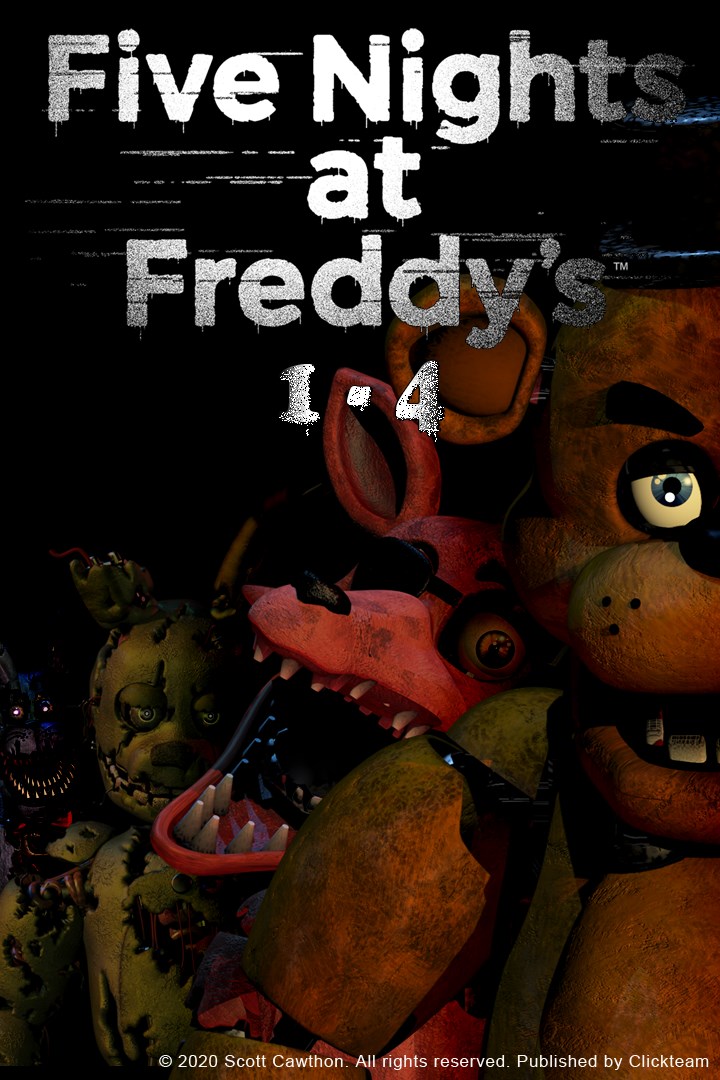
Five Nights at Freddy's: Original Series
Details
- Publisher
- Clickteam LLC USA
- Developer
- Scottgames, LLC
- Release date
- 29.10.2020
- Age rating
- ESRB:T
- Localization
- English
Purchase options
Platform
Primary: our account is set as the home Xbox of your console ("My home Xbox"), so the game is shared with your own profile and works offline — that is one slot on one console. Secondary: you sign in to our account and launch the game from it, and the console has to stay online. The activation code is an extra option: it is redeemed on your own account, and the game stays there forever.
You install the game from our account and set our account as the home one ("My home Xbox"): after that you play from your own profile, and the progress and achievements stay yours. It works offline.
You sign in to our account and play right from it. A permanent internet connection is required and only the issued profile can be used. It costs less than the primary access.
A bonus way to buy: you get a 25-character code and redeem it on your own account. The game stays with you forever, no other profiles and no sign-in to a shared account.
What happens after payment
About the game
Explore the history of the Freddy's world famous pizzeria in this bundle containing the original 4 titles.
in Five Nights at Freddy's 1 you are welcomed to your new summer job at Freddy Fazbear's Pizza, where kids and parents alike come for entertainment and food as far as the eye can see! The main attraction is Freddy Fazbear, of course; and his two friends. They are animatronic robots, programmed to please the crowds! The robots' behavior has become somewhat unpredictable at night however, and it was much cheaper to hire you as a security guard than to find a repairman.
From your small office you must watch the security cameras carefully. You have a very limited amount of electricity that you're allowed to use per night (corporate budget cuts, you know). That means when you run out of power for the night- no more security doors and no more lights! If something isn't right- namely if Freddybear or his friends aren't in their proper places, you must find them on the monitors and protect yourself if needed!
In Five Nights at Freddy's 2, the old and aging animatronics are joined by a new cast of characters. They are kid-friendly, updated with the latest in facial recognition technology, tied into local criminal databases, and promise to put on a safe and entertaining show for kids and grown-ups alike!
What could go wrong?
As the new security guard working nights, your job is to monitor cameras and make sure nothing goes wrong after-hours. The previous guard has complained about the characters trying to get into the office (he has since been moved to day-shift). So to make your job easier, you've been provided with your very own empty Freddy Fazbear head, which should fool the animatronic characters into leaving you alone if they should accidentally enter your office.
Then in Five Nights at Freddy's 3. Thirty years after Freddy Fazbear's Pizza closed its doors, the events that took place there have become nothing more than a rumor and a childhood memory, but the owners of "Fazbear's Fright: The Horror Attraction" are determined to revive the legend and make the experience as authentic as possible for patrons, going to great lengths to find anything that might have survived decades of neglect and ruin.
At first there were only empty shells, a hand, a hook, an old paper-plate doll, but then a remarkable discovery was made...
And finally in Five Nights at Freddy's 4 the last chapter of the Five Nights at Freddy's original story, you must once again defend yourself against Freddy Fazbear, Chica, Bonnie, Foxy, and even worse things that lurk in the shadows. Playing as a child whose role is yet unknown, you must safeguard yourself until 6 am by watching the doors, as well as warding off unwanted creatures that may venture into your closet or onto the bed behind you.
You have only a flashlight to protect yourself. It will scare away things that may be creeping at the far end of the hallways, but be careful, and listen. If something has crept too close, then shining lights in its eyes will be your end.
As always, Fazbear Entertainment is not responsible for death or dismemberment.
Screenshots
Click a frame to open it larger, use the arrows to browse
How to activate
Guide for Xbox One
Primary — the game is shared with your own profile
- 1Press the Xbox button, open "Profile & system" → "Add or switch" → "Add new" and sign in with the login and password from your order.
- 2Now open "Settings" → "General" → "Personalization" → "My home Xbox" and choose "Make this my home Xbox". This is what shares our games with every profile on your console.
- 3Switch back to your own profile, open "My games & apps" → "Library" and install the game. The internet is only needed for the download.
- 4Launch the game from your own profile: achievements, saves and progress stay yours, and after the installation the game works offline.
Only one console at a time can be the home Xbox for our account — that is the slot you bought. Please do not change the password, the email or the two-factor settings of the account, or the access will be blocked.
Secondary — you play from our account
- 1Press the Xbox button, open "Profile & system" → "Add or switch" → "Add new" and sign in with the login and password from your order.
- 2Open "My games & apps" → "Library", switch to our profile in the top-left corner and install the game.
- 3Launch the game while our profile stays signed in, and keep the console online: the licence is checked over the internet.
- 4Use your own profile for everything else — the game stays available as long as our account is signed in on this console.
Secondary costs less, but it needs a permanent internet connection and our account stays signed in on your console.
Activation code
- 1On the console open "Store" and go to the "Redeem code" section.
- 2Enter the 25-character code from your order and confirm the activation on your own account.
- 3After the activation the code is shown as "Used" — but you can reinstall the game from your library at any time.
Notes for Xbox One
Important
How to play online
Warranty and support
The warranty covers the whole period of use of the account. If the access stops working, we replace the account or refund your money.
- If the game stops launching, we replace the account or refund your money.
- Average support response time — 15–30 minutes during working hours.
- The warranty covers the whole rental period of the access.
Support
Telegram: @weskars
E-mail: support@gears.games
Working hours: daily 11:00 – 23:00 (UTC+3)
Every order goes through clear stages: "New" → "Awaiting payment" → "Paid" → "Delivered". You can follow the status in your account page.
Similar games
More games in the "Simulation" genre



