
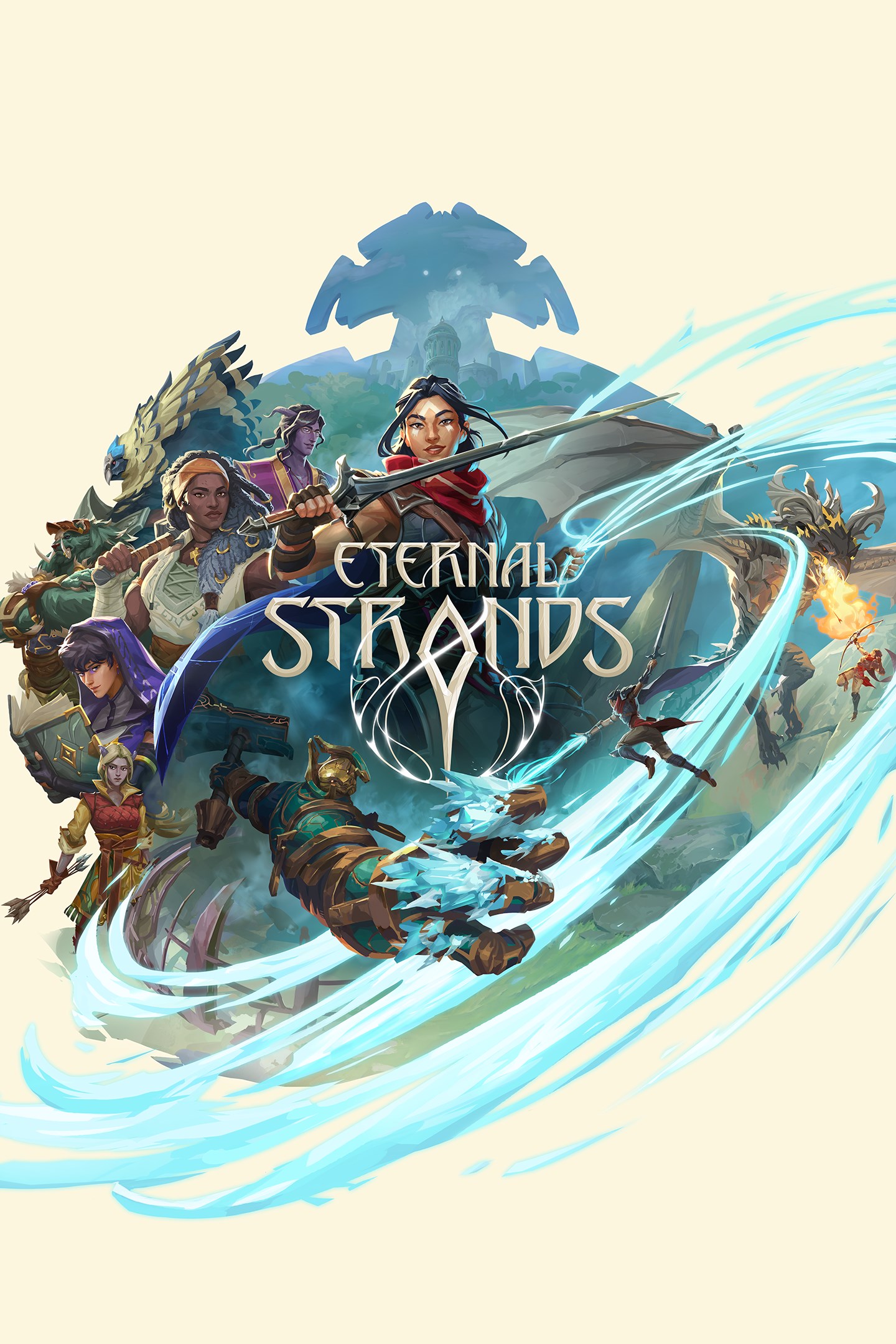
Eternal Strands
Details
- Publisher
- Yellow Brick Games
- Developer
- Yellow Brick Games
- Release date
- 28.01.2025
- Age rating
- ESRB:T
- Localization
- English
Purchase options
Primary: our account is set as the home Xbox of your console ("My home Xbox"), so the game is shared with your own profile and works offline — that is one slot on one console. Secondary: you sign in to our account and launch the game from it, and the console has to stay online. The activation code is an extra option: it is redeemed on your own account, and the game stays there forever.
You install the game from our account and set our account as the home one ("My home Xbox"): after that you play from your own profile, and the progress and achievements stay yours. It works offline.
You sign in to our account and play right from it. A permanent internet connection is required and only the issued profile can be used. It costs less than the primary access.
A bonus way to buy: you get a 25-character code and redeem it on your own account. The game stays with you forever, no other profiles and no sign-in to a shared account.
What happens after payment
About the game
Eternal Strands is the debut fantasy action-adventure title from Yellow Brick Games, a new independent studio founded by industry veterans.
THE WORLD IS YOUR WEAPON
At the heart of Eternal Strands beats a revolutionary new system for gameplay interactions: heat spreads, cold chills, and real-time destruction allows for unprecedented reactivity in combat. Hurl burning tree trunks at enemies with telekinetic, snap nearby trees to block opposing fire, or channel raw telekinetic force to rip boulders from the ground.
WEAVER OF MAGIC
Wear the Mantle, a magical cloak that channels raw magic into raging flame, chilling ice, and telekinetic force. Combine your growing array of powers with enchanted weapons and armor crafted from slain enemies to create a custom look and style. Block incoming attacks with a wall of magical ice, lash out waves of flame from a massive two-handed blade, or toss enemies off a cliff with raw force.
STAND AGAINST GIANTS
Face gigantic adversaries and defeat them through a mix of sword, spell, and mobility. Leap onto and climb their massive forms to attack from different angles. Shatter armor or slice at weak spots to diminish their protection. Use ice to pin limbs of a towering foe, arcane flames to burn their fur, or catch lobbed projectiles and turn their attacks back upon them in battles that will leave scars upon the land.
UNSTABLE CLIMATE TO MASTER
Enhance the effectiveness of your ice abilities during a flash freeze to open up new paths. Use a heatwave to start a wildfire and watch it spread towards enemies as it consumes the tinder-dry trees and grass around it.
A WORLD RICH WITH SECRETS
Explore the wilds, the capital city of Dynevron, and the secrets beneath as every surface is climbable. Magical abilities can create bridges, burn barriers, or launch Brynn across the world. The next-generation physics system encourages and rewards player creativity in exploration as much as combat. As the Enclave’s secrets unfold, return to base camp to consult with a rich cast of characters. Each are keen to discover the mysteries of what happened to this lost bastion of power and knowledge.
A realm of mystery, opportunity, danger, and wonder: the Enclave awaits.
Screenshots
Click a frame to open it larger, use the arrows to browse
How to activate
Guide for Xbox Series X|S
Primary — the game is shared with your own profile
- 1Press the Xbox button, open "Profile & system" → "Add or switch" → "Add new" and sign in with the login and password from your order.
- 2Now open "Settings" → "General" → "Personalization" → "My home Xbox" and choose "Make this my home Xbox". This is what shares our games with every profile on your console.
- 3Switch back to your own profile, open "My games & apps" → "Library" and install the game. The internet is only needed for the download.
- 4Launch the game from your own profile: achievements, saves and progress stay yours, and after the installation the game works offline.
Only one console at a time can be the home Xbox for our account — that is the slot you bought. Please do not change the password, the email or the two-factor settings of the account, or the access will be blocked.
Secondary — you play from our account
- 1Press the Xbox button, open "Profile & system" → "Add or switch" → "Add new" and sign in with the login and password from your order.
- 2Open "My games & apps" → "Library", switch to our profile in the top-left corner and install the game.
- 3Launch the game while our profile stays signed in, and keep the console online: the licence is checked over the internet.
- 4Use your own profile for everything else — the game stays available as long as our account is signed in on this console.
Secondary costs less, but it needs a permanent internet connection and our account stays signed in on your console.
Activation code
- 1On the console open "Store" and go to the "Redeem code" section.
- 2Enter the 25-character code from your order and confirm the activation on your own account.
- 3After the activation the code is shown as "Used" — but you can reinstall the game from your library at any time.
Notes for Xbox Series
Important
How to play online
Warranty and support
The warranty covers the whole period of use of the account. If the access stops working, we replace the account or refund your money.
- If the game stops launching, we replace the account or refund your money.
- Average support response time — 15–30 minutes during working hours.
- The warranty covers the whole rental period of the access.
Support
Telegram: @weskars
E-mail: support@gears.games
Working hours: daily 11:00 – 23:00 (UTC+3)
Every order goes through clear stages: "New" → "Awaiting payment" → "Paid" → "Delivered". You can follow the status in your account page.
Similar games
More games in the "Action & adventure" genre



