
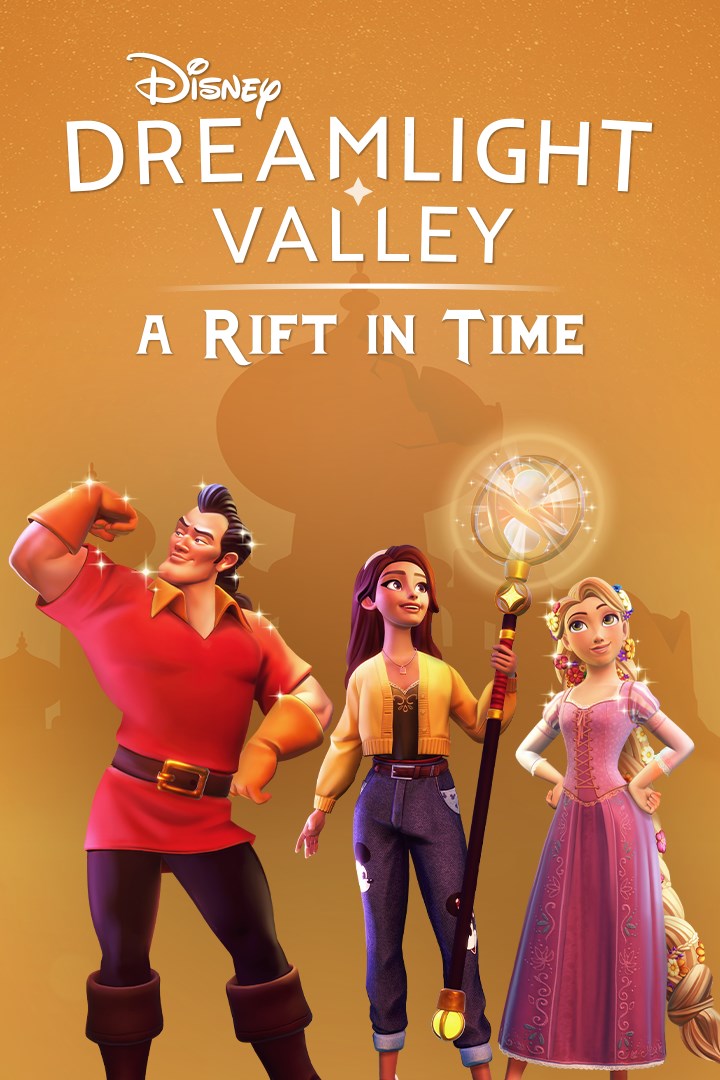
Disney Dreamlight Valley: A Rift in Time
Details
- Publisher
- Gameloft SE
- Developer
- —
- Release date
- 02.03.2024
- Age rating
- ESRB:E
- Localization
- English
Purchase options
Platform
Primary: our account is set as the home Xbox of your console ("My home Xbox"), so the game is shared with your own profile and works offline — that is one slot on one console. Secondary: you sign in to our account and launch the game from it, and the console has to stay online. The activation code is an extra option: it is redeemed on your own account, and the game stays there forever.
You install the game from our account and set our account as the home one ("My home Xbox"): after that you play from your own profile, and the progress and achievements stay yours. It works offline.
You sign in to our account and play right from it. A permanent internet connection is required and only the issued profile can be used. It costs less than the primary access.
A bonus way to buy: you get a 25-character code and redeem it on your own account. The game stays with you forever, no other profiles and no sign-in to a shared account.
What happens after payment
About the game
Once an ancient kingdom full of treasures and magical artifacts, Eternity Isle has become lost in time as a result of Jafar’s meddling in magic. Journey to this faraway land and utilize a mysterious new Royal Tool—the Hourglass—as you discover new secrets and uncover lost treasures. Stop Jafar’s scheme to steal the Spark of Imagination, an ancient relic that holds the fabric of Dreamlight Valley together. With the help of the Hourglass, you are the key to fixing rifts in time and putting an end to Jafar’s evil plan!
Unravel a Whole New Story on Eternity Isle
Help foil the plans of the nefarious Jafar as you meet new friends and find treasures lost in time in a new story unfolding in three acts. Secrets from Dreamlight Valley’s past can be uncovered using a new Royal Tool, the Hourglass, as you reveal what happened long before the Forgetting…
Discover a New Island
Delve into three new Biomes, each with new areas to explore and make your own. From Ancient’s Landing to the Glittering Dunes and the Wild Tangle, each has a fully customizable layout to decorate with lost treasures and exclusive Disney- and Pixar-inspired furniture.
Spend Time with Four New Villagers
Reunite EVE with WALL·E, help Rapunzel start an art class, take lessons in heroics from Gaston, and decide if you can really trust Jafar. Explore Eternity Isle with your new friends… or move them back to live in Dreamlight Valley!
Play Scramblecoin, a new board game that your Villagers are waiting to play with you.
Wield the Royal Hourglass
Find a new Royal Tool, the Hourglass, and use its magic to find Relics lost in time. Build Ancient Machines to help automate Activities such as gardening and cooking, which makes it easier than ever to run your island. Take your new Hourglass back to Dreamlight Valley and explore the Realms to see what other treasures you can find!
Screenshots
Click a frame to open it larger, use the arrows to browse
How to activate
Guide for Xbox One
Primary — the game is shared with your own profile
- 1Press the Xbox button, open "Profile & system" → "Add or switch" → "Add new" and sign in with the login and password from your order.
- 2Now open "Settings" → "General" → "Personalization" → "My home Xbox" and choose "Make this my home Xbox". This is what shares our games with every profile on your console.
- 3Switch back to your own profile, open "My games & apps" → "Library" and install the game. The internet is only needed for the download.
- 4Launch the game from your own profile: achievements, saves and progress stay yours, and after the installation the game works offline.
Only one console at a time can be the home Xbox for our account — that is the slot you bought. Please do not change the password, the email or the two-factor settings of the account, or the access will be blocked.
Secondary — you play from our account
- 1Press the Xbox button, open "Profile & system" → "Add or switch" → "Add new" and sign in with the login and password from your order.
- 2Open "My games & apps" → "Library", switch to our profile in the top-left corner and install the game.
- 3Launch the game while our profile stays signed in, and keep the console online: the licence is checked over the internet.
- 4Use your own profile for everything else — the game stays available as long as our account is signed in on this console.
Secondary costs less, but it needs a permanent internet connection and our account stays signed in on your console.
Activation code
- 1On the console open "Store" and go to the "Redeem code" section.
- 2Enter the 25-character code from your order and confirm the activation on your own account.
- 3After the activation the code is shown as "Used" — but you can reinstall the game from your library at any time.
Notes for Xbox One
Important
How to play online
Warranty and support
The warranty covers the whole period of use of the account. If the access stops working, we replace the account or refund your money.
- If the game stops launching, we replace the account or refund your money.
- Average support response time — 15–30 minutes during working hours.
- The warranty covers the whole rental period of the access.
Support
Telegram: @weskars
E-mail: support@gears.games
Working hours: daily 11:00 – 23:00 (UTC+3)
Every order goes through clear stages: "New" → "Awaiting payment" → "Paid" → "Delivered". You can follow the status in your account page.
Similar games
More games in the "Simulation" genre



