
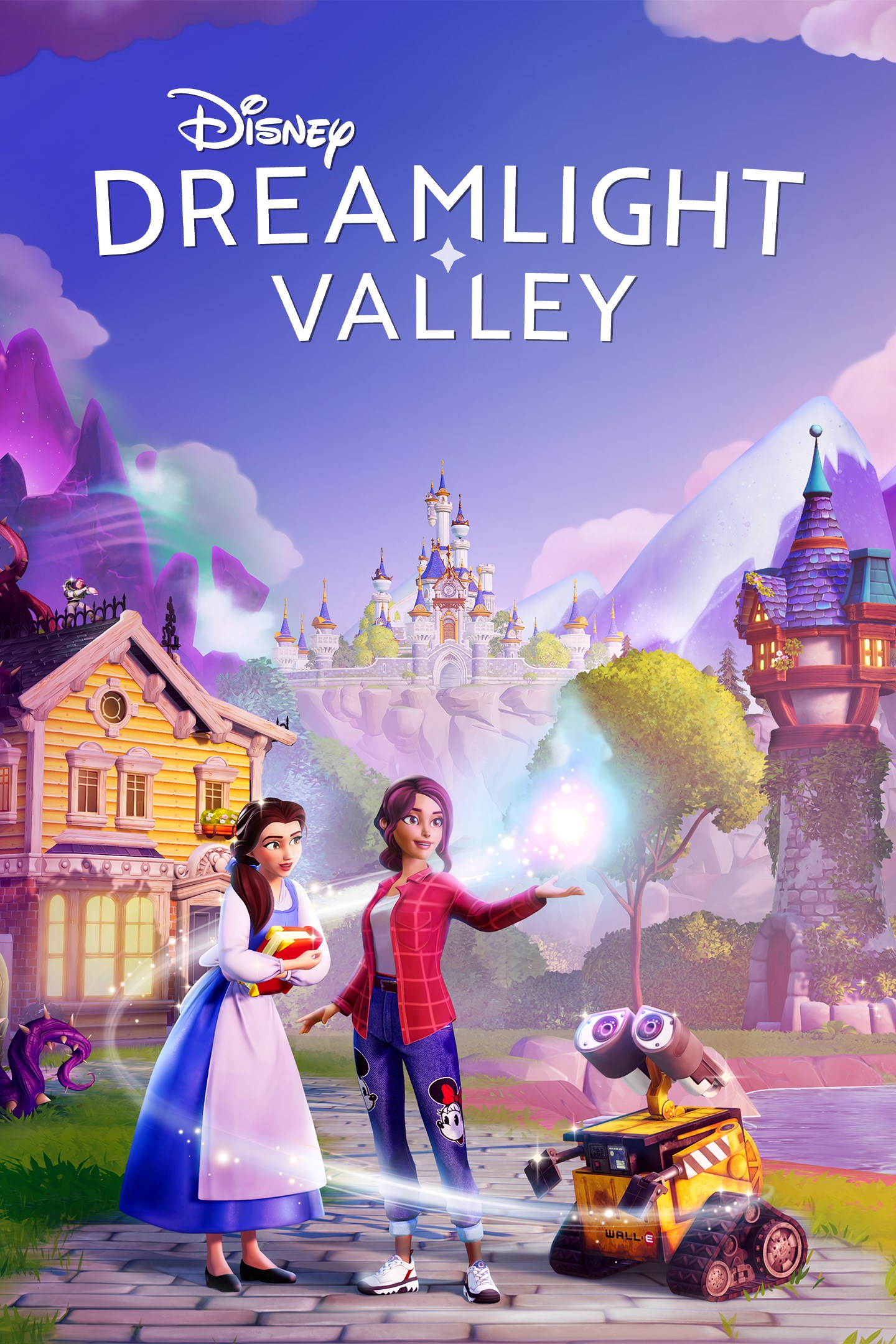
Disney Dreamlight Valley
Details
- Publisher
- Gameloft SE
- Developer
- Gameloft SE
- Release date
- 06.09.2022
- Age rating
- ESRB:E
- Localization
- English
Purchase options
Platform
Primary: our account is set as the home Xbox of your console ("My home Xbox"), so the game is shared with your own profile and works offline — that is one slot on one console. Secondary: you sign in to our account and launch the game from it, and the console has to stay online. The activation code is an extra option: it is redeemed on your own account, and the game stays there forever.
You install the game from our account and set our account as the home one ("My home Xbox"): after that you play from your own profile, and the progress and achievements stay yours. It works offline.
You sign in to our account and play right from it. A permanent internet connection is required and only the issued profile can be used. It costs less than the primary access.
A bonus way to buy: you get a 25-character code and redeem it on your own account. The game stays with you forever, no other profiles and no sign-in to a shared account.
What happens after payment
About the game
INCLUDES 8,000 MOONSTONES*
Disney Dreamlight Valley is a hybrid between a life-sim and an adventure game rich with quests, exploration, and engaging activities featuring Disney and Pixar friends, both old and new.
Once an idyllic land, Dreamlight Valley was a place where Disney and Pixar characters lived in harmony—until the Forgetting. Night Thorns grew across the land and severed the wonderful memories tied to this magical place. With nowhere else to go, the hopeless inhabitants of Dreamlight Valley retreated behind locked doors in the Dream Castle.
Now it's up to you to discover the stories of this world and bring the magic back to Dreamlight Valley!
Discover the Secrets of Dreamlight Valley
Free the Dream Castle from the insidious grip of the Forgetting, and unlock the unique Realms of well-loved Disney and Pixar characters, including great queens and kings such as Anna and Simba. Each Realm contains unique challenges with puzzles to solve in the quest to bring friendship back to the Valley.
You’ll start your adventure in the Valley, but your journey will take you to infinity… and beyond! Explore what lurks in the Forest of Valor and brave the deepest caverns as you take on challenges from iconic Disney and Pixar heroes and villains. Who knows who—or what—you might discover.
Forge Friendships with Disney & Pixar Characters
Garden with WALL•E, cook with Remy or kick back and fish with Goofy. What better way to collect, craft, and rebuild the Valley than with a friend! From beautiful princesses to nefarious villains, every Dreamlight Valley resident brings their own story arc, quests, and rewards. Meet up in daily hangouts and make friends with some of your favorite Disney and Pixar characters.
Restore the Valley to Its Former Glory
Free the Valley from the grip of the Forgetting and return Dreamlight Valley to its former greatness by making it your own. In Dreamlight Valley, you can build the perfect neighborhood that is just for you with a fully customizable layout, creative landscaping, and thousands of decorative items.
Will you settle on the Beach next to Moana, or call Buzz Lightyear your next-door neighbor in the Plaza?
Express Your Disney Style
Bring out your inner princess, villain, or Disney bounder! Assemble unique outfits and decorate your home with thousands of fantastic items. Using the Touch of Magic tool, you can even create your own designs with Disney- and Pixar-inspired decals!
With the in-game Camera, get ready to snap a sunset selfie with Mirabel, capture a culinary creation with Remy, or simply cherish a moment.
A Game in Constant Evolution
New content means that there's always something fresh to explore. Meet new characters in the Valley, check out the latest clothing and furniture collections in Scrooge’s Store, and complete challenging in-game events! Be sure to dream your way back to Dreamlight Valley regularly to discover new adventures!
*Moonstones are an in-game currency that can be collected for free by performing tasks in the game or be purchased using real money. They are used to unlock the premium track of the Star Path (a battle-pass-inspired system that grants in-game cosmetic items as a player completes various tasks and missions). Moonstones can also be used to accelerate progress in the Star Path. Additionally, Moonstones can be used to purchase cosmetic items from the in-game store.
Screenshots
Click a frame to open it larger, use the arrows to browse
How to activate
Guide for Xbox One
Primary — the game is shared with your own profile
- 1Press the Xbox button, open "Profile & system" → "Add or switch" → "Add new" and sign in with the login and password from your order.
- 2Now open "Settings" → "General" → "Personalization" → "My home Xbox" and choose "Make this my home Xbox". This is what shares our games with every profile on your console.
- 3Switch back to your own profile, open "My games & apps" → "Library" and install the game. The internet is only needed for the download.
- 4Launch the game from your own profile: achievements, saves and progress stay yours, and after the installation the game works offline.
Only one console at a time can be the home Xbox for our account — that is the slot you bought. Please do not change the password, the email or the two-factor settings of the account, or the access will be blocked.
Secondary — you play from our account
- 1Press the Xbox button, open "Profile & system" → "Add or switch" → "Add new" and sign in with the login and password from your order.
- 2Open "My games & apps" → "Library", switch to our profile in the top-left corner and install the game.
- 3Launch the game while our profile stays signed in, and keep the console online: the licence is checked over the internet.
- 4Use your own profile for everything else — the game stays available as long as our account is signed in on this console.
Secondary costs less, but it needs a permanent internet connection and our account stays signed in on your console.
Activation code
- 1On the console open "Store" and go to the "Redeem code" section.
- 2Enter the 25-character code from your order and confirm the activation on your own account.
- 3After the activation the code is shown as "Used" — but you can reinstall the game from your library at any time.
Notes for Xbox One
Important
How to play online
Warranty and support
The warranty covers the whole period of use of the account. If the access stops working, we replace the account or refund your money.
- If the game stops launching, we replace the account or refund your money.
- Average support response time — 15–30 minutes during working hours.
- The warranty covers the whole rental period of the access.
Support
Telegram: @weskars
E-mail: support@gears.games
Working hours: Daily 11:00–23:00 (UTC+3)
Every order goes through clear stages: "New" → "Awaiting payment" → "Paid" → "Delivered". You can follow the status in your account page.
Similar games
More games in the "Simulation" genre



