Dark Light
Details
- Publisher
- Mirari&Co. Pty, Ltd.
- Developer
- Mirari&Co. Pty, Ltd.
- Release date
- 14.11.2025
- Age rating
- ESRB:T
- Localization
- English
Purchase options
Primary: our account is set as the home Xbox of your console ("My home Xbox"), so the game is shared with your own profile and works offline — that is one slot on one console. Secondary: you sign in to our account and launch the game from it, and the console has to stay online. The activation code is an extra option: it is redeemed on your own account, and the game stays there forever.
You install the game from our account and set our account as the home one ("My home Xbox"): after that you play from your own profile, and the progress and achievements stay yours. It works offline.
You sign in to our account and play right from it. A permanent internet connection is required and only the issued profile can be used. It costs less than the primary access.
A bonus way to buy: you get a 25-character code and redeem it on your own account. The game stays with you forever, no other profiles and no sign-in to a shared account.
What happens after payment
About the game
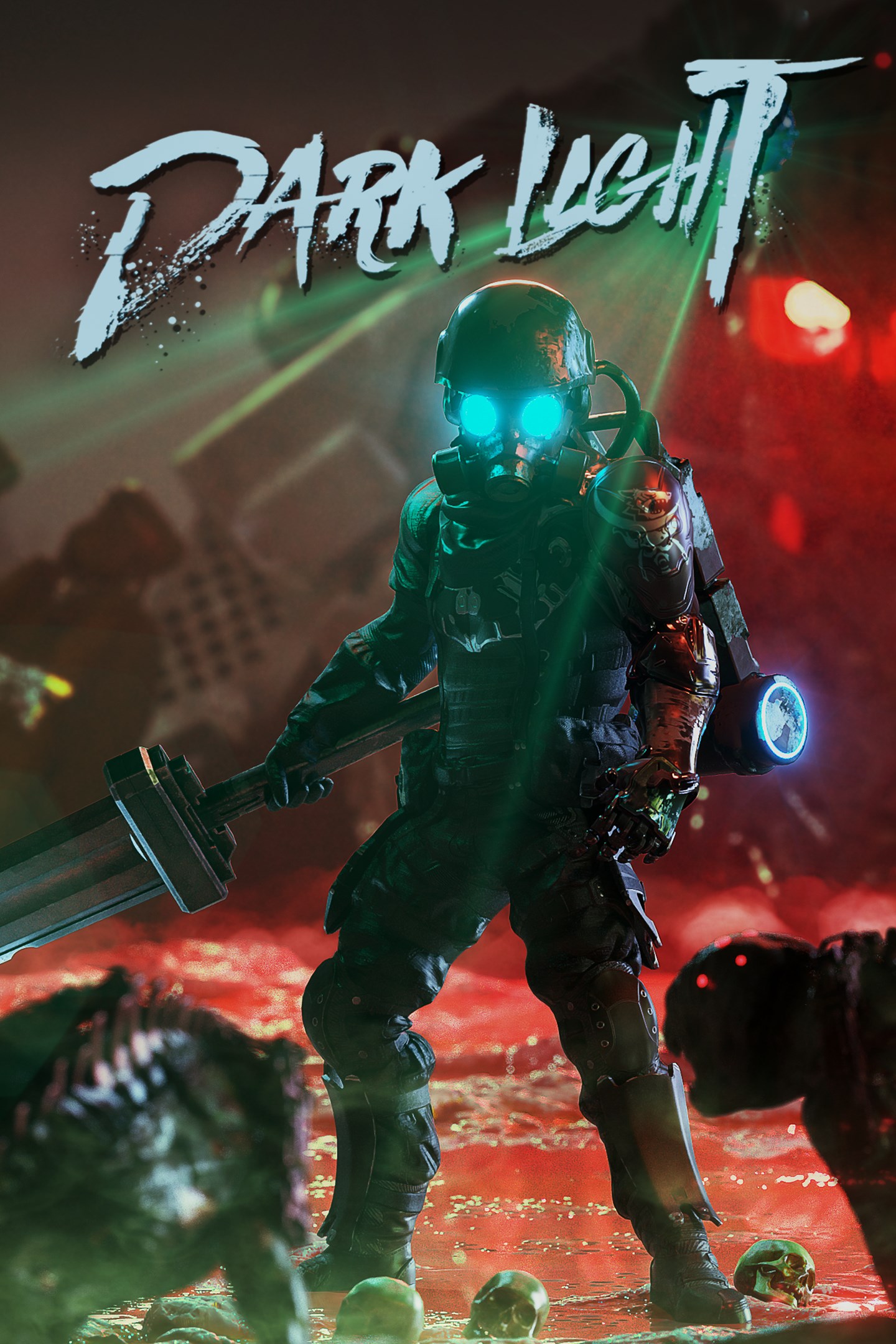
Dark light is a riveting souls-like game featuring fast-paced combat in a post-apocalyptic world.
In the aftermath of the apocalypse, the world is shrouded in an impenetrable darkness, a realm now home to creatures birthed from the Dark Void. As the last of the Dark Hunters, an elite cadre of human warriors, you are entrusted with a daunting task: to seal the Dark Void and rescue humanity from an impending doom.
Venture into the heart of this darkness, into the mysterious and perilous zones now claimed by the night. Augment your abilities with cyberwares, face the supernatural entities that lurk in the shadows, and engage in brutal combat against hordes of ferocious creatures. Collect their energy shards, join a faction, unlock skills, and face epic bosses in your relentless pursuit to halt the cycle of eternal darkness.
FEATURES
-Unveiling Unique Visuals and Dynamic World:
Immerse yourself in the choice of Pixel Mode or Cinematic Mode, granting a nostalgic pixel aesthetic or visually striking experience. Explore 6 distinct biomes where enemies and temporary power-ups continuously evolve with each playthrough. Overcome 14 major bosses, numerous elites, and mini-bosses to acquire valuable loot and upgrade materials.
-Intense Gameplay and Progression: Engage in challenging Souls-Like combat, mastering timing, dodging, and parrying. Progress through loot, items, and character upgrades, enhancing attributes like Strength, Agility, Faith, Intellect, and Blood.
-Cyberware Enhancement: Choose from 100+ unique Cyberware gears, improving abilities across various categories. Obtain gears through drops or purchases.
-Experience an ever-evolving world with shifting challenges and acquire unique power-ups through temporary totems. Collect new drones from various Factions and defeat powerful bosses to gain permanent upgrades in your skill tree.
-Customizable Arsenal: Wield 9 melee-style weapons and 6 ranged base weapons, upgrading them with elemental gems for devastating effects.
-Skill Tree and Faction System: Join a faction and unlock unique drones with 25-30 skills per faction, allowing you to tailor your playstyle and explore diverse paths of character development. Earn skill points by defeating bosses and completing quests, and strategically navigate the skill tree to master your preferred abilities.
Screenshots
Click a frame to open it larger, use the arrows to browse
How to activate
Guide for Xbox Series X|S
Primary — the game is shared with your own profile
- 1Press the Xbox button, open "Profile & system" → "Add or switch" → "Add new" and sign in with the login and password from your order.
- 2Now open "Settings" → "General" → "Personalization" → "My home Xbox" and choose "Make this my home Xbox". This is what shares our games with every profile on your console.
- 3Switch back to your own profile, open "My games & apps" → "Library" and install the game. The internet is only needed for the download.
- 4Launch the game from your own profile: achievements, saves and progress stay yours, and after the installation the game works offline.
Only one console at a time can be the home Xbox for our account — that is the slot you bought. Please do not change the password, the email or the two-factor settings of the account, or the access will be blocked.
Secondary — you play from our account
- 1Press the Xbox button, open "Profile & system" → "Add or switch" → "Add new" and sign in with the login and password from your order.
- 2Open "My games & apps" → "Library", switch to our profile in the top-left corner and install the game.
- 3Launch the game while our profile stays signed in, and keep the console online: the licence is checked over the internet.
- 4Use your own profile for everything else — the game stays available as long as our account is signed in on this console.
Secondary costs less, but it needs a permanent internet connection and our account stays signed in on your console.
Activation code
- 1On the console open "Store" and go to the "Redeem code" section.
- 2Enter the 25-character code from your order and confirm the activation on your own account.
- 3After the activation the code is shown as "Used" — but you can reinstall the game from your library at any time.
Notes for Xbox Series
Important
How to play online
Warranty and support
The warranty covers the whole period of use of the account. If the access stops working, we replace the account or refund your money.
- If the game stops launching, we replace the account or refund your money.
- Average support response time — 15–30 minutes during working hours.
- The warranty covers the whole rental period of the access.
Support
Telegram: @weskars
E-mail: support@gears.games
Working hours: daily 11:00 – 23:00 (UTC+3)
Every order goes through clear stages: "New" → "Awaiting payment" → "Paid" → "Delivered". You can follow the status in your account page.
Similar games
More games in the "Platformer" genre