
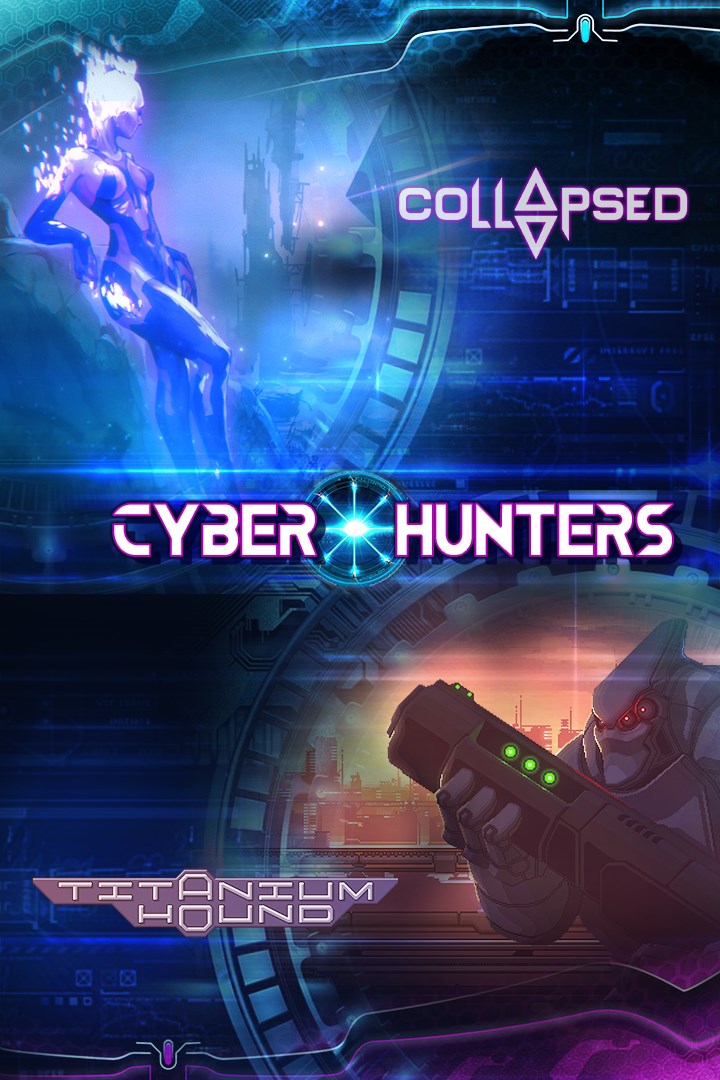
Cyber Hunters
Details
- Publisher
- OverGamez
- Developer
- —
- Release date
- 16.06.2023
- Age rating
- ESRB:T
- Localization
- English
Purchase options
Platform
Primary: our account is set as the home Xbox of your console ("My home Xbox"), so the game is shared with your own profile and works offline — that is one slot on one console. Secondary: you sign in to our account and launch the game from it, and the console has to stay online. The activation code is an extra option: it is redeemed on your own account, and the game stays there forever.
You install the game from our account and set our account as the home one ("My home Xbox"): after that you play from your own profile, and the progress and achievements stay yours. It works offline.
You sign in to our account and play right from it. A permanent internet connection is required and only the issued profile can be used. It costs less than the primary access.
A bonus way to buy: you get a 25-character code and redeem it on your own account. The game stays with you forever, no other profiles and no sign-in to a shared account.
What happens after payment
About the game
Try your skills and have fun with our amazing bundle of two action games.
Bundle includes:
1) Collapsed
Collapsed is a post-apocalyptic roguelike action-platformer. Hunt your prey through vast procedurally-generated levels filled with tough enemies, useful loot and experience points.
In Collapsed you play as one of 4 unique Hunters who have to track down their prey. Each one has its own set of abilities, skills and combat style. You’ll have to travel through hazardous procedurally-generated levels, fighting dozens of enemy types and challenging bosses. This post-apocalyptic world is filled with useful items, that you’ll combine to gain new traits, and with experience points, you’ll invest in a vast skill tree. And you won’t lose all of your precious treasure when you’ll die! You’ll die a lot, and start from the beginning each time – but all of your loot and items are carried to your next run.
2) Titanium Hound
Titanium Hound is 2D retro-looking action platformer in cyberpunk genre, where you are going to pilot huge and agile exoskeleton to crush hordes of enemies.
Dark and not so distant future. Scientific breakthrough led to usage of microbe colonies as power sources in all aspects of life. Corporations that control these living batteries development and production became very weightful political powers in the world. Crime, inequality and corruption under their influence reached levels unimaginable before. In attempt to take this chaos under control governments reorganized their police forces and boosted them with top notch military gear.
You are Titanium Hound pilot and a kind of cop who wants to protect and serve, helping commoners who were unlucky to get in the middle of gang wars. Abominations, hacked drones and crazed gangsters are just the tip of the iceberg you are trying to break down without full understanding the scope of the problem. You are prepared much better than any regular police unit, but even so your hands are often tied, especially when it comes to questioning corporate regulations.
Screenshots
Click a frame to open it larger, use the arrows to browse
How to activate
Guide for Xbox One
Primary — the game is shared with your own profile
- 1Press the Xbox button, open "Profile & system" → "Add or switch" → "Add new" and sign in with the login and password from your order.
- 2Now open "Settings" → "General" → "Personalization" → "My home Xbox" and choose "Make this my home Xbox". This is what shares our games with every profile on your console.
- 3Switch back to your own profile, open "My games & apps" → "Library" and install the game. The internet is only needed for the download.
- 4Launch the game from your own profile: achievements, saves and progress stay yours, and after the installation the game works offline.
Only one console at a time can be the home Xbox for our account — that is the slot you bought. Please do not change the password, the email or the two-factor settings of the account, or the access will be blocked.
Secondary — you play from our account
- 1Press the Xbox button, open "Profile & system" → "Add or switch" → "Add new" and sign in with the login and password from your order.
- 2Open "My games & apps" → "Library", switch to our profile in the top-left corner and install the game.
- 3Launch the game while our profile stays signed in, and keep the console online: the licence is checked over the internet.
- 4Use your own profile for everything else — the game stays available as long as our account is signed in on this console.
Secondary costs less, but it needs a permanent internet connection and our account stays signed in on your console.
Activation code
- 1On the console open "Store" and go to the "Redeem code" section.
- 2Enter the 25-character code from your order and confirm the activation on your own account.
- 3After the activation the code is shown as "Used" — but you can reinstall the game from your library at any time.
Notes for Xbox One
Important
How to play online
Warranty and support
The warranty covers the whole period of use of the account. If the access stops working, we replace the account or refund your money.
- If the game stops launching, we replace the account or refund your money.
- Average support response time — 15–30 minutes during working hours.
- The warranty covers the whole rental period of the access.
Support
Telegram: @weskars
E-mail: support@gears.games
Working hours: daily 11:00 – 23:00 (UTC+3)
Every order goes through clear stages: "New" → "Awaiting payment" → "Paid" → "Delivered". You can follow the status in your account page.
Similar games
More games in the "Action & adventure" genre



