
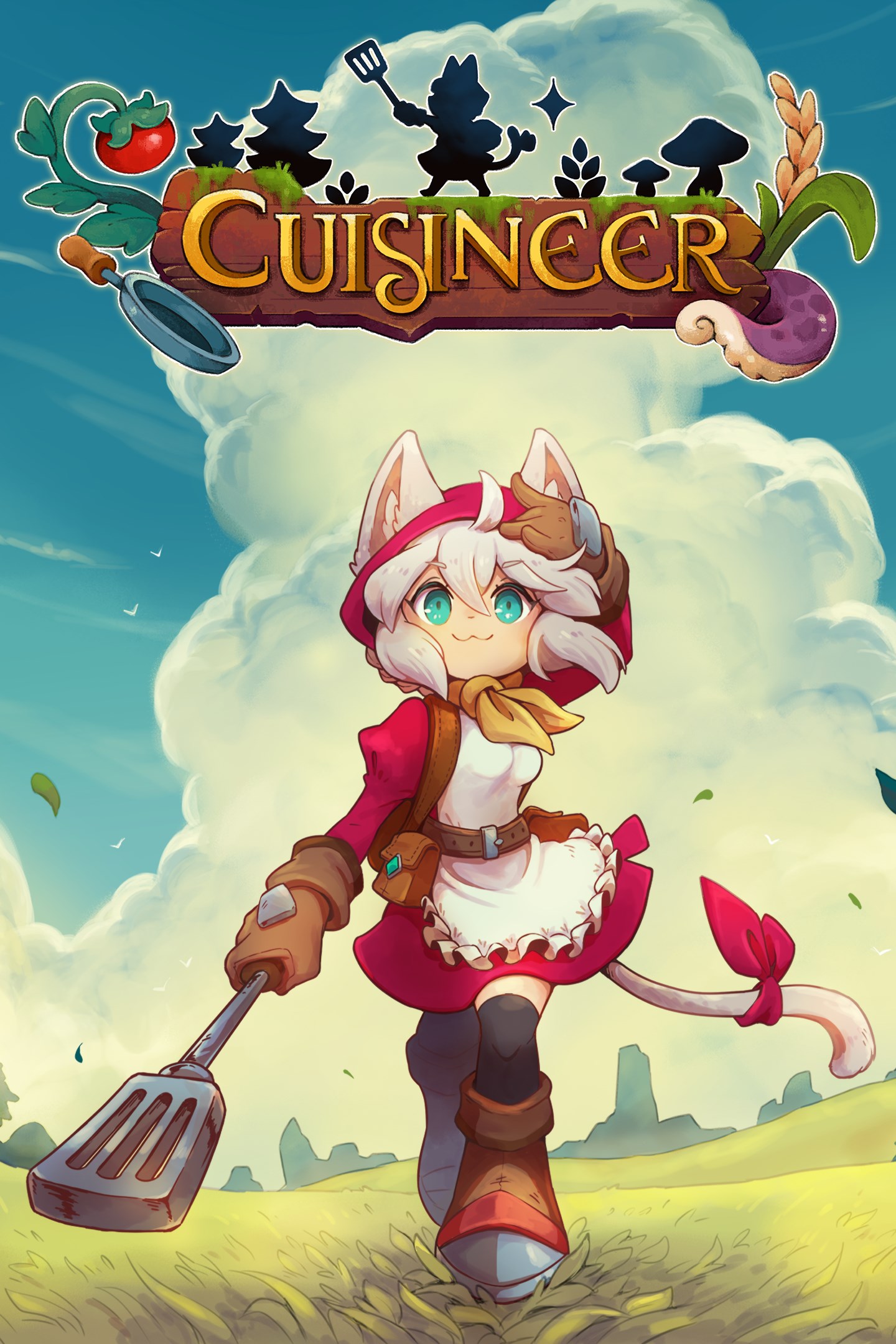
Cuisineer
Details
- Publisher
- XSEED Games
- Developer
- BattleBrew Productions
- Release date
- 28.01.2025
- Age rating
- ESRB:E10
- Localization
- English
Purchase options
Primary: our account is set as the home Xbox of your console ("My home Xbox"), so the game is shared with your own profile and works offline — that is one slot on one console. Secondary: you sign in to our account and launch the game from it, and the console has to stay online. The activation code is an extra option: it is redeemed on your own account, and the game stays there forever.
You install the game from our account and set our account as the home one ("My home Xbox"): after that you play from your own profile, and the progress and achievements stay yours. It works offline.
You sign in to our account and play right from it. A permanent internet connection is required and only the issued profile can be used. It costs less than the primary access.
A bonus way to buy: you get a 25-character code and redeem it on your own account. The game stays with you forever, no other profiles and no sign-in to a shared account.
What happens after payment
About the game
Upon receiving a startling letter from her parents, the independent adventurer Pom swiftly returns home to Paell, only to find her parents gone and their beloved restaurant abandoned. Now left with mounting debts and a village in dire need of some fine cooking, Pom will have to delve into the deepest dungeons for the scarcest spices, rarest meats, and the most valuable vegetables she can find to keep her parents’ dream alive.
Dive into dungeons and cook up a storm as Pom, an adventurer-turned-restaurateur! Cuisineer‘s food-focused action challenges you to build your dinner the hard way: by dungeon-diving for materials and ingredients. Wield your cooking utensils against giant chickens, artillery shrimps, fire-breathing peppers, and other pesky perils, sipping boba tea along the way. Work with local artisans to customize your kitchen, and tailor your dining hall to the needs of loyal patrons eager to experience the rare recipes you’ve cooked up.
The Xbox Series X/S and Windows Store release of Cuisineer plates its enticing gameplay with fresh ingredients like new weapons, year-round festivals, a wardrobe feature, and more tasty inclusions that are sure to spice things up.
A Smorgasbord of Dungeons
Explore procedurally generated biomes such as the Green Ruins, Frozen Fjord, and Konpeito Swamps that change their size, shape, and resources every time you visit.
Craft Your Own Culinary Experience
Cook over 100 different recipes from around the world, from crunchy Popiah rolls to rich Kaya jam, from double-fried crispy chicken with zesty lemon, to sweet treats piled high with berries. Get the right dishes to the right customers and customize your kitchen and dining hall with the help of local artisans.
Master the Flavors of Fighting
Knock out monsters and rivals with Salty, Sour, Sweet, Bitter, Umami, Frosty and Toasty powers that unleash flame, poison, chain lightning, and other fantastic effects. You can also fight with unique utensils and gourmet gear, like Spatula, Smackerel, Swordfish, and the newly added Konpeito Fist weapons!
Take Quests to Go
From Naicha the Bubble Tea seller to Alder the big friendly carpenter, Paell is full of sweet and spicy townsfolk to befriend. While you’re dungeon diving, be on the lookout for items the townsfolk need. You’ll be rewarded with gold, new items, and even more recipes to take your cooking and adventuring to new heights.
Screenshots
Click a frame to open it larger, use the arrows to browse
How to activate
Guide for Xbox Series X|S
Primary — the game is shared with your own profile
- 1Press the Xbox button, open "Profile & system" → "Add or switch" → "Add new" and sign in with the login and password from your order.
- 2Now open "Settings" → "General" → "Personalization" → "My home Xbox" and choose "Make this my home Xbox". This is what shares our games with every profile on your console.
- 3Switch back to your own profile, open "My games & apps" → "Library" and install the game. The internet is only needed for the download.
- 4Launch the game from your own profile: achievements, saves and progress stay yours, and after the installation the game works offline.
Only one console at a time can be the home Xbox for our account — that is the slot you bought. Please do not change the password, the email or the two-factor settings of the account, or the access will be blocked.
Secondary — you play from our account
- 1Press the Xbox button, open "Profile & system" → "Add or switch" → "Add new" and sign in with the login and password from your order.
- 2Open "My games & apps" → "Library", switch to our profile in the top-left corner and install the game.
- 3Launch the game while our profile stays signed in, and keep the console online: the licence is checked over the internet.
- 4Use your own profile for everything else — the game stays available as long as our account is signed in on this console.
Secondary costs less, but it needs a permanent internet connection and our account stays signed in on your console.
Activation code
- 1On the console open "Store" and go to the "Redeem code" section.
- 2Enter the 25-character code from your order and confirm the activation on your own account.
- 3After the activation the code is shown as "Used" — but you can reinstall the game from your library at any time.
Notes for Xbox Series
Important
How to play online
Warranty and support
The warranty covers the whole period of use of the account. If the access stops working, we replace the account or refund your money.
- If the game stops launching, we replace the account or refund your money.
- Average support response time — 15–30 minutes during working hours.
- The warranty covers the whole rental period of the access.
Support
Telegram: @weskars
E-mail: support@gears.games
Working hours: daily 11:00 – 23:00 (UTC+3)
Every order goes through clear stages: "New" → "Awaiting payment" → "Paid" → "Delivered". You can follow the status in your account page.
Similar games
More games in the "Action & adventure" genre



