
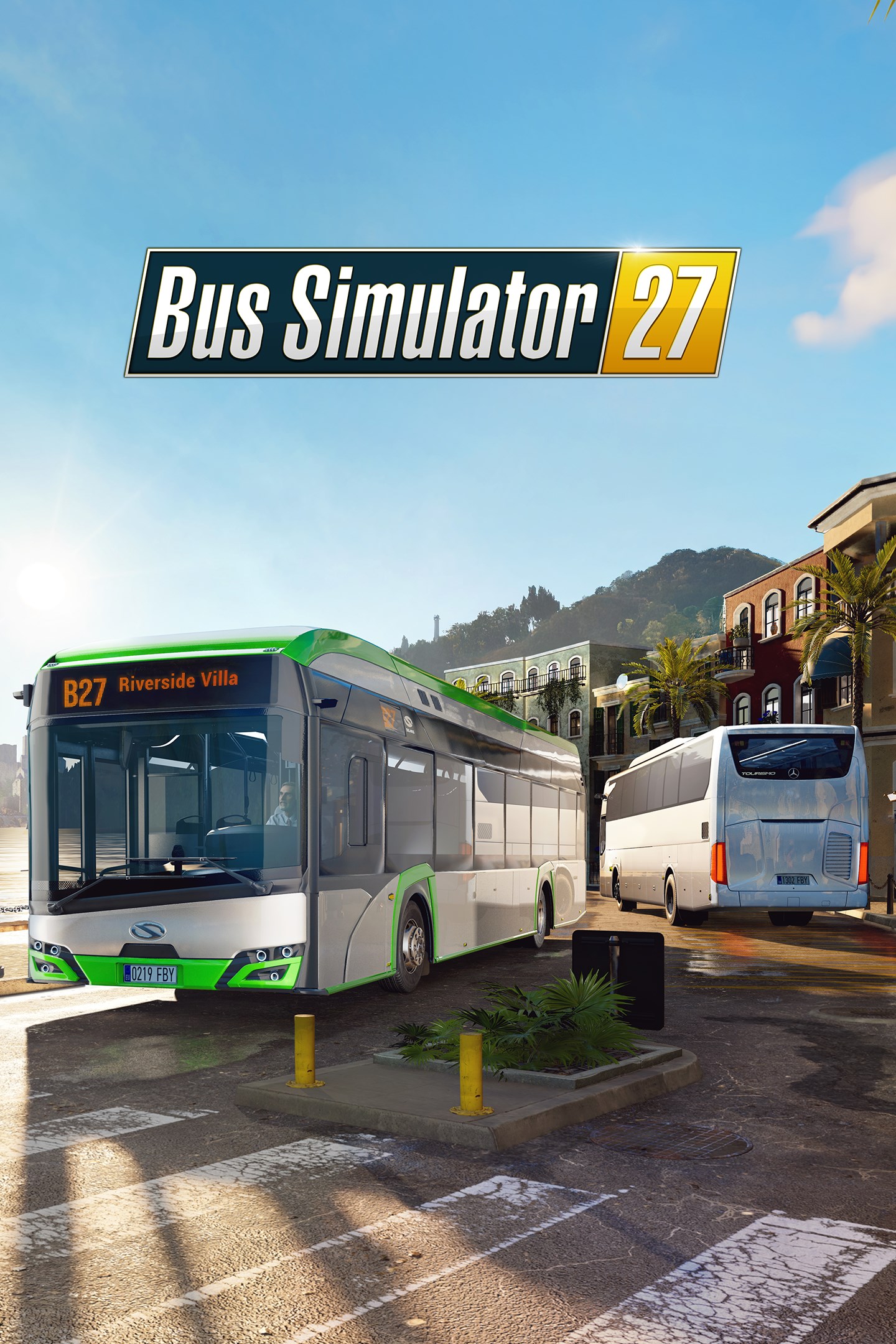
Bus Simulator 27
Details
- Publisher
- astragon Entertainment
- Developer
- SIMTERACT
- Release date
- —
- Age rating
- ESRB:E
- Localization
- English
Purchase options
Primary: our account is set as the home Xbox of your console ("My home Xbox"), so the game is shared with your own profile and works offline — that is one slot on one console. Secondary: you sign in to our account and launch the game from it, and the console has to stay online. The activation code is an extra option: it is redeemed on your own account, and the game stays there forever.
You install the game from our account and set our account as the home one ("My home Xbox"): after that you play from your own profile, and the progress and achievements stay yours. It works offline.
You sign in to our account and play right from it. A permanent internet connection is required and only the issued profile can be used. It costs less than the primary access.
A bonus way to buy: you get a 25-character code and redeem it on your own account. The game stays with you forever, no other profiles and no sign-in to a shared account.
What happens after payment
About the game
Look forward to the most comprehensive and advanced bus fleet in the history of the series so far. More than 45 officially licensed buses from 13 world-famous manufacturers, such as Solaris™, Mercedes-Benz, MAN, IVECO BUS, Scania, and Volvo, are waiting for you to drive. Whether you are interested in classic rigid, articulated, and double-decker buses or in new electric buses – Bus Simulator 27 has got you covered. And for the first time ever in the series, you can get behind the wheel of impressive coach buses and enjoy long-distance journeys!
Felicia Bay is the perfect place to work where others go on vacation – a sunny fictive region in Southern Europe inspired by Spain and Portugal. Explore the vibrant twin cities of Alcaztelar and Mequina, featuring 20 unique districts packed with exciting landmarks – all brought to life by dynamic weather, a full day and night cycle, and bustling, crowded streets powered by Unreal® Engine 5. Create and serve routes, manage timetables, hire bus drivers, assign lines, customize buses with wraps and advertisements, and restore faith in public transportation in the local residents and visiting tourists.
Discover three different game modes and play the way you prefer: Story, Career, and Sandbox. Enjoy your time on the bus interacting with passengers. Watch out for in-bus and traffic events that may occur during your journey. And if you need a bit of variety, play as an inspector or take a ride as a passenger. You can also just exit the bus and explore Felicia Bay on foot to search for stunning points of interest and hidden collectibles.
Play solo or with your friends across all platforms in 4-player cooperative multiplayer crossplay mode. Coordinate routes and manage your bus fleet together and grow your company. Bus Simulator 27 supports a host of popular steering wheels and gamepads to make your ride as enjoyable as possible.
Jump aboard and let’s Ride the Sunshine!
Screenshots
Click a frame to open it larger, use the arrows to browse
How to activate
Guide for Xbox Series X|S
Primary — the game is shared with your own profile
- 1Press the Xbox button, open "Profile & system" → "Add or switch" → "Add new" and sign in with the login and password from your order.
- 2Now open "Settings" → "General" → "Personalization" → "My home Xbox" and choose "Make this my home Xbox". This is what shares our games with every profile on your console.
- 3Switch back to your own profile, open "My games & apps" → "Library" and install the game. The internet is only needed for the download.
- 4Launch the game from your own profile: achievements, saves and progress stay yours, and after the installation the game works offline.
Only one console at a time can be the home Xbox for our account — that is the slot you bought. Please do not change the password, the email or the two-factor settings of the account, or the access will be blocked.
Secondary — you play from our account
- 1Press the Xbox button, open "Profile & system" → "Add or switch" → "Add new" and sign in with the login and password from your order.
- 2Open "My games & apps" → "Library", switch to our profile in the top-left corner and install the game.
- 3Launch the game while our profile stays signed in, and keep the console online: the licence is checked over the internet.
- 4Use your own profile for everything else — the game stays available as long as our account is signed in on this console.
Secondary costs less, but it needs a permanent internet connection and our account stays signed in on your console.
Activation code
- 1On the console open "Store" and go to the "Redeem code" section.
- 2Enter the 25-character code from your order and confirm the activation on your own account.
- 3After the activation the code is shown as "Used" — but you can reinstall the game from your library at any time.
Notes for Xbox Series
Important
How to play online
Warranty and support
The warranty covers the whole period of use of the account. If the access stops working, we replace the account or refund your money.
- If the game stops launching, we replace the account or refund your money.
- Average support response time — 15–30 minutes during working hours.
- The warranty covers the whole rental period of the access.
Support
Telegram: @weskars
E-mail: support@gears.games
Working hours: daily 11:00 – 23:00 (UTC+3)
Every order goes through clear stages: "New" → "Awaiting payment" → "Paid" → "Delivered". You can follow the status in your account page.
Similar games
More games in the "Simulation" genre



