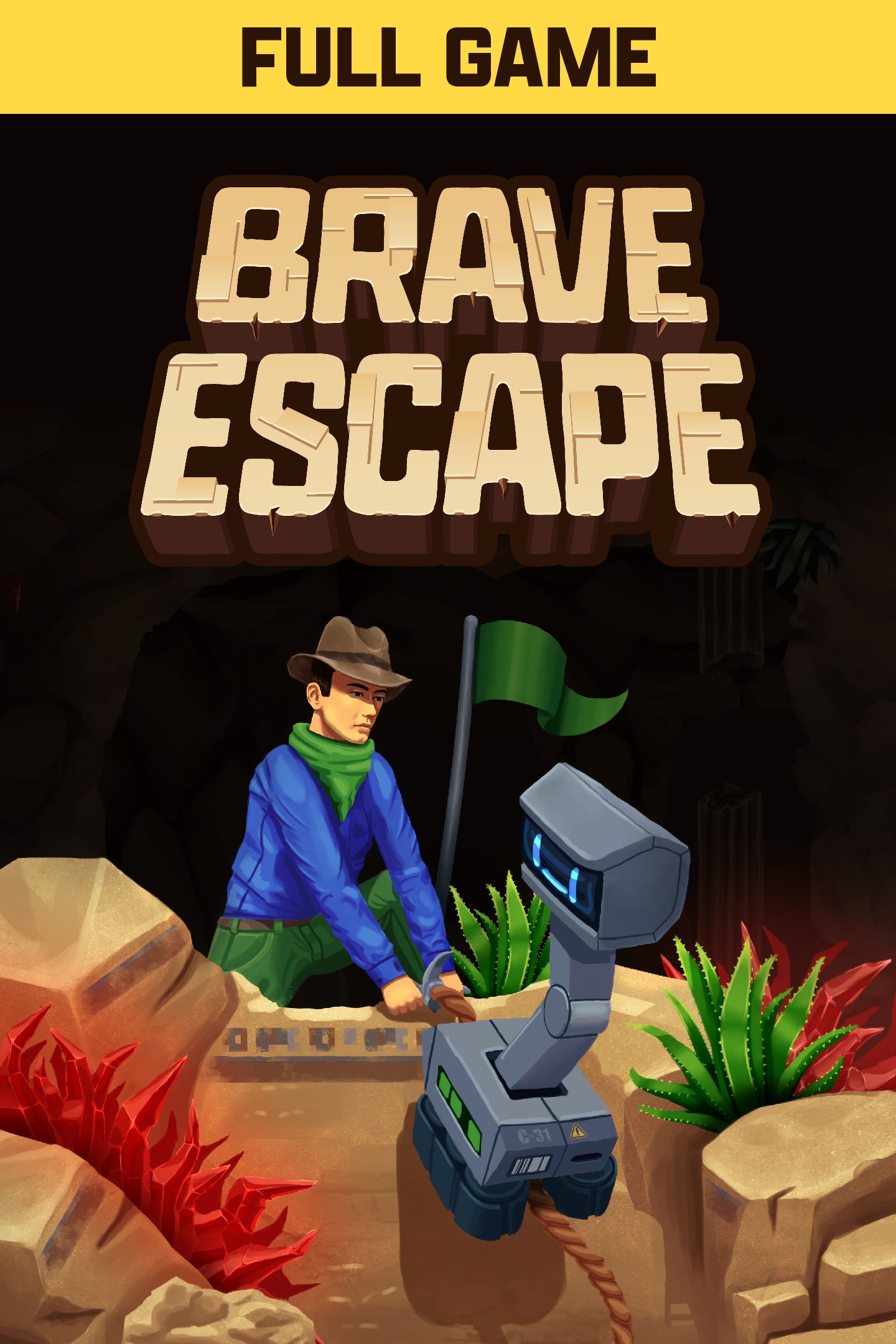
Brave Escape - Full Game
Details
- Publisher
- Hit Start Studios
- Developer
- Hit Start Studios
- Release date
- 24.07.2026
- Age rating
- ESRB:E
- Localization
- English
Purchase options
Platform
Primary: our account is set as the home Xbox of your console ("My home Xbox"), so the game is shared with your own profile and works offline — that is one slot on one console. Secondary: you sign in to our account and launch the game from it, and the console has to stay online. The activation code is an extra option: it is redeemed on your own account, and the game stays there forever.
You install the game from our account and set our account as the home one ("My home Xbox"): after that you play from your own profile, and the progress and achievements stay yours. It works offline.
You sign in to our account and play right from it. A permanent internet connection is required and only the issued profile can be used. It costs less than the primary access.
A bonus way to buy: you get a 25-character code and redeem it on your own account. The game stays with you forever, no other profiles and no sign-in to a shared account.
What happens after payment
About the game
A 2-Player Platforming Adventure
Brave Escape is a challenging 2 player co-op platformer where two players must work together to navigate through hundreds of hazard filled levels. Play as both Colin and Floyd in their bold quest that requires skilled synchronization with every step, jump and climb. Gather collectibles, uncover secrets, and experience the excitement of Brave Escape as you and your companion embark on an unforgettable journey.
Cooperative Gameplay
Each character comes with a unique ability - Floyd's boost mechanism and Colin's climbing rope are both essential tools that will help you tackle the cave's terrain. Synchronization and puzzle solving will be the key to your success.
Tools of the Trade
Based on your location, Floyd will be equipped with a special gadget to help in your quest.
- Glacial Falls: Wind Gun
- Glowing Depths: Flashlight
- Serpent's Hollow: Grapple Hook
- Moai Chambers: Freeze Gun
- Thunder Ridge: Magnet Gun
Two Ways to Play
Brave Escape offers two difficulty settings to suit you and your partner's level of skill. Standard mode provides a more approachable experience with gentler obstacles and forgiving timings, perfect for players who are newer to precision platformers. Brave mode is the ultimate challenge - the way the game was truly meant to be played, designed to push your skills and coordination to their absolute limit.
Let the Adventure Begin
Prepare for adventure! Wishlist Brave Escape now and be among the first to embark on this epic journey!
Screenshots
Click a frame to open it larger, use the arrows to browse
How to activate
Guide for Xbox One
Primary — the game is shared with your own profile
- 1Press the Xbox button, open "Profile & system" → "Add or switch" → "Add new" and sign in with the login and password from your order.
- 2Now open "Settings" → "General" → "Personalization" → "My home Xbox" and choose "Make this my home Xbox". This is what shares our games with every profile on your console.
- 3Switch back to your own profile, open "My games & apps" → "Library" and install the game. The internet is only needed for the download.
- 4Launch the game from your own profile: achievements, saves and progress stay yours, and after the installation the game works offline.
Only one console at a time can be the home Xbox for our account — that is the slot you bought. Please do not change the password, the email or the two-factor settings of the account, or the access will be blocked.
Secondary — you play from our account
- 1Press the Xbox button, open "Profile & system" → "Add or switch" → "Add new" and sign in with the login and password from your order.
- 2Open "My games & apps" → "Library", switch to our profile in the top-left corner and install the game.
- 3Launch the game while our profile stays signed in, and keep the console online: the licence is checked over the internet.
- 4Use your own profile for everything else — the game stays available as long as our account is signed in on this console.
Secondary costs less, but it needs a permanent internet connection and our account stays signed in on your console.
Activation code
- 1On the console open "Store" and go to the "Redeem code" section.
- 2Enter the 25-character code from your order and confirm the activation on your own account.
- 3After the activation the code is shown as "Used" — but you can reinstall the game from your library at any time.
Notes for Xbox One
Important
How to play online
Warranty and support
The warranty covers the whole period of use of the account. If the access stops working, we replace the account or refund your money.
- If the game stops launching, we replace the account or refund your money.
- Average support response time — 15–30 minutes during working hours.
- The warranty covers the whole rental period of the access.
Support
Telegram: @weskars
E-mail: support@gears.games
Working hours: daily 11:00 – 23:00 (UTC+3)
Every order goes through clear stages: "New" → "Awaiting payment" → "Paid" → "Delivered". You can follow the status in your account page.
Similar games
More games in the "Platformer" genre