
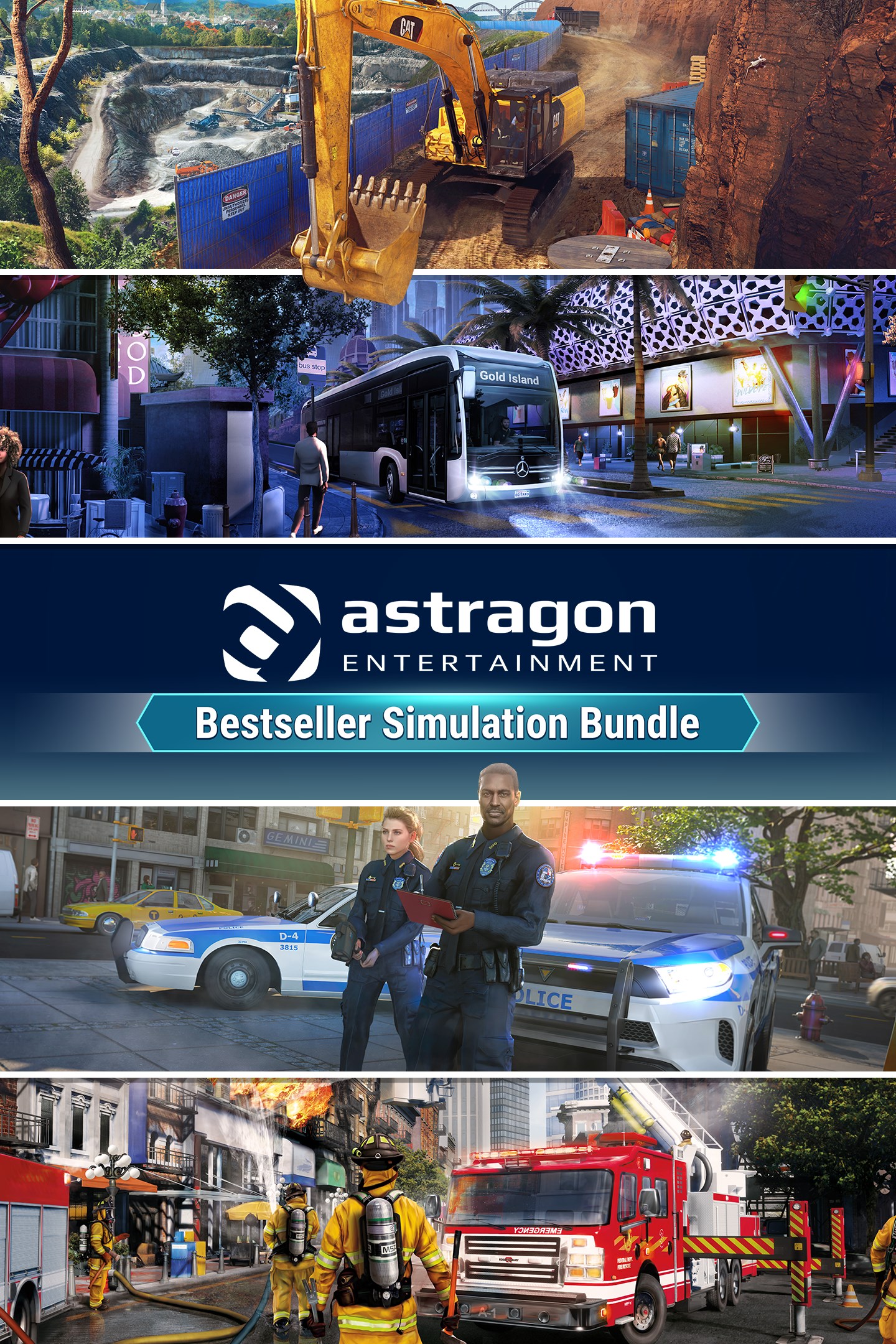
astragon Bestseller Simulation Bundle
Details
- Publisher
- astragon Entertainment
- Developer
- —
- Release date
- 29.03.2024
- Age rating
- ESRB:T
- Localization
- English
Purchase options
Platform
Primary: our account is set as the home Xbox of your console ("My home Xbox"), so the game is shared with your own profile and works offline — that is one slot on one console. Secondary: you sign in to our account and launch the game from it, and the console has to stay online. The activation code is an extra option: it is redeemed on your own account, and the game stays there forever.
You install the game from our account and set our account as the home one ("My home Xbox"): after that you play from your own profile, and the progress and achievements stay yours. It works offline.
You sign in to our account and play right from it. A permanent internet connection is required and only the issued profile can be used. It costs less than the primary access.
A bonus way to buy: you get a 25-character code and redeem it on your own account. The game stays with you forever, no other profiles and no sign-in to a shared account.
What happens after payment
About the game
The astragon Bestseller Simulation Bundle includes Construction Simulator, Police Simulator: Patrol Officers, Bus Simulator 21 Next Stop, as well as Firefighting Simulator - The Squad.
Construction Simulator
Construction Simulator has returned – larger and more impressive than ever! Fulfil your ambition to become a successful construction entrepreneur by establishing your business from scratch, assisted by your mentor Hape. Tackle intriguing projects of different sizes and requirements that help you increase your income, so that you're able to add even more powerful machinery to your vehicle fleet. Along the way, diverse clients will test your abilities as you navigate challenges, making every task a test of your skill set. Get ready to showcase your process as you tackle a variety of construction challenges in this dynamic and engaging adventure!
Dive back into the construction scene with a vehicle fleet that will leave you awestruck by its sheer size! Take your pick from a selection of over 80 machines from official licensing partners, all of which are faithful virtual recreations of their real-life counterparts. Look forward to a colorful mixture of vehicles from previous installments of the beloved franchise, as well as completely new additions to the game.
Police Simulator: Patrol Officers
Welcome to Brighton! Join the ranks of this fictitious American city's police force and experience the everyday life of a police officer. Begin with parking violations and work your way up to shouldering greater responsibilities. Be part of Brighton's community, get to know your neighborhood, and fulfill the daily duties of a police officer as you fight crime during your shift. Always be tough, but fair: respect the law and gain more experience to unlock more neighborhoods, districts, and duties!
Police Simulator: Patrol Officers includes a dynamic traffic system that organically creates traffic flows and car accidents, as well as emergency situations that randomly pop up during your shifts. Be ready to respond at a moment’s notice! Enter the open world of Brighton, where you can choose which neighborhoods you patrol and keep safe. Patrol three unique districts, each home to several neighborhoods. Each one has a distinct flair: from the high rises of downtown to the historical buildings of Brickston. Your duties are your responsibility!
Bus Simulator 21 Next Stop
It's your stop! Bus Simulator 21 Next Stop is here! Enjoy many game improvements and a brand-new game mode with this comprehensive update.
Career Mode combines Sandbox Mode with the campaign's economic system. You have access to all the bus stops and bus models right from the start of the game and don't have to unlock everything gradually by completing missions.
Firefighting Simulator - The Squad
Fire alert incoming! With Firefighting Simulator-The Squad, you can become part of a major US city's firefighting team and experience how it feels to fight fires.
Start the siren of your fire truck, grab your hose, and fight realistic fires to save lives. Discover over 40 diverse deployment locations spread across the city inspired by the North American West Coast. Equip yourself with authentic firefighting gear such as helmets, firefighter boots, and a breathing apparatus model by well-known North American firefighting equipment manufacturers.
Screenshots
Click a frame to open it larger, use the arrows to browse
How to activate
Guide for Xbox One
Primary — the game is shared with your own profile
- 1Press the Xbox button, open "Profile & system" → "Add or switch" → "Add new" and sign in with the login and password from your order.
- 2Now open "Settings" → "General" → "Personalization" → "My home Xbox" and choose "Make this my home Xbox". This is what shares our games with every profile on your console.
- 3Switch back to your own profile, open "My games & apps" → "Library" and install the game. The internet is only needed for the download.
- 4Launch the game from your own profile: achievements, saves and progress stay yours, and after the installation the game works offline.
Only one console at a time can be the home Xbox for our account — that is the slot you bought. Please do not change the password, the email or the two-factor settings of the account, or the access will be blocked.
Secondary — you play from our account
- 1Press the Xbox button, open "Profile & system" → "Add or switch" → "Add new" and sign in with the login and password from your order.
- 2Open "My games & apps" → "Library", switch to our profile in the top-left corner and install the game.
- 3Launch the game while our profile stays signed in, and keep the console online: the licence is checked over the internet.
- 4Use your own profile for everything else — the game stays available as long as our account is signed in on this console.
Secondary costs less, but it needs a permanent internet connection and our account stays signed in on your console.
Activation code
- 1On the console open "Store" and go to the "Redeem code" section.
- 2Enter the 25-character code from your order and confirm the activation on your own account.
- 3After the activation the code is shown as "Used" — but you can reinstall the game from your library at any time.
Notes for Xbox One
Important
How to play online
Warranty and support
The warranty covers the whole period of use of the account. If the access stops working, we replace the account or refund your money.
- If the game stops launching, we replace the account or refund your money.
- Average support response time — 15–30 minutes during working hours.
- The warranty covers the whole rental period of the access.
Support
Telegram: @weskars
E-mail: support@gears.games
Working hours: daily 11:00 – 23:00 (UTC+3)
Every order goes through clear stages: "New" → "Awaiting payment" → "Paid" → "Delivered". You can follow the status in your account page.
Similar games
More games in the "Simulation" genre



