
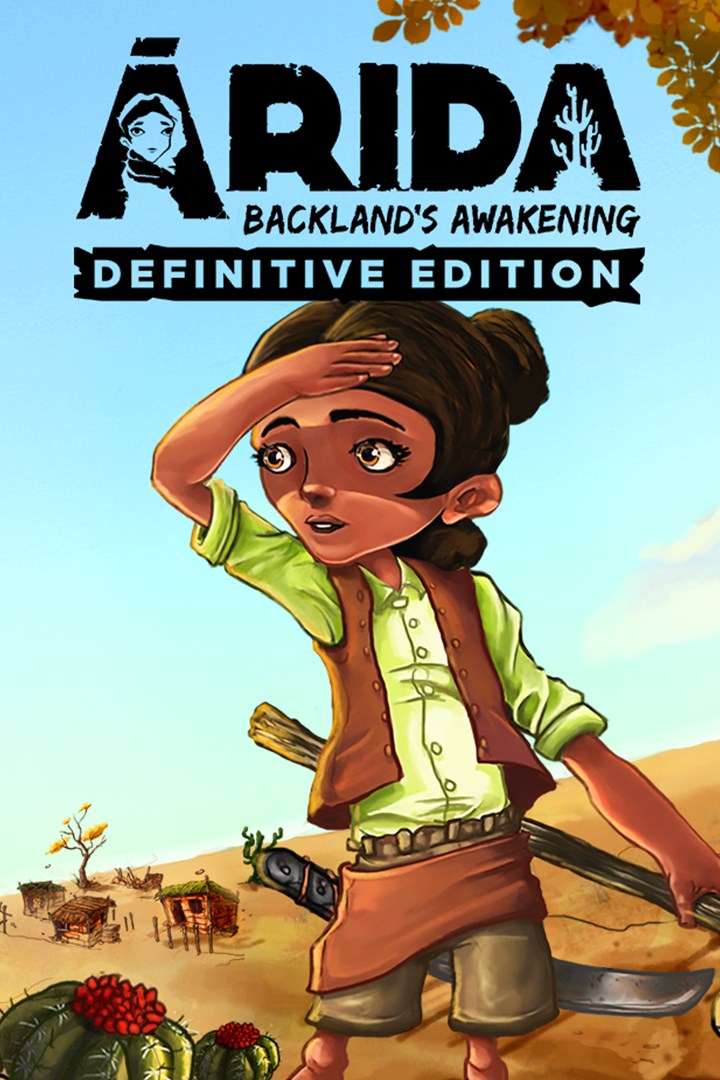
ARIDA: Backland's Awakening
Details
- Publisher
- Aoca Game Lab
- Developer
- Aoca Game Lab
- Release date
- 22.11.2024
- Age rating
- ESRB:E
- Localization
- English
Purchase options
Platform
Primary: our account is set as the home Xbox of your console ("My home Xbox"), so the game is shared with your own profile and works offline — that is one slot on one console. Secondary: you sign in to our account and launch the game from it, and the console has to stay online. The activation code is an extra option: it is redeemed on your own account, and the game stays there forever.
You install the game from our account and set our account as the home one ("My home Xbox"): after that you play from your own profile, and the progress and achievements stay yours. It works offline.
You sign in to our account and play right from it. A permanent internet connection is required and only the issued profile can be used. It costs less than the primary access.
A bonus way to buy: you get a 25-character code and redeem it on your own account. The game stays with you forever, no other profiles and no sign-in to a shared account.
What happens after payment
About the game
ARIDA: Backland's Awakening. A story of survival and adventure in the brazilian backlands. Face the drought to explore the more arid regions, gather resources and discover clues about the fate of the young Cícera.
FEATURES
Equipped to venture out: To survive in ÁRIDA you will need some equipment. Use the machete and hoe for essential actions such as getting water, opening paths, or cutting a corn crop. But do not forget to have a handful of grindstones because blunt equipment is of no use!
Get ready with recipes: To live in the backlands you need to be wise. The fauna and flora are unusual, so try to learn the recipes available for crafting with the typical items of the region. Maybe one day you need to cross the backlands ...
Interact to survive: Hunger and thirst can be very cruel in the backlands during the drought. Ask for help for the elders of your village and solve their quests to get some water and food.
Explore to know: Explore the aridest regions to learn more about the backlands and find the resources you need to stay on your way. A full inventory is always a good idea!
Stories to learn: The Brazilian backlands is a special place, with many stories that would only happen there. Venture out to search for the collectible lost objects and find out more about the legends of the backlands.
STORY
The drought this time came much stronger and changed daily life here in the backlands. Many plantations were lost, animals died and families abandoned their homes. It is in this scenario that Cícera lives, a curious young girl who uses the advice of her grandfather and other villagers to learn how to survive and strengthen herself to face the drought and realize her greatest dream: exploring the backlands to reunite with her parents.
Screenshots
Click a frame to open it larger, use the arrows to browse
How to activate
Guide for Xbox One
Primary — the game is shared with your own profile
- 1Press the Xbox button, open "Profile & system" → "Add or switch" → "Add new" and sign in with the login and password from your order.
- 2Now open "Settings" → "General" → "Personalization" → "My home Xbox" and choose "Make this my home Xbox". This is what shares our games with every profile on your console.
- 3Switch back to your own profile, open "My games & apps" → "Library" and install the game. The internet is only needed for the download.
- 4Launch the game from your own profile: achievements, saves and progress stay yours, and after the installation the game works offline.
Only one console at a time can be the home Xbox for our account — that is the slot you bought. Please do not change the password, the email or the two-factor settings of the account, or the access will be blocked.
Secondary — you play from our account
- 1Press the Xbox button, open "Profile & system" → "Add or switch" → "Add new" and sign in with the login and password from your order.
- 2Open "My games & apps" → "Library", switch to our profile in the top-left corner and install the game.
- 3Launch the game while our profile stays signed in, and keep the console online: the licence is checked over the internet.
- 4Use your own profile for everything else — the game stays available as long as our account is signed in on this console.
Secondary costs less, but it needs a permanent internet connection and our account stays signed in on your console.
Activation code
- 1On the console open "Store" and go to the "Redeem code" section.
- 2Enter the 25-character code from your order and confirm the activation on your own account.
- 3After the activation the code is shown as "Used" — but you can reinstall the game from your library at any time.
Notes for Xbox One
Important
How to play online
Warranty and support
The warranty covers the whole period of use of the account. If the access stops working, we replace the account or refund your money.
- If the game stops launching, we replace the account or refund your money.
- Average support response time — 15–30 minutes during working hours.
- The warranty covers the whole rental period of the access.
Support
Telegram: @weskars
E-mail: support@gears.games
Working hours: daily 11:00 – 23:00 (UTC+3)
Every order goes through clear stages: "New" → "Awaiting payment" → "Paid" → "Delivered". You can follow the status in your account page.
Similar games
More games in the "Action & adventure" genre



