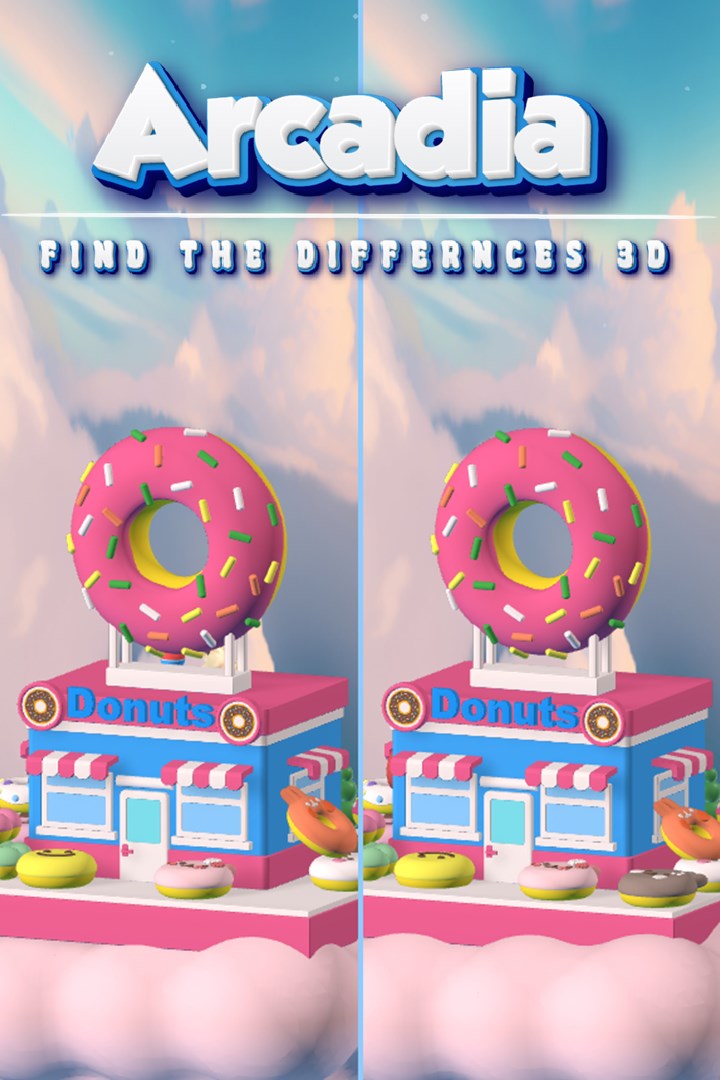
Arcadia: Find The Differences 3D
Аркадия: 3D Найди отличия
Details
- Publisher
- Paper Plane Studio LLC
- Developer
- Paper Plane Studio LLC
- Release date
- 07.11.2025
- Age rating
- ESRB:E
- Localization
- English
Purchase options
Primary: our account is set as the home Xbox of your console ("My home Xbox"), so the game is shared with your own profile and works offline — that is one slot on one console. Secondary: you sign in to our account and launch the game from it, and the console has to stay online. The activation code is an extra option: it is redeemed on your own account, and the game stays there forever.
You install the game from our account and set our account as the home one ("My home Xbox"): after that you play from your own profile, and the progress and achievements stay yours. It works offline.
You sign in to our account and play right from it. A permanent internet connection is required and only the issued profile can be used. It costs less than the primary access.
A bonus way to buy: you get a 25-character code and redeem it on your own account. The game stays with you forever, no other profiles and no sign-in to a shared account.
What happens after payment
About the game
Arcadia is a unique 3D spot-the-difference game that challenges players to explore and appreciate stunning 360° rotating models while uncovering subtle variations hidden within each scene. In every level, you’ll scrutinize intricately designed 3D models to find five distinct differences—ranging from obvious discrepancies to cleverly concealed details.
Key Features:
Unparalleled Artistic and Visual Experience:
Every element in Arcadia—from its meticulously crafted 3D models and richly detailed scenes to its sophisticated UI and atmospheric music—is designed to deliver a premium artistic experience. This commitment to art makes Arcadia one of the most visually impressive spot-the-difference games on the market.
Dynamic 360° Gameplay:
Rotate and examine models from every angle, discovering differences that reward both careful observation and an appreciation of exquisite design.
Rich Gameplay Variety:
Beyond the standard spot-the-difference challenges, Arcadia offers over 10 engaging mini-games. Some differences require you to solve puzzles, adding an extra layer of interactivity and fun.
Diverse and Expansive Environments:
With over 50 uniquely themed scenes—and plans to expand to 100 scenes and 20 mini-games within six months—players are treated to a continually evolving array of breathtaking environments.
Robust Multiplayer and Ranking Systems:
Challenge up to 15 players in real-time online battles, and enjoy specialized two-player ranking modes to compete with friends. An integrated ranking system rewards skill and progression.
Innovative Collection and Building Mechanics:
Earn stars in every level to contribute to an in-game house building system, and unlock a collection of 10 exclusive 3D figurine models through hidden Easter eggs.
Brain-Enhancing Level Design:
In collaboration with UMass Brain Development Department, our levels are designed to not only entertain but also stimulate cognitive skills, offering a beneficial mental workout.
Universal Appeal:
Featuring moderate difficulty suitable for all ages and supporting the top 10 global languages, Arcadia ensures an accessible and inclusive experience for players around the world.
Screenshots
Click a frame to open it larger, use the arrows to browse
How to activate
Guide for Xbox Series X|S
Primary — the game is shared with your own profile
- 1Press the Xbox button, open "Profile & system" → "Add or switch" → "Add new" and sign in with the login and password from your order.
- 2Now open "Settings" → "General" → "Personalization" → "My home Xbox" and choose "Make this my home Xbox". This is what shares our games with every profile on your console.
- 3Switch back to your own profile, open "My games & apps" → "Library" and install the game. The internet is only needed for the download.
- 4Launch the game from your own profile: achievements, saves and progress stay yours, and after the installation the game works offline.
Only one console at a time can be the home Xbox for our account — that is the slot you bought. Please do not change the password, the email or the two-factor settings of the account, or the access will be blocked.
Secondary — you play from our account
- 1Press the Xbox button, open "Profile & system" → "Add or switch" → "Add new" and sign in with the login and password from your order.
- 2Open "My games & apps" → "Library", switch to our profile in the top-left corner and install the game.
- 3Launch the game while our profile stays signed in, and keep the console online: the licence is checked over the internet.
- 4Use your own profile for everything else — the game stays available as long as our account is signed in on this console.
Secondary costs less, but it needs a permanent internet connection and our account stays signed in on your console.
Activation code
- 1On the console open "Store" and go to the "Redeem code" section.
- 2Enter the 25-character code from your order and confirm the activation on your own account.
- 3After the activation the code is shown as "Used" — but you can reinstall the game from your library at any time.
Notes for Xbox Series
Important
How to play online
Warranty and support
The warranty covers the whole period of use of the account. If the access stops working, we replace the account or refund your money.
- If the game stops launching, we replace the account or refund your money.
- Average support response time — 15–30 minutes during working hours.
- The warranty covers the whole rental period of the access.
Support
Telegram: @weskars
E-mail: support@gears.games
Working hours: daily 11:00 – 23:00 (UTC+3)
Every order goes through clear stages: "New" → "Awaiting payment" → "Paid" → "Delivered". You can follow the status in your account page.
Similar games
More games in the "Strategy" genre