
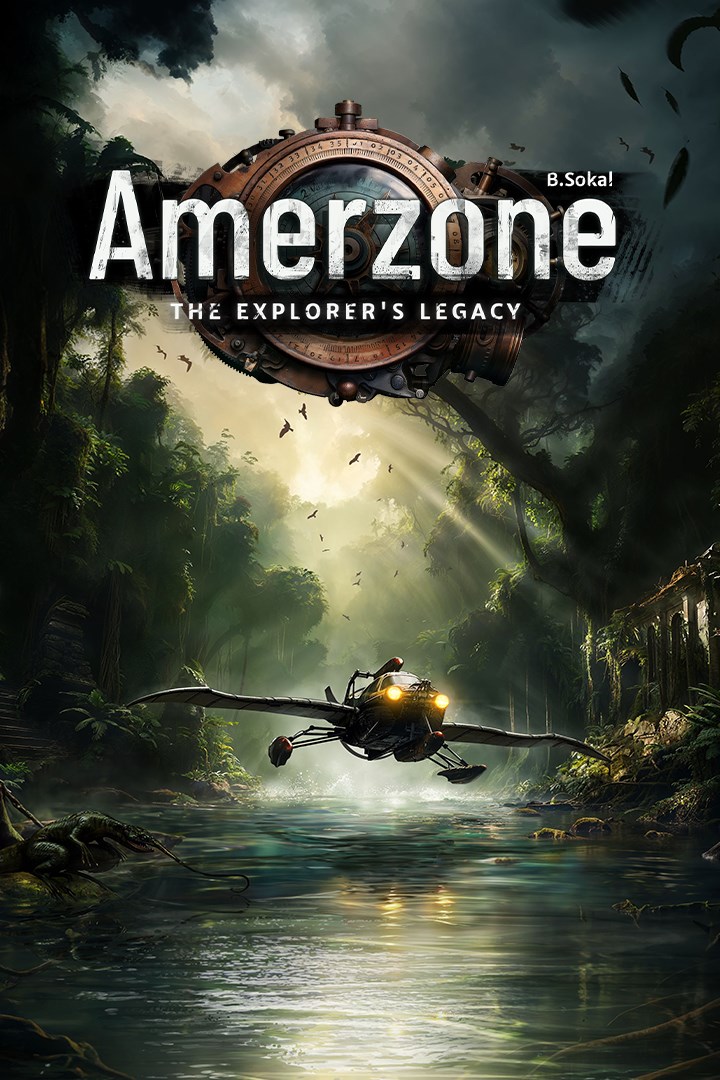
Amerzone - The Explorer's Legacy
Details
- Publisher
- Microids
- Developer
- Microids Studio Paris
- Release date
- 24.04.2025
- Age rating
- ESRB:T
- Localization
- English
Purchase options
Primary: our account is set as the home Xbox of your console ("My home Xbox"), so the game is shared with your own profile and works offline — that is one slot on one console. Secondary: you sign in to our account and launch the game from it, and the console has to stay online. The activation code is an extra option: it is redeemed on your own account, and the game stays there forever.
You install the game from our account and set our account as the home one ("My home Xbox"): after that you play from your own profile, and the progress and achievements stay yours. It works offline.
You sign in to our account and play right from it. A permanent internet connection is required and only the issued profile can be used. It costs less than the primary access.
A bonus way to buy: you get a 25-character code and redeem it on your own account. The game stays with you forever, no other profiles and no sign-in to a shared account.
What happens after payment
About the game
As a young journalist, you’ve been entrusted with a crucial mission: to cross the globe and reach the heart of a mysterious, faraway land…
Your goal is to bring back the last egg of the mythical “Great White Birds”. According to legend, they are bound up with the fate of the only country they call home: a land with strange, dangerous plants and wildlife that has been devastated by years of bloody dictatorship.
- Embark on an extraordinary adventure
Amerzone - The Explorer's Legacy will call on your curiosity and observational skills as you explore its fascinating world,its magical locations and its painful history.
Solve puzzles, find clues that will help you along your way, and get immersed in the spirit of adventure, the beauty of the landscapes and the depth of the story.
During your journey, you will need to unravel the mysteries of the “hydraflot”, a fantastic invention that is equally at home in the water and in the sky. It will be your only ally to overcome the dangers standing between you and the heart of Amerzone…
- The remake of a legend
First released in 1999, Amerzone is a legend in the adventure game genre.
While this remake naturally pays tribute to the original game, it also offers a totally new experience of it.
Benoît Sokal’s legacy, mingling realism and poetry, awareness of worldly truths and wonder, is both honored and magnified.
- An investigation on the other side of the globe
Will you manage to discover the sinister secret hidden behind the mystery of the White Birds?
In this distant land, where past and present overlap, your skills as a journalist will be your most powerful tools: make sense of the clues hidden in your environment, decipher the documents you uncover, and fulfil the explorer’s final wish by saving the Great White Birds!
- 2 difficulty modes for everyone to enjoy the adventure
- A transferable save from the demo version to the full game
- A comprehensive dive into Benoît Sokal's universe, along with the Syberia series
Screenshots
Click a frame to open it larger, use the arrows to browse
How to activate
Guide for Xbox Series X|S
Primary — the game is shared with your own profile
- 1Press the Xbox button, open "Profile & system" → "Add or switch" → "Add new" and sign in with the login and password from your order.
- 2Now open "Settings" → "General" → "Personalization" → "My home Xbox" and choose "Make this my home Xbox". This is what shares our games with every profile on your console.
- 3Switch back to your own profile, open "My games & apps" → "Library" and install the game. The internet is only needed for the download.
- 4Launch the game from your own profile: achievements, saves and progress stay yours, and after the installation the game works offline.
Only one console at a time can be the home Xbox for our account — that is the slot you bought. Please do not change the password, the email or the two-factor settings of the account, or the access will be blocked.
Secondary — you play from our account
- 1Press the Xbox button, open "Profile & system" → "Add or switch" → "Add new" and sign in with the login and password from your order.
- 2Open "My games & apps" → "Library", switch to our profile in the top-left corner and install the game.
- 3Launch the game while our profile stays signed in, and keep the console online: the licence is checked over the internet.
- 4Use your own profile for everything else — the game stays available as long as our account is signed in on this console.
Secondary costs less, but it needs a permanent internet connection and our account stays signed in on your console.
Activation code
- 1On the console open "Store" and go to the "Redeem code" section.
- 2Enter the 25-character code from your order and confirm the activation on your own account.
- 3After the activation the code is shown as "Used" — but you can reinstall the game from your library at any time.
Notes for Xbox Series
Important
How to play online
Warranty and support
The warranty covers the whole period of use of the account. If the access stops working, we replace the account or refund your money.
- If the game stops launching, we replace the account or refund your money.
- Average support response time — 15–30 minutes during working hours.
- The warranty covers the whole rental period of the access.
Support
Telegram: @weskars
E-mail: support@gears.games
Working hours: Daily 11:00–23:00 (UTC+3)
Every order goes through clear stages: "New" → "Awaiting payment" → "Paid" → "Delivered". You can follow the status in your account page.
Similar games
More games in the "Action & adventure" genre



