Aliens: Fireteam Elite 2
Details
- Publisher
- Daybreak Game Company, LLC
- Developer
- Cold Iron Studios, LLC
- Release date
- 25.08.2026
- Age rating
- ESRB:M
- Localization
- English
Purchase options
Primary: our account is set as the home Xbox of your console ("My home Xbox"), so the game is shared with your own profile and works offline — that is one slot on one console. Secondary: you sign in to our account and launch the game from it, and the console has to stay online. The activation code is an extra option: it is redeemed on your own account, and the game stays there forever.
You install the game from our account and set our account as the home one ("My home Xbox"): after that you play from your own profile, and the progress and achievements stay yours. It works offline.
You sign in to our account and play right from it. A permanent internet connection is required and only the issued profile can be used. It costs less than the primary access.
A bonus way to buy: you get a 25-character code and redeem it on your own account. The game stays with you forever, no other profiles and no sign-in to a shared account.
What happens after payment
About the game
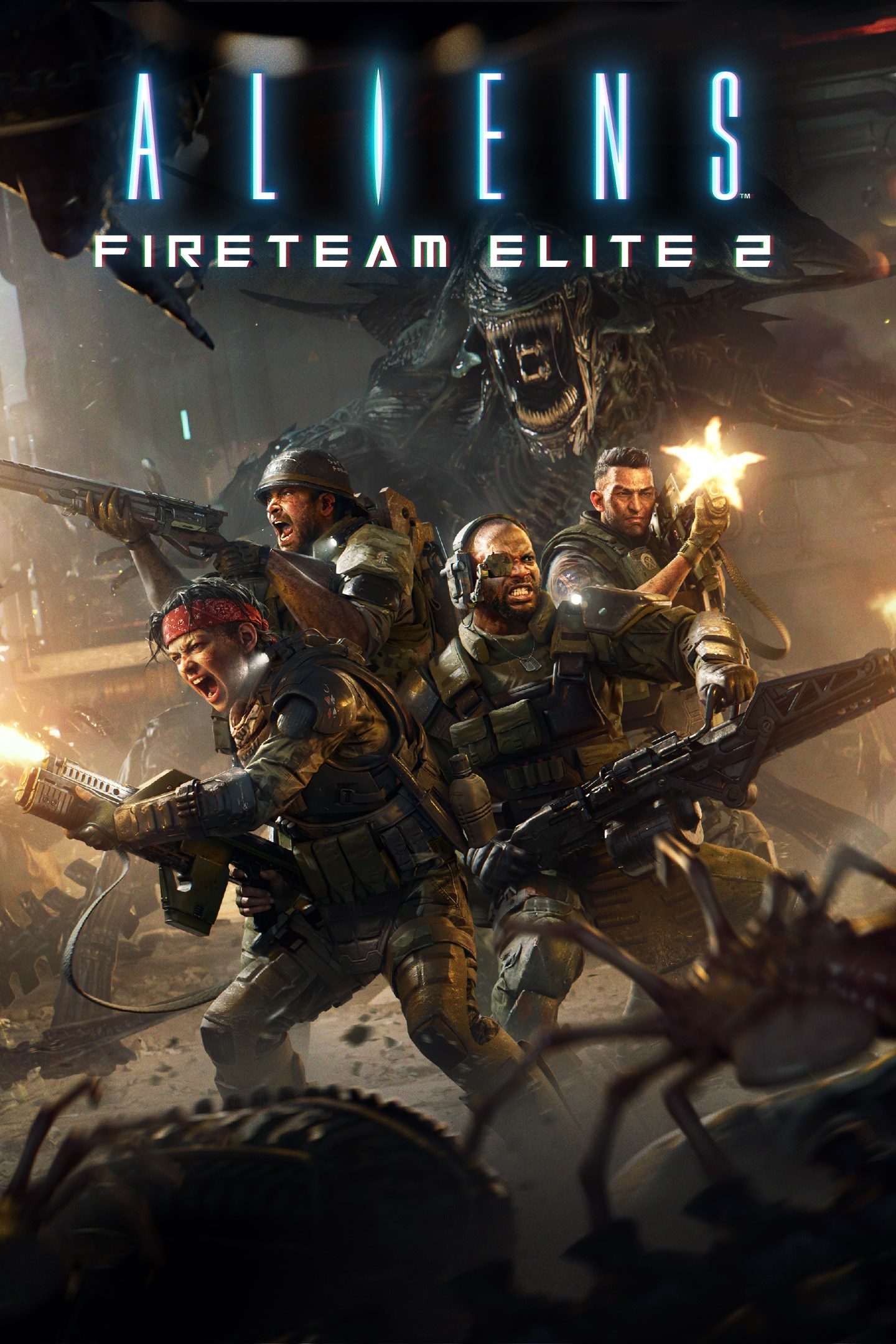
Aliens: Fireteam Elite 2 drops up to four players into the boots of Colonial Marines deployed to the most hostile corners of the Aliens universe. This is not a rescue mission – it’s a fight for survival. Xenomorphs stalk the corridors, ambush from the shadows, and swarm in overwhelming numbers. Every room could be your last. Coordinate with your fireteam, leverage each class’s unique abilities, and adapt on the fly as encounters escalate from tense standoffs to all-out war. With deeper squad mechanics, smarter enemies, and a fully customizable Specialist class, AFE2 delivers the definitive co-op Aliens experience. 4-Player Co-Op Squad Combat
Expanding from three to four players, AFE2 introduces deeper team-based mechanics that reward coordination and strategic class composition. New and improved classes each bring distinct playstyles and tactical abilities to the fight, making every squad combination feel different.
Xenomorphs That Overwhelm You
The iconic xenomorphs are more ferocious than ever before. AFE2's massive variety of new xenomorphs will force players to stay mobile, maintain situational awareness, and use every tool at their disposal. From stun batons for up close melee action in those most desperate moments, to pyro and electric ammo to whittle down the unrelenting xenomorph front before they overrun you and your squad, the battle can shift from calculated tension to desperate last stand in seconds.
The Specialist Class – Play Your Way
Beyond expanded weapon and gear customization, AFE2 introduces the Specialist – a fully customizable class that lets players mix and match major and minor abilities from every available class. Build a loadout tailored to your exact playstyle and fill whatever role your squad needs.
Horde Mode – Survive the Swarm
AFE2 launches with multiple dedicated Horde maps that push squads to their limits. Battle through escalating waves of xenomorphs and other deadly enemies, earning increasingly valuable rewards as you survive deeper into the onslaught. This is where teamwork and skill are tested at their absolute peak.
Screenshots
Click a frame to open it larger, use the arrows to browse
How to activate
Guide for Xbox Series X|S
Primary — the game is shared with your own profile
- 1Press the Xbox button, open "Profile & system" → "Add or switch" → "Add new" and sign in with the login and password from your order.
- 2Now open "Settings" → "General" → "Personalization" → "My home Xbox" and choose "Make this my home Xbox". This is what shares our games with every profile on your console.
- 3Switch back to your own profile, open "My games & apps" → "Library" and install the game. The internet is only needed for the download.
- 4Launch the game from your own profile: achievements, saves and progress stay yours, and after the installation the game works offline.
Only one console at a time can be the home Xbox for our account — that is the slot you bought. Please do not change the password, the email or the two-factor settings of the account, or the access will be blocked.
Secondary — you play from our account
- 1Press the Xbox button, open "Profile & system" → "Add or switch" → "Add new" and sign in with the login and password from your order.
- 2Open "My games & apps" → "Library", switch to our profile in the top-left corner and install the game.
- 3Launch the game while our profile stays signed in, and keep the console online: the licence is checked over the internet.
- 4Use your own profile for everything else — the game stays available as long as our account is signed in on this console.
Secondary costs less, but it needs a permanent internet connection and our account stays signed in on your console.
Activation code
- 1On the console open "Store" and go to the "Redeem code" section.
- 2Enter the 25-character code from your order and confirm the activation on your own account.
- 3After the activation the code is shown as "Used" — but you can reinstall the game from your library at any time.
Notes for Xbox Series
Important
How to play online
Warranty and support
The warranty covers the whole period of use of the account. If the access stops working, we replace the account or refund your money.
- If the game stops launching, we replace the account or refund your money.
- Average support response time — 15–30 minutes during working hours.
- The warranty covers the whole rental period of the access.
Support
Telegram: @weskars
E-mail: support@gears.games
Working hours: daily 11:00 – 23:00 (UTC+3)
Every order goes through clear stages: "New" → "Awaiting payment" → "Paid" → "Delivered". You can follow the status in your account page.
Similar games
More games in the "Shooter" genre